Mechanical vs. membrane keyboards: which should you actually buy?
Compare mechanical and membrane keyboards for price, repairability and typing feel. Find out which trade-offs matter for your desk.
Updated 16 Oct 2026 · no hands-on testing
The short answer
Choose mechanical if you want a particular switch feel or a board that accepts replacement switches. If you prefer a low-profile scissor action, compare that mechanism directly. A compact layout does not force you to choose mechanical.
Buy membrane if you want the cheapest keyboard that works, the thinnest one, a built-in touchpad, a spill-resistance claim, or a shaped ergonomic keybed. Price is not the dividing line people assume. Membrane starts far lower: Logitech K120 was seen at $12.99 on 21 Oct 2026; check the current price. But it also runs up to Logitech ERGO K860, above most of the mechanical boards here. What you are really choosing between is a keyboard assembled from replaceable parts and a keyboard built as one sealed object.
The picks
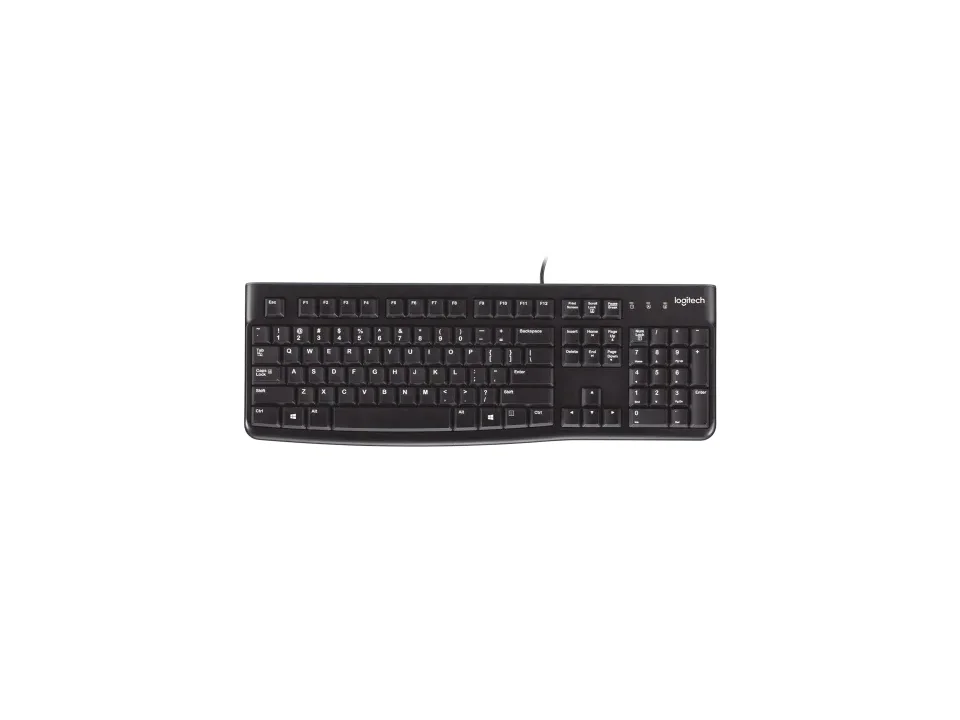
Cheapest keyboard that works
$12.99 seen 21 Oct 2026; check the current price
4.0★ (46) at Logitech
A full-size board with a number pad, rubber-dome keys and a spill-resistance claim, and the least expensive keyboard on this page. It rates 4.0★ (46) at Logitech: a first-party rating from the brand's own store, from a small sample, which is why we would not lean on it. Buy it as a keyboard you do not think about.
Check price on AmazonPaid link — QuickDesker may earn a commission.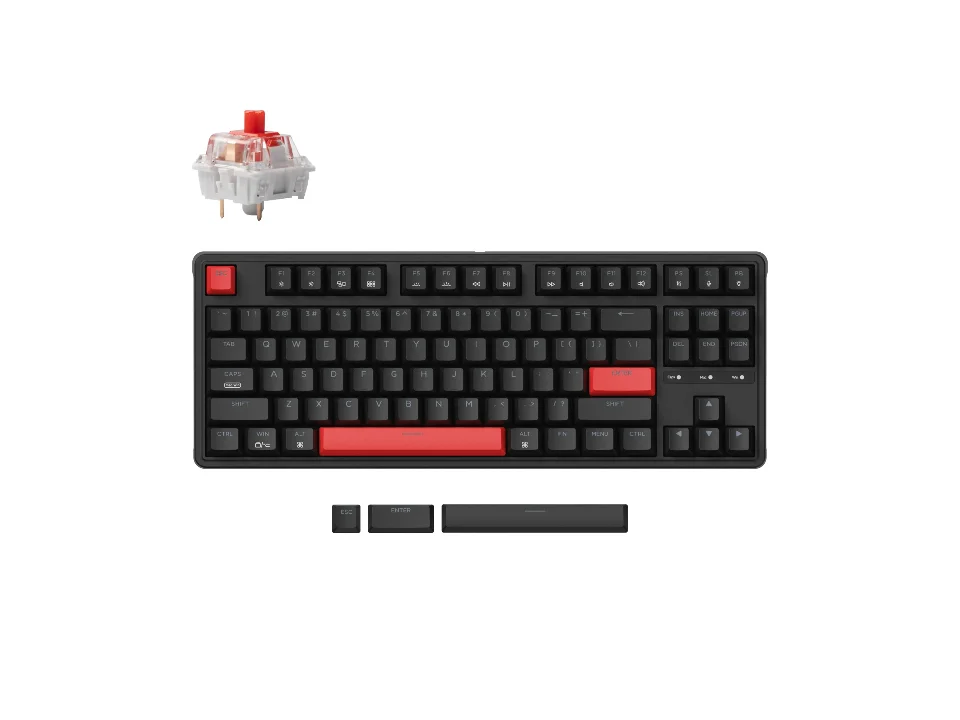
Cheapest way into mechanical
$34.99 seen 11 Sep 2026; check the current price
A wired tenkeyless with real mechanical switches, a gasket mount and QMK/VIA remapping. It was seen at $34.99 on 11 Sep 2026; check the current price. We did not find whether this variant's board is hot-swappable, so we have left that blank rather than assume it from the rest of the range.
Check price on AmazonPaid link — QuickDesker may earn a commission.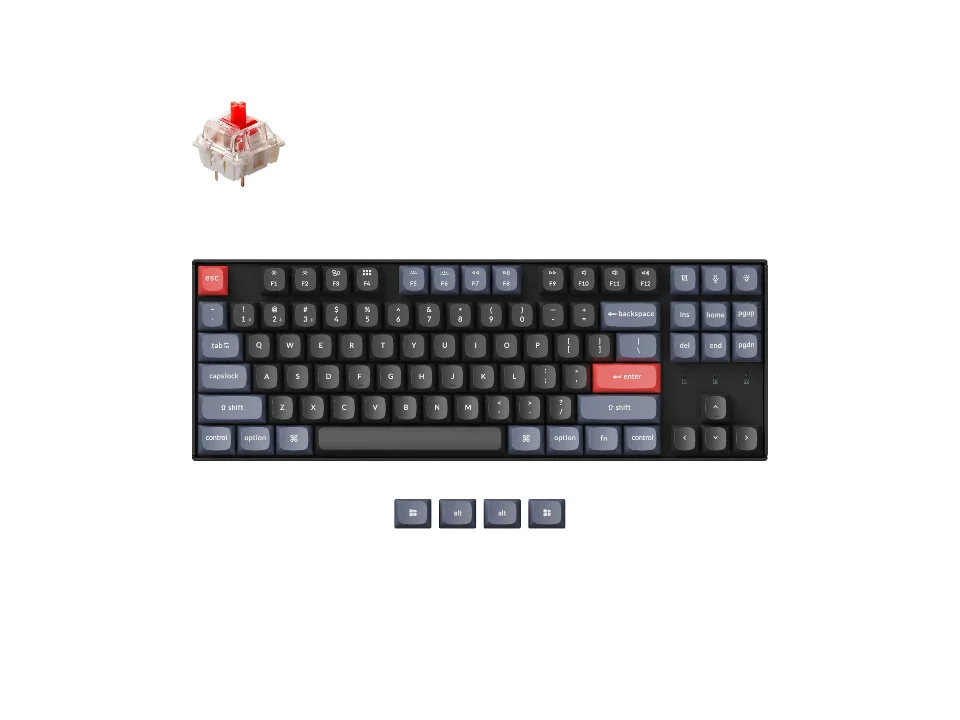
Mechanical you can rebuild
$74.99 seen 19 Oct 2026 (sold out); check the current price
Hot-swappable, so switches pull out and go back in without a soldering iron, plus QMK/VIA, PBT keycaps, Bluetooth and a cable. This is the version of the argument that actually favours mechanical: a board whose wearing parts are user-replaceable. It was seen at $74.99 on 19 Oct 2026 (sold out); check the current price.
Check price on AmazonPaid link — QuickDesker may earn a commission.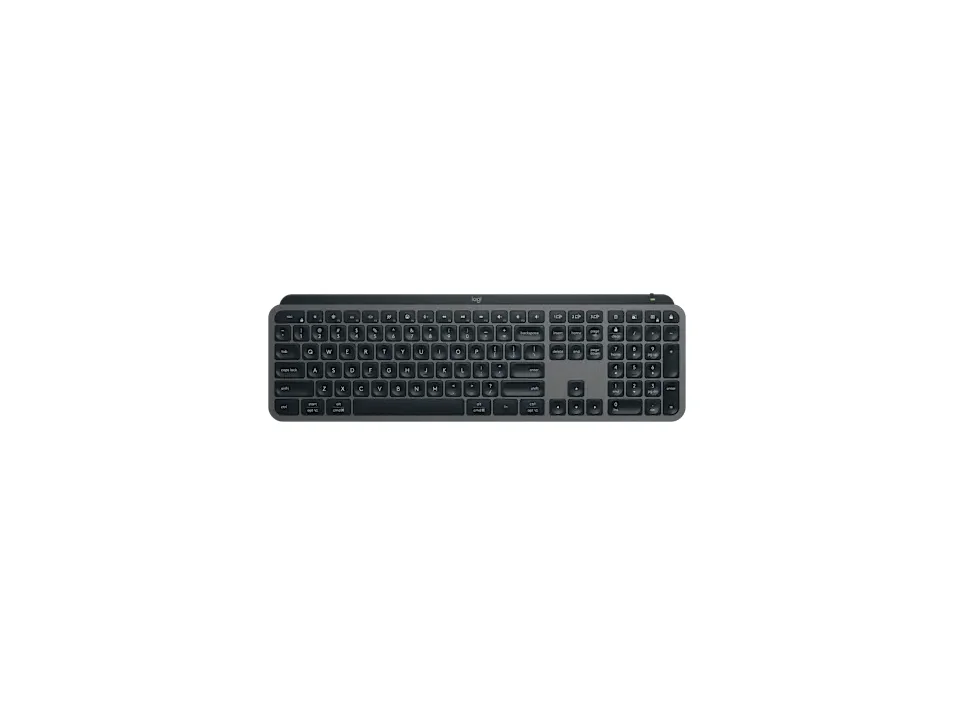
Membrane at the top of its range
$119.99 seen 23 Oct 2026; check the current price
Full-size scissor keys with a backlight that reacts to the room, three-device switching and Logi Options+ remapping. It exists to make the point that membrane is a mechanism, not a price tier. It was seen at $119.99 on 23 Oct 2026; check the current price.
Check price on AmazonPaid link — QuickDesker may earn a commission.
What actually separates a mechanical keyboard from a membrane one?
One structural thing, and every other difference on this page comes from it. In the ordinary versions of each, a mechanical keyboard puts an individual switch under every key, while a membrane keyboard puts a single moulded rubber sheet under all of them and each key presses a dome on that sheet onto a contact underneath. Both families have stranger members than that, and buckling-spring, capacitive, optical and magnetic boards all sit somewhere the two-word split does not reach.
Membrane keyboards include more than basic office boards. Scissor mechanisms support the keys on models such as Logitech MX Keys Mini and Cherry Stream Keyboard TKL. Logitech Signature Slim K950 is another: Logitech lists its keyboard type as a scissor keyboard. Logitech Pebble Keys 2 K380s is one too: Logitech's support specifications list it as a scissor keyboard. Razer Ornata V3 Tenkeyless uses Razer’s mecha-membrane design, combining a rubber-dome mechanism with a click mechanism.
The practical consequence is about economics rather than possibility. A mechanical board can usually be repaired one key at a time, where a membrane board is generally repaired by replacing the sheet that carries every key at once. That is a real repair and people do it: iFixit publishes an eight-step guide for a Logitech membrane board that opens on exactly the symptom, keys not registering when pressed, and Unicomp sells replacement membrane assemblies as a stock part, ordered against the keyboard's part number. What it is not is modular. You are pulling a keyboard apart to replace a component that costs a fair share of what a new keyboard costs, and that is why most people simply buy another one.
If the switch itself is what failed, a hot-swappable board makes replacing it a quick job: the dead switch lifts out with a small puller and a new one presses in. A key can stop registering for other reasons too, among them a bad socket, a fault on the circuit board underneath, the firmware or the controller, and none of those is cured by changing a switch. So the difference is not that one type can be repaired and the other cannot. It is that when the fault is the switch, the repair is worth doing, and on a sealed board it usually is not.
Is membrane always cheaper than mechanical?
Only at the very bottom of the range. Down there a membrane board costs a fraction of what a mechanical one does, and that gap is real: it is the honest reason most keyboards sold are membrane.
It closes fast, though. Mechanical boards start well under $100, with Keychron C3 Pro at the bottom of that group, while membrane keeps climbing past it: Logitech MX Keys S and Logitech ERGO K860 are both membrane and both cost more than every mechanical board under $100 on this page. If your budget is somewhere in the middle, the type is not what your money is deciding.
Can you get a small keyboard without going mechanical?
Yes. Keychron B11 Pro is a compact scissor-key keyboard with a 65% Alice layout. Mechanical switches are not a requirement for a small key layout.
The Keychron B11 Pro folds for travel, but its Alice layout is wide when open. Choose it for the portable design and scissor feel, not on the assumption that it leaves the most room for your mouse.
Work out which keys you need before choosing a mechanism. For a layout comparison, read Full-size, TKL or compact: which keyboard size should you get?
Which type is easier to keep working for years?
Mechanical, on both of the axes that matter. Hot-swap sockets and QMK/VIA, the open firmware that lets you remap any key without vendor software running in the background, are mechanical-board features: every board here carrying either one is mechanical.
Membrane boards are not remapping-free: Logitech MX Keys S remaps through Logi Options+, and Razer Ornata V3 Tenkeyless through Razer Synapse, but that is vendor software configuring a fixed board, not firmware you own. If you care about a keyboard still doing what you want in five years, that distinction is the whole argument. What open firmware actually lets you do with a key, including layers and getting a missing key back, is the subject of Keyboard layouts explained: key blocks, ANSI vs ISO, and what a percentage hides.
What does membrane do that mechanical does not?
Thinness and travel. Logitech Keys-To-Go 2 folds a cover over itself and is built to go in a bag; nothing mechanical here is shaped like that.
Shaped ergonomics. Logitech Wave Keys has a wave-contoured keybed and a cushioned rest, and Logitech ERGO K860 splits and curves the whole layout. Moulding a sheet into a curve is cheap; machining a case into one is not, which is why the ergonomic keyboards here are membrane.
Odd jobs. Logitech K400 Plus has a touchpad built into the deck, which makes it the one board here you can use on a sofa with a TV. Spill-resistance claims cluster on the membrane side too; where a mechanical board carries one, it tends to be an expensive gaming model. On the membrane side, SteelSeries Apex 3 is an example: SteelSeries says it's IP32 water resistant for protection against spills. So is SteelSeries Apex 3 TKL: SteelSeries says it's certified IP32 water and dust resistant. HyperX Alloy Core RGB is another membrane board with a spill claim: HyperX says it's tested to resist up to 120ml of liquid.
Is a mechanical keyboard louder than a membrane one?
It depends on the switch, not on the technology, and we cannot tell you more than that from experience. Nothing on this page has been listened to by anybody working on this site. We have no decibel figures of our own and we are not going to describe a sound we have not heard.
The mechanism argument does not settle it either, and there is a famous object that shows why. IBM's Model M is a membrane keyboard. Admiral Shark's reference on buckling springs sets out the difference from the earlier Model F precisely: the Model F sensed capacitively through a pad card, and the Model M replaced that with a membrane contact assembly under the same buckling-spring mechanism. The same page classifies that mechanism as clicky and says where the noise comes from, which is the spring buckling and striking the barrel it sits in. So the click and the membrane sit inside the same keyboard. What the word describes is how the contact is made, and on its own it predicts nothing about the sound.
What we can report is what manufacturers claim and where a retailer's customers landed. Cherry markets Cherry Stream Keyboard TKL on quietness specifically, and it rates 4.2★ (198) at Best Buy. On the mechanical side, most boards here ship in a choice of switches (Keychron K2 Pro lists four), and which one you pick moves the noise far more than the mechanical-versus-membrane split does.
If silence is your first requirement, the switch is the decision, and the case for that (including why bottoming out matters more than the switch's own click) is made in Mechanical Keyboard Switches Explained: Linear, Tactile and Clicky.
How do these mechanical and membrane keyboards compare?
| Product | Type | Switch technology | Size | Connection | Price when seen | Where to buy |
|---|---|---|---|---|---|---|
| Logitech K120 | Membrane & scissor | Rubber dome | Full-size | Wired | $12.99 (seen 21 Oct 2026) | Check price on AmazonPaid link |
| Cherry Stream Keyboard TKL | Membrane & scissor | Scissor | TKL / 75% | Wired | $24.28 (seen 20 Oct 2026) | Check price on AmazonPaid link |
| Logitech MX Keys Mini | Membrane & scissor | Scissor | TKL / 75% | Wireless | $99.99 (seen 23 Oct 2026) | Check price on AmazonPaid link |
| Logitech MX Keys S | Membrane & scissor | Scissor | Full-size | Wireless | $119.99 (seen 23 Oct 2026) | Check price on AmazonPaid link |
| Keychron C3 Pro | Mechanical | Mechanical | TKL / 75% | Wired | $34.99 (seen 11 Sep 2026) | Check price on AmazonPaid link |
| Keychron K8 Pro | Mechanical | Mechanical | TKL / 75% | Wireless | $74.99 (seen 19 Oct 2026 (sold out)) | Check price on AmazonPaid link |
| Keychron Q4 | Mechanical | Mechanical | Compact (65% / 60%) | Wired | $79.99 (seen 4 Oct 2026) | Check price on AmazonPaid link |
| Razer Ornata V3 Tenkeyless | Membrane & scissor | Mecha-membrane | TKL / 75% | Wired | $69.99 (seen 16 Sep 2026) | Check price on AmazonPaid link |
The table compares membrane and mechanical examples at different prices. Razer Ornata V3 Tenkeyless is the mecha-membrane hybrid discussed above.
Prices are what we saw on the dates shown, not live figures. A lot of them were promotional when we read them, so check the current price before you buy.
Paid link — QuickDesker may earn a commission.
Common questions
- Is a mechanical keyboard always louder?
No, and the question is aimed at the wrong variable. Mechanical switches come in linear, tactile and clicky versions, and the clicky ones are loud because they are designed to be. Most boards here ship in a choice, so two identical-looking mechanical keyboards can be much louder or much quieter than each other.
We have not listened to any of them, so we are not going to rank them by noise. What we can tell you is which switches each board offers, which is on the product's own row.
- Does membrane mean cheap?
No. It is the mechanism, not the price bracket. Logitech MX Keys S was seen at $119.99 on 23 Oct 2026; check the current price. Logitech ERGO K860 was seen at $119.99 on 21 Oct 2026; check the current price. Both are membrane, and both cost more than plenty of mechanical boards do.
- Can I get a 60% or 65% membrane keyboard?
Yes. Keychron B11 Pro provides a compact scissor-key example. Its folding Alice layout has no dedicated function row.
Check the exact layout and mechanism together; the percentage label does not determine which switch technology the keyboard uses.
- What is a hot-swappable keyboard, and do I need one?
It means the switches sit in sockets rather than being soldered down, so you can replace a compatible switch without soldering. A failed key can have other causes, so replacing the switch is not a guaranteed repair. You need it if you expect to change how the keyboard feels after buying it. Every board here built this way is mechanical.
Three of them are also wireless: Keychron K2 Pro, Keychron K8 Pro and Keychron K3 Max. Whether the sockets are worth paying for if you never actually swap anything is argued properly in Hot-swappable keyboards explained: what the sockets do, and who needs one.
- What is mecha-membrane?
Mecha-membrane is Razer’s name for a rubber-dome keyboard with an added click mechanism. Razer Ornata V3 Tenkeyless is the example shown here. It belongs with the membrane comparison because the key mechanism remains dome-based.
What this is based on
We have not tested these products. The comparisons use manufacturer specifications and retailer information, with sources linked below. Prices are dated snapshots and may have changed.
Everything above comes from the boards on this page, each one researched from the manufacturer's own product or specification page and, where a price or a customer rating was needed, from a retailer's live listing. Every source is linked below with the date it was read.
For a compact scissor-key option, see Keychron B11 Pro. Check its unfolded dimensions as well as the key layout before choosing it for a desk.
Where a manufacturer did not publish something, the table says "Not recorded" and we have left it alone. Keychron C3 Pro is the example on this page: Keychron does not say whether that variant is hot-swappable, other boards in the same range are, and we have not filled in the gap by inference.
Sources (47)
- Admiral Shark's Keyboards: IBM buckling spring (records that the Model F sensed keystrokes with a capacitance-sensing pad card and that the Model M replaced it with a membrane contact switch assembly under the same buckling-spring mechanism, and states that "the click is provided by the spring buckling and striking the barrel itself") (Editorial, read 28 Aug 2026)
- Best Buy: CHERRY STREAM TKL Wired Keyboard: Pale Gray (Retailer, read 16 Aug 2026)
- Best Buy: HyperX Alloy Core Full-size Wired Gaming Membrane Keyboard with RGB Lighting Black (Retailer, read 13 Oct 2026)
- Best Buy: Logitech ERGO K860 (Graphite) (Retailer, read 4 Oct 2026)
- Best Buy: Logitech K400 Plus TKL Wireless Membrane Keyboard for PC/TV/Laptop/Tablet with Built-in Touchpad Black (Retailer, read 4 Oct 2026)
- Best Buy: Logitech Keys-To-Go 2 (Off-white) (Retailer, read 4 Oct 2026)
- Best Buy: Logitech MX Keys Mini (Black) (Retailer, read 4 Oct 2026)
- Best Buy: Logitech Pebble Keys 2 K380s (Tonal Graphite) (Retailer, read 4 Oct 2026)
- Best Buy: Razer Ornata V3 Tenkeyless (Black) (Retailer, read 16 Sep 2026)
- Best Buy: SteelSeries Apex 3 Full Size Wired Membrane Whisper Quiet Switch Gaming Keyboard with 10 zone RGB Backlighting Black (Retailer, read 4 Oct 2026)
- Cherry: CHERRY STREAM KEYBOARD TKL: corded compact keyboard (Manufacturer, read 16 Aug 2026)
- GStyle Magazine: Keychron B11 Pro ultra-slim foldable keyboard review (Editorial, read 30 Aug 2026)
- HyperX: Alloy Core RGB Membrane Gaming Keyboard | HyperX (Manufacturer, read 11 Sep 2026)
- HyperX: Alloy Core RGB Membrane Gaming Keyboard | HyperX UK (Manufacturer, read 11 Sep 2026)
- iFixit: Logitech K345 Membrane Replacement (an eight-step repair guide opening on "Are your Logitech MK345 keyboard keys not registering when pressed?", replacing the membrane that completes the circuit) (Editorial, read 28 Aug 2026)
- Keychron: Keychron B11 Pro Ultra-Slim Wireless Foldable Keyboard (variant B11P-K1, Space Gray): 65% Alice layout, folding, scissor, 2.4 GHz / Bluetooth / USB-C, ZMK and Keychron Launcher, no backlight, 392.6 mm unfolded (Manufacturer, read 30 Aug 2026)
- Keychron: Keychron C3 Pro QMK/VIA Wired Mechanical Keyboard (Manufacturer, read 11 Sep 2026)
- Keychron: Keychron K2 Pro QMK/VIA Wireless Mechanical Keyboard (Manufacturer, read 24 Sep 2026)
- Keychron: Keychron K3 Max QMK/VIA Wireless Custom Mechanical Keyboard (Manufacturer, read 24 Sep 2026)
- Keychron: Keychron K8 Pro QMK/VIA Wireless Mechanical Keyboard (Manufacturer, read 11 Sep 2026)
- Keychron: Keychron Q4 QMK Custom Mechanical Keyboard (Manufacturer, read 11 Sep 2026)
- Logitech: K400 Plus Wireless Touch Keyboard (Manufacturer, read 14 Sep 2026)
- Logitech: Keyboard K120: USB standard computer keyboard (Manufacturer, read 16 Aug 2026)
- Logitech: Keys-To-Go 2 Tablet Keyboard (Manufacturer, read 14 Sep 2026)
- Logitech: Logitech ERGO K860 Wireless Split Keyboard (Manufacturer, read 14 Sep 2026)
- Logitech: MX Keys Mini Wireless Keyboard (Manufacturer, read 16 Sep 2026)
- Logitech: MX Keys S Wireless Keyboard (Manufacturer, read 16 Sep 2026)
- Logitech: Pebble Keys 2 K380s Bluetooth Keyboard (Manufacturer, read 16 Sep 2026)
- Logitech: Signature Slim Wireless Keyboard K950 (Manufacturer, read 16 Sep 2026)
- Logitech: Specification - ERGO K860 Split Ergonomic Keyboard (Manufacturer, read 14 Sep 2026)
- Logitech: Specification - K950 (Manufacturer, read 16 Sep 2026)
- Logitech: Specification - Keys-To-Go 2 (Manufacturer, read 14 Sep 2026)
- Logitech: Specification - MX Keys Mini (Manufacturer, read 16 Sep 2026)
- Logitech: Specification - MX Keys S (Manufacturer, read 16 Sep 2026)
- Logitech: Specification - Pebble Keys 2 K380s (Manufacturer, read 16 Sep 2026)
- Logitech: Specification - Wave Keys (Manufacturer, read 16 Sep 2026)
- Logitech: Wave Keys Ergonomic Wireless Keyboard (Manufacturer, read 16 Sep 2026)
- Logitech: Wireless Touch Keyboard K400 Plus Technical Specifications (Manufacturer, read 14 Sep 2026)
- Logitech.com: Logitech Signature Slim K950 (Graphite) (Retailer, read 4 Oct 2026)
- Logitech.com: Logitech Wave Keys (Off-white) (Retailer, read 4 Oct 2026)
- Razer: Razer Ornata V3 Tenkeyless (Manufacturer, read 16 Sep 2026)
- Razer: Razer Ornata V3 Tenkeyless - US - Black (Razer.com) (Manufacturer, read 16 Sep 2026)
- Razer: Razer Ornata V3 Tenkeyless | RZ03-0488x Support & FAQs (Manufacturer, read 16 Sep 2026)
- SteelSeries: Apex 3 TKL - US (Manufacturer, read 16 Sep 2026)
- SteelSeries: Apex 3 US (Manufacturer, read 16 Sep 2026)
- Tom's Guide: Keychron B11 Pro review (Editorial, read 30 Aug 2026)
- Unicomp: Membrane assembly (a replacement keyboard membrane sold as a stock part, ordered against the keyboard's part number) (Manufacturer, read 28 Aug 2026)
Related guides
Build your setup
Compare keyboards, mice and headphones in the setup builder, then save the combination you like. Prefer a list? Browse all products.