Hot-swappable keyboards explained: what the sockets do, and who needs one
Hot-swap means the switches pull out with a small tool instead of being soldered down. What is actually inside a socket, what 3-pin and 5-pin mean, and the honest case for paying for it even if you never swap anything.
Updated 12 Oct 2026 · no hands-on testing
The short answer
Hot-swappable means the switches sit in sockets that grip their metal pins, rather than being soldered to the circuit board underneath. You lift the keycap, pull the switch straight up with a small puller, and press a different one into the same hole. No soldering is needed, but the pins still need careful alignment. Plenty of mechanical boards are built this way and plenty of others say nothing either way, so check the exact model before ordering.
Whether a beginner needs it comes down to a single question: how confident are you about the switch? If you already know you want something quiet and tactile and the board you like ships with exactly that, hot-swap buys you nothing on the day you open the box. If you are guessing, it is the cheapest insurance in this whole category, because it converts a decision you cannot take back into one you can revisit for the price of a switch set.
The picks
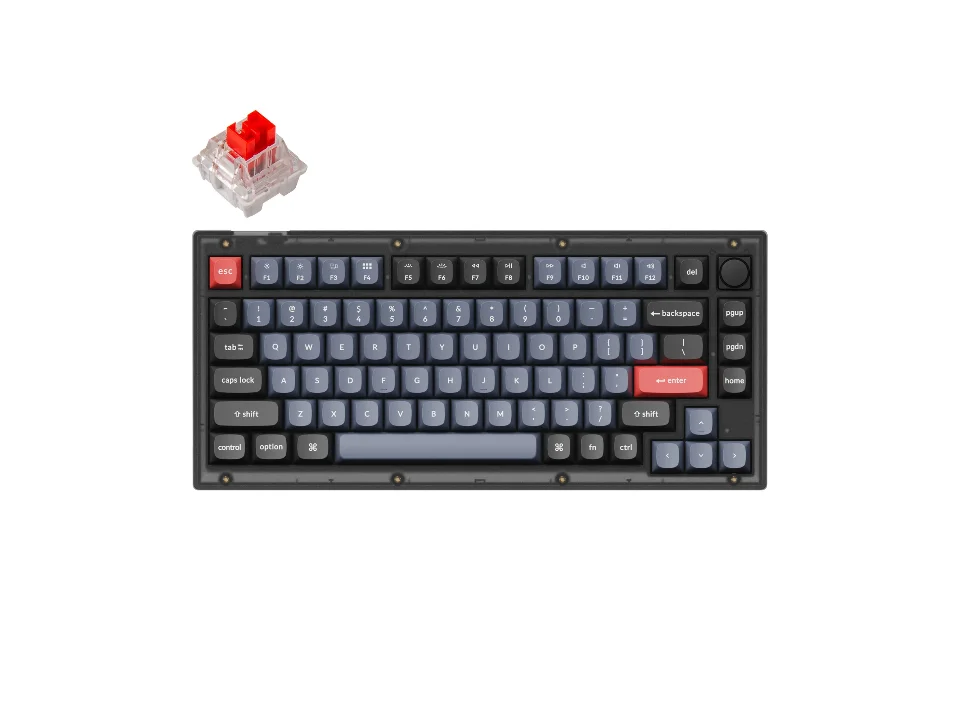
The cheapest way to own the question outright
$69.99 seen 20 Oct 2026; check the current price
Hot-swappable, and its switch list already spans linear, tactile and clicky in the colour convention, so you can start with a guess and correct it later without buying a second keyboard. It was seen at $69.99 on 20 Oct 2026; check the current price. Of everything here this is the board that makes the fewest of your decisions for you.
Check price on AmazonPaid link — QuickDesker may earn a commission.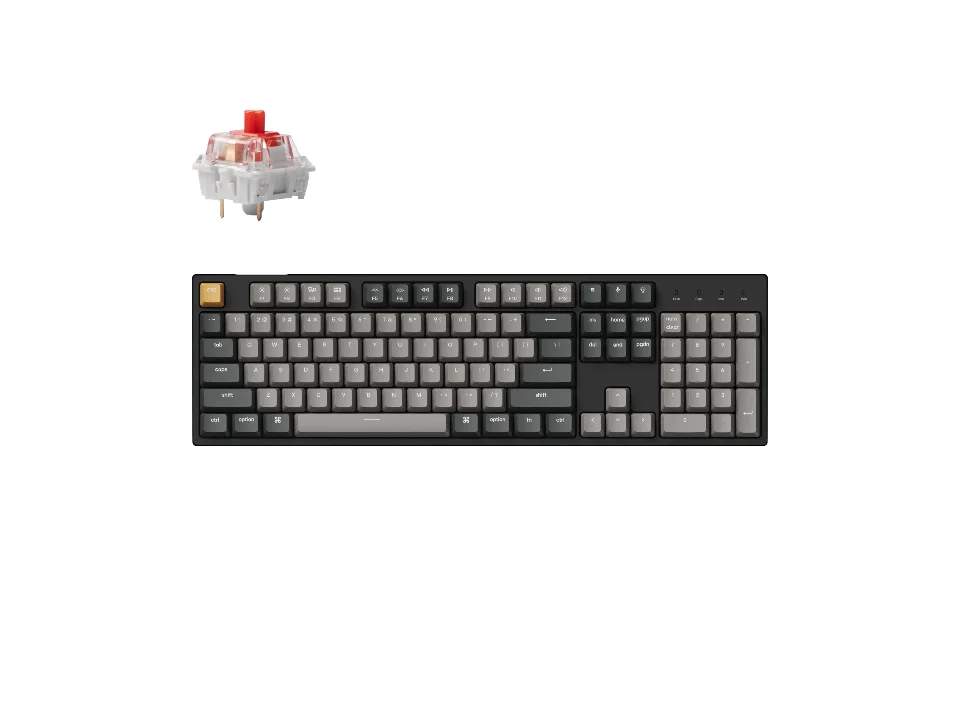
Hot-swap on a full-size board, near the bottom of the range
$44.99 seen 17 Oct 2026 (sold out); check the current price
A full-size mechanical board with a number pad and sockets under every key. It was seen at $44.99 on 17 Oct 2026 (sold out); check the current price. Full-size and hot-swappable together is a thinner slice of the market than you would expect, because the enthusiast boards that popularised sockets tend to be small ones.
Check price on AmazonPaid link — QuickDesker may earn a commission.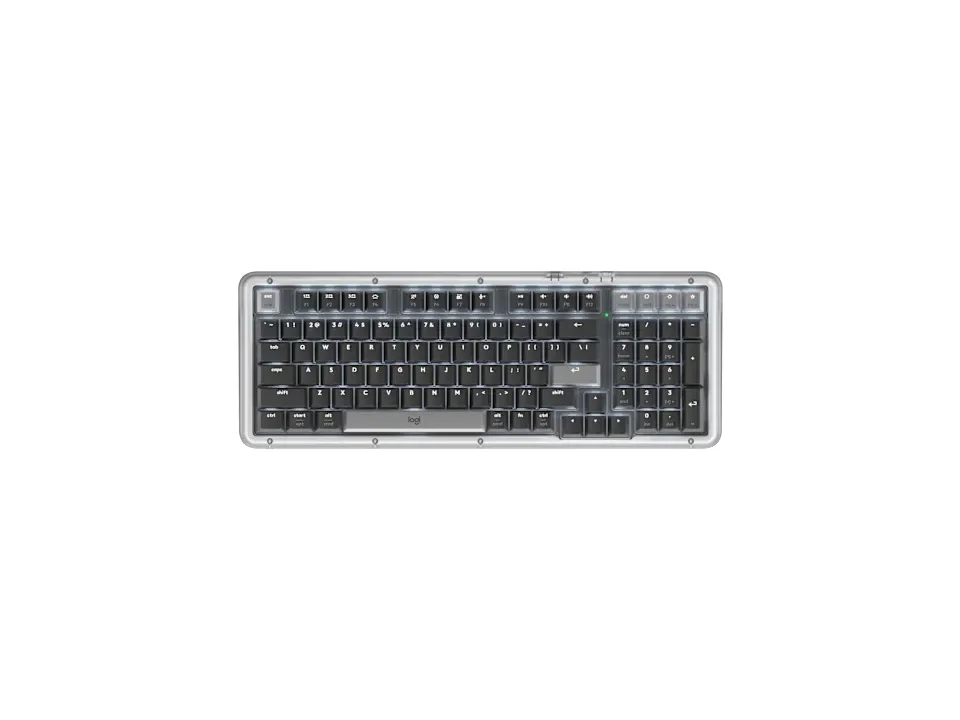
CHANGE THE SWITCH FEEL WITHOUT SOLDERING
$99.99 seen 20 Oct 2026; check the current price
Hot-swappable, and Logitech lists one switch for it: a linear called Marble. It was seen at $99.99 on 20 Oct 2026; check the current price. That combination, sockets under every key and a single option at checkout, is an odd one, and Razer BlackWidow V4 75% is the other board here that does it. On a board like that the socket stops being a nice extra. It is how you change the feel later without buying a second keyboard.
Check price on AmazonPaid link — QuickDesker may earn a commission.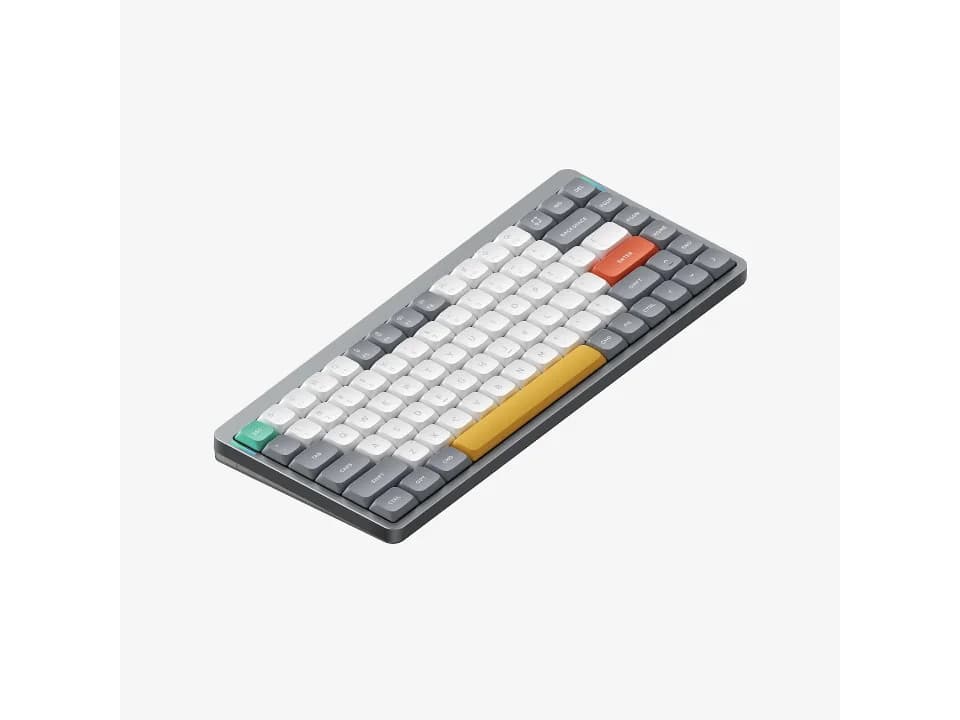
Hot-swap on a low-profile board, which is its own footprint
$129.95 seen 16 Sep 2026; check the current price
Sockets on a low-profile board, with a house switch list published alongside full-height Gateron options. It was seen at $129.95 on 16 Sep 2026; check the current price. Worth calling out because low-profile switches are physically shorter than standard ones and are not interchangeable with them, so a low-profile socket is a smaller pool of parts than the phrase suggests.
Check price on AmazonPaid link — QuickDesker may earn a commission.
What is actually inside a hot-swap socket?
A small metal clip that grips the switch's pins by pressure instead of a blob of solder holding them. Glorious puts it plainly on its own explainer: each socket grips the switch's metal pins mechanically. That is the whole invention. The socket itself is soldered to the circuit board at the factory, permanently, and it is the part that then does the gripping.
On a soldered board the switch's two metal pins pass through the board and are fixed there with molten metal. Removing one means heating each joint, drawing the old solder off, lifting the switch out, and doing the reverse to fit its replacement, roughly a hundred times over. It is not difficult work. It is just work, and it needs equipment, a ventilated table and a willingness to ruin a keyboard while you learn.
So hot-swap is not a new kind of switch or a new kind of keyboard. It is one component swapped for another at the factory, and everything people like about it follows from that one change.
What do 3-pin and 5-pin actually mean?
They count the legs sticking out of the bottom of the switch, and only two of those legs are electrical. Durgod's own account describes a 3-pin switch as two metal contact pins plus one central plastic post, and a 5-pin as the same thing with two further plastic posts either side. The metal carries the signal. The plastic just holds the switch square while you push it in.
Those two extra posts exist for boards that have no metal plate above the circuit board to steady the switches. Durgod is explicit that they enable direct PCB mounting without a support plate. If your board does have a plate, the plate is already doing that job and the posts are redundant.
The practical version, and the part you need at a shop: a 3-pin MX-style switch fits an MX-compatible board, whether that board is drilled for 3 pins or 5. That is not the same as fitting anything, and the difference matters at the till. Kailh sells its Choc low-profile sockets as a separate part that will not take an MX switch, and Wooting says plainly that optical and magnetic switches cannot go into a regular hot-swap board. Pin count is the second question, not the first. A 5-pin switch drops into a 5-pin board and will not sit flat on a 3-pin board, because there are no holes for the extra posts. People deal with this by clipping the two plastic posts off with flush cutters, and Durgod says outright that they can be trimmed to fit plate-mounted keyboards. It takes seconds per switch and it is irreversible, which bothers some people and should not.
Vendors are inconsistent about publishing which their board takes. Where a switch listing says "3/5 pin" it means the switch has five and you may clip two, not that the board accepts both.
How do you swap a switch without breaking anything?
Pull the keycap off, put the puller's jaws on the switch housing at the top and bottom, and lift straight up. The switch comes out with a click. Glorious's sequence is the same one every vendor gives: keycap off, switch out with a puller, check the new switch's pins are straight, press it in until it seats, keycap back on.
The step people skip is the one in the middle. Switch pins bend easily in a bag, and a bent pin does not fold neatly out of the way when you push, it folds sideways under the switch and jams into the socket. Glorious's warning is blunt about the consequence: inserting a switch with bent pins can damage the socket. Forcing a bent pin can damage the socket and turn a simple swap into a repair.
Straighten anything crooked with tweezers before it goes near the board, and push down rather than at an angle. If it does not seat with light pressure, stop and check alignment and compatibility. Force is never the answer.
Which switches will actually fit?
For an ordinary MX-style hot-swap board, start with the manufacturer’s supported 3-pin or 5-pin switch specification. Keychron V6 Max is one board where that is spelled out: Keychron says its PCB supports both 3-pin and 5-pin MX mechanical switches. Optical, magnetic and low-profile designs have their own compatibility requirements. The word “hot-swap” does not make all of those systems interchangeable.
Optical and magnetic switches need a compatible sensing system in the keyboard. A single switch choice at checkout does not establish whether later replacements are possible. For the distinction between sensing method and feel, read Mechanical Keyboard Switches Explained: Linear, Tactile and Clicky.
Low profile is the third boundary and the easiest one to walk into. A low-profile switch is shorter than a standard one, uses a shorter stem, and does not fit a standard socket. NuPhy Air75 V2 is hot-swappable and its pool of compatible parts is the low-profile pool, not the enormous full-height one.
Does a beginner actually need a hot-swappable keyboard?
Usually yes, and the reason has nothing to do with tinkering. You cannot find out what a switch feels like by reading, and this site is not going to pretend otherwise: not one switch on this page has been under a finger belonging to anybody who works here. A beginner is being asked to commit money to a tactile preference they cannot sample first, and a socket is what makes that commitment reversible for the price of a switch set rather than the price of another board.
The exception is real though. If you have used a friend's board and know exactly what you want, or a vendor's plain-language option list already names it, the socket is a feature you will never use. Paying a premium for optionality you have already resolved is just paying a premium.
Hot-swap is also useful when the keyboard ships with just one switch choice. Some hot-swappable boards give you no choice at checkout at all. Two on this page do exactly that: Logitech Alto Keys K98M pairs sockets under every key with a single linear switch on the order page, and Razer BlackWidow V4 75% does the same with a single tactile one. Buy either and decide six months later that you want something else under your fingers, and the socket is not a bonus. It is your way out.
What does hot-swap not fix?
Noise, mostly. On most boards the loudest single event is a keycap bottoming out, and that sound comes from the keycap and the case as much as from the switch, so swapping to a quieter switch family moves the number less than people expect. Case material, foam and the stabilisers under the big keys all keep doing whatever they were doing. If the room is the actual problem, the piece that treats it as a whole-desk question is A quiet home-office setup, for shared rooms and back-to-back calls.
It also does nothing about the keycaps, which are a separate fitment question with their own standard, or about the layout, which is fixed in the circuit board. A hot-swap socket changes what happens under the keycap. Everything above and around it is the board you bought.
And it will not rescue a board you dislike for a different reason. A cramped layout stays cramped. Weight, wobble and a bad wrist angle are not switch problems and no socket will touch them.
How can you tell whether a board is hot-swappable?
Read the vendor's own spec list. A socket does not show up in a product photograph, and the retailer listing is frequently silent. Plenty of boards state it and plenty do not, and we record silence as unpublished rather than converting it into a no. Some of the silent ones are membrane and scissor boards where the question does not arise. Some are not.
Look for an explicit hot-swappable specification and a supported switch family. If either is unclear, check the exact model and variant with the manufacturer before buying.
One thing not to read too much into: price. An expensive board can say nothing about hot-swap while a cheap mechanical one states it plainly. The feature tracks who a board is built for rather than what it costs, and the brand that builds it most consistently is also the one selling at the bottom of the range. If you want the board-by-board version of the switch question instead, that is the whole subject of Which mechanical switch should you pick? A board-by-board guide. And the setup builder puts the keyboards next to the mice and headphones if you would rather see the desk as one thing.
What can you change on these keyboards?
| Product | Hot-swappable | Switch technology | Switch options offered | Price when seen | Where to buy |
|---|---|---|---|---|---|
| Keychron C2 Pro | Yes | Mechanical | K Pro Red, K Pro Brown | $44.99 (seen 17 Oct 2026 (sold out)) | Check price on AmazonPaid link |
| Keychron V1 | Yes | Mechanical | Not recorded | $69.99 (seen 20 Oct 2026) | Check price on AmazonPaid link |
| Keychron Q1 Max | Yes | Mechanical | Gateron Jupiter Red, Gateron Jupiter Brown, Gateron Jupiter Banana | $229.99 (seen 19 Oct 2026) | Check price on AmazonPaid link |
| Logitech Alto Keys K98M | Yes | Mechanical | Logitech Linear Marble Switches | $99.99 (seen 20 Oct 2026) | Check price on AmazonPaid link |
| NuPhy Air75 V2 | Yes | Low-profile mechanical | NuPhy Aloe (linear), NuPhy Cowberry (linear), NuPhy Wisteria (tactile), NuPhy Moss (tactile), Gateron 2.0 Red / Blue / Brown | $129.95 (seen 16 Sep 2026) | Check price on AmazonPaid link |
| Razer BlackWidow V4 75% | Yes | Mechanical | Razer Orange Tactile Gen 3 | $189.99 (seen 26 Oct 2026) | Check price on AmazonPaid link |
| Keychron C3 Pro | Not recorded | Mechanical | Keychron Mechanical Red Switch, Keychron Mechanical Brown Switch | $34.99 (seen 11 Sep 2026) | Check price on AmazonPaid link |
| Razer Huntsman Mini | Not recorded | Optical | Clicky Optical Switch (Purple), Linear Optical Switch (Red) | $69 (seen 27 Oct 2026) | Check price on AmazonPaid link |
| SteelSeries Apex Pro TKL Gen 3 | Not recorded | Magnetic (Hall effect) | Not recorded | $198.99 (seen 16 Sep 2026) | Check price on AmazonPaid link |
"Not recorded" in the hot-swap column means the manufacturer states nothing either way, which we have not converted into a No. The last two rows are boards where the question does not really apply: an optical switch and a magnetic one each need a socket built for them.
Prices are what we saw on the dates shown, not live figures. A lot of them were promotional when we read them, so check the current price before you buy.
Paid link — QuickDesker may earn a commission.
“Not recorded” means this comparison has no sourced value for that specification. It does not mean the product lacks the feature.
Common questions
- Do I need a soldering iron for a hot-swappable keyboard?
No. Avoiding one is what the feature is for. The socket grips the switch's pins by pressure, so a switch comes out with a puller and goes back in with your thumb. The sockets themselves are soldered down at the factory and you never touch them.
A soldering iron only comes back into the picture if you damage a socket, which is what happens when a bent pin gets forced into one.
- What is the difference between 3-pin and 5-pin switches?
Two extra plastic legs. Both types have the same two metal pins carrying the signal and the same central plastic post; a 5-pin switch adds two more posts either side, which Durgod describes as being there to allow the switch to mount straight to the circuit board without a support plate above it.
A 3-pin switch fits any MX-compatible board. A 5-pin switch fits a 5-pin board, and fits a 3-pin board once you clip the two extra posts off with flush cutters, which Durgod states plainly as an option. Clipping takes a few seconds per switch and there is no putting the posts back.
- Can I put optical or magnetic switches in a hot-swappable keyboard?
Not in an ordinary MX-compatible hot-swap board. Optical and magnetic keyboards need switches compatible with their sensing system, and some of those keyboards also support switch replacement. Check the keyboard’s supported switch family rather than relying on the word “hot-swap” alone.
A single switch option at checkout does not tell you whether switches can be replaced later. For the difference between detection method and switch feel, read Mechanical Keyboard Switches Explained: Linear, Tactile and Clicky.
- How many times can you swap the switches?
There is no model-specific insertion-cycle rating verified here for the keyboards discussed. Socket durability depends on the socket design and how carefully switches are inserted and removed.
Do not force a switch that will not seat. Remove it, check the pins and follow the keyboard maker’s instructions before trying again.
- Will hot-swapping make my keyboard quieter?
Less than you are hoping. Moving from a clicky switch to a linear one removes a noise the switch was making deliberately, and that is a real improvement. What it does not remove is the sound of the keycap hitting the bottom of its travel, which happens on every switch family and is usually the loudest thing a keyboard does.
Case material, foam and the stabilisers under the spacebar all carry on making the same noise they made before. If quiet is a requirement rather than a preference, it is a desk-wide problem rather than a switch one, and that is the framing of A quiet home-office setup, for shared rooms and back-to-back calls.
- Is a hot-swappable keyboard worth it if I never swap anything?
For a first mechanical keyboard, we think yes. If you cannot try the keyboard before buying, hot-swap gives you a straightforward way to change compatible switches without soldering. Plenty of people buy one, keep the original switches forever, and still got their money's worth from not having to be right the first time.
If you already know what you want, skip it without guilt. The premium is real and optionality you have already used up is not worth paying for.
What this is based on
We have not tested these products. The comparisons use manufacturer specifications and retailer information, with sources linked below. Prices are dated snapshots and may have changed.
The explanation of what a socket is and how a swap is done follows Glorious's and Durgod's own published accounts, read on 2026-08-26, which agree independently on the mechanism: a socket that grips the switch's metal pins rather than solder holding them, MX-compatible 3-pin and 5-pin as the stated switch compatibility, two metal contacts plus one or three plastic posts depending on the type, and the extra posts being trimmable to fit a plate-mounted board. The bent-pin caution is Glorious's own wording about damage to the socket.
Neither source publishes a rated number of insertions for a hot-swap socket, so this page does not quote one. Where nobody has published a figure, that is what this page says instead of estimating one.
No switch on this page has been pulled, pressed or listened to by anyone working on this site. Nothing here describes how a swap feels or how a given switch sounds once it is seated. It is a description of a mechanism, plus what each manufacturer states about its own product.
Whether a board is hot-swappable is taken from each manufacturer's own published specification, and a manufacturer that says nothing is recorded as saying nothing rather than as a no. The third pick above rests on the pair of boards that combine sockets under every key with a single switch option at checkout, Logitech's Alto Keys K98M and Razer's BlackWidow V4 75%, rather than on either board alone.
Sources (18)
- Adafruit: Switch Sockets for Kailh CHOC Compatible Keys (states that these sockets do not fit MX-compatible switches and are for CHOC switches and compatibles only) (Retailer, read 30 Aug 2026)
- Best Buy: Logitech Alto Keys K98M (Graphite) (Retailer, read 4 Oct 2026)
- Best Buy: Razer Huntsman Mini 60% Wired Optical Clicky Switch Gaming Keyboard with Chroma RGB Backlighting Black (Retailer, read 4 Oct 2026)
- Best Buy: SteelSeries Apex Pro TKL Gen 3 Wired HyperMagnetic Gaming Keyboard with Rapid Tap, Rapid Trigger, Adjustable Actuation Black (Retailer, read 4 Oct 2026)
- Keychron: Keychron C2 Pro QMK/VIA Wired Mechanical Keyboard (Manufacturer, read 11 Sep 2026)
- Keychron: Keychron C3 Pro QMK/VIA Wired Mechanical Keyboard (Manufacturer, read 11 Sep 2026)
- Keychron: Keychron Q1 Max QMK/VIA Wireless Custom Mechanical Keyboard (Manufacturer, read 11 Sep 2026)
- Keychron: Keychron V1 QMK Custom Mechanical Keyboard (Manufacturer, read 14 Sep 2026)
- Keychron: Keychron V6 Max QMK/VIA Wireless Custom Mechanical Keyboard (Manufacturer, read 14 Sep 2026)
- Logitech: Alto Keys K98M Wireless Keyboard with Gasket Structure (Manufacturer, read 26 Sep 2026)
- Logitech: Specification - Alto Keys K98M (Manufacturer, read 26 Sep 2026)
- NuPhy: Nuphy Air75 : Wireless & Low Profile Keyboard Mechanical (Manufacturer, read 16 Sep 2026)
- Razer: At a Glance: Razer BlackWidow V4 75% | RZ03-0500 (Manufacturer, read 16 Sep 2026)
- Razer: Razer BlackWidow V4 75% (Manufacturer, read 16 Sep 2026)
- Razer: Razer Huntsman Mini (Manufacturer, read 16 Sep 2026)
- Razer: Razer Huntsman Mini - Clicky Optical Switch - US - Black (Razer.com) (Manufacturer, read 16 Sep 2026)
- SteelSeries: Apex Pro TKL Gen 3 - US (Manufacturer, read 16 Sep 2026)
- Wooting: The best keyboard switches for gaming (states that it is not possible to hot-swap optical or magnetic switches with regular hot-swap keyboards) (Manufacturer, read 30 Aug 2026)
Related guides
Build your setup
Compare keyboards, mice and headphones in the setup builder, then save the combination you like. Prefer a list? Browse all products.