Which mechanical switch should you pick? A board-by-board guide
Every mechanical board here publishes its switch options. Which boards let you choose, which decide for you, and which let you change your mind after the box is open.
Updated 30 Aug 2026 · no hands-on testing
The short answer
If you don't know which switch feel you want, buy hot-swappable and decide later: plenty of mechanical boards let you pull a switch out and put a different one in without a soldering iron. If you already know you want a click, check the board's switch list for a name that says so: Keychron's "K Pro Blue," Logitech's "Clicky," or Razer's optical "Clicky"; every board that offers a click names it explicitly.
Six boards give you no choice at all. Five of them simply list one switch: Logitech Alto Keys K98M, Razer BlackWidow V4 75%, Razer Huntsman V3 Pro, Razer Huntsman V3 Pro Tenkeyless and Razer Huntsman V3 Pro Mini. The sixth, SteelSeries Apex Pro TKL Gen 3, lists one because SteelSeries gives you an adjustable actuation point instead of a menu of feels.
The picks
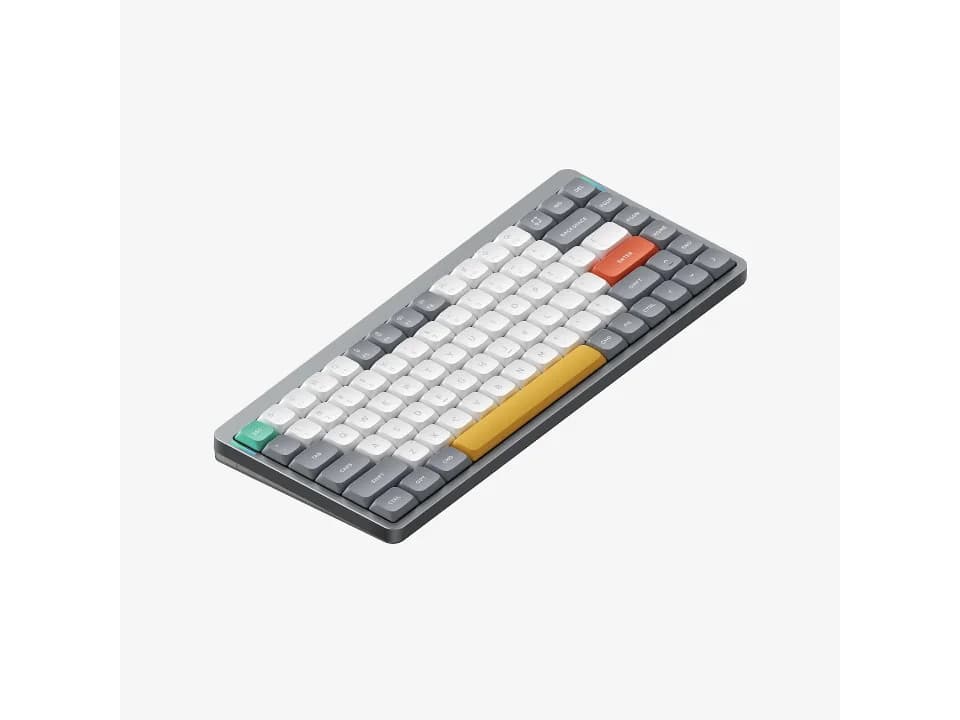
Widest choice, and hot-swappable
$129.95 seen 16 Sep 2026; check the current price
Five switch options (two linear, two tactile, and a Gateron 2.0 line with Red/Blue/Brown inside it) on a hot-swappable board. NuPhy names the feel of each of its own four switches directly in the option list, which most vendors don't bother to do. It was seen at $129.95 on 16 Sep 2026; check the current price.
Check price on AmazonPaid link — QuickDesker may earn a commission.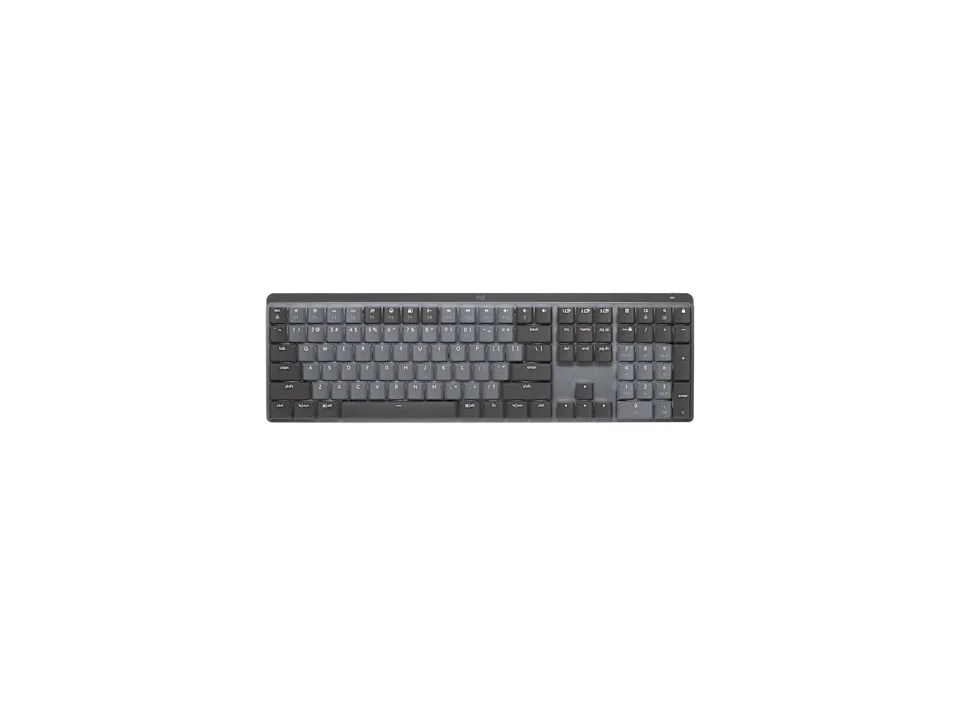
Quiet without going linear
$149.99 seen 23 Oct 2026; check the current price
It carries an option Logitech names "Tactile Quiet" outright: tactile feedback without the click, alongside plain "Clicky" and "Linear" options on the same board. It was seen at $149.99 on 23 Oct 2026; check the current price.
Check price on AmazonPaid link — QuickDesker may earn a commission.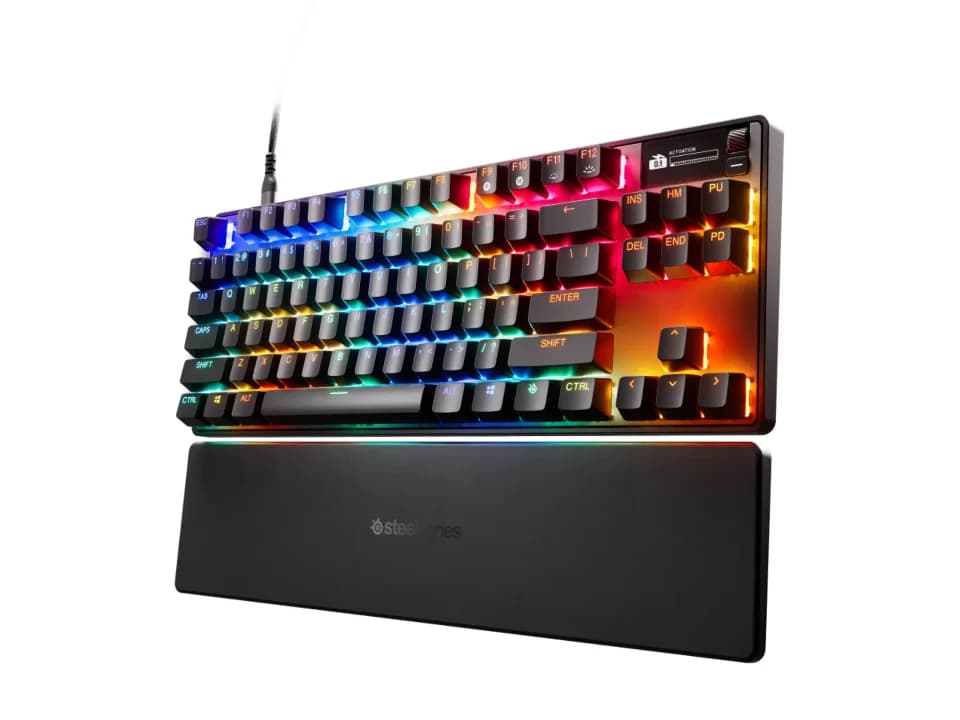
Skip the switch decision entirely
$198.99 seen 16 Sep 2026; check the current price
Magnetic Hall-effect switches with an adjustable actuation point from 0.1 to 4.0 mm. SteelSeries offers no Red/Brown/Blue choice on this board; you set the actuation distance per key in software instead. Other vendors do sell magnetic switches in more than one feel, so this is SteelSeries' decision rather than a limit of the technology. It was seen at $198.99 on 16 Sep 2026; check the current price.
Check price on AmazonPaid link — QuickDesker may earn a commission.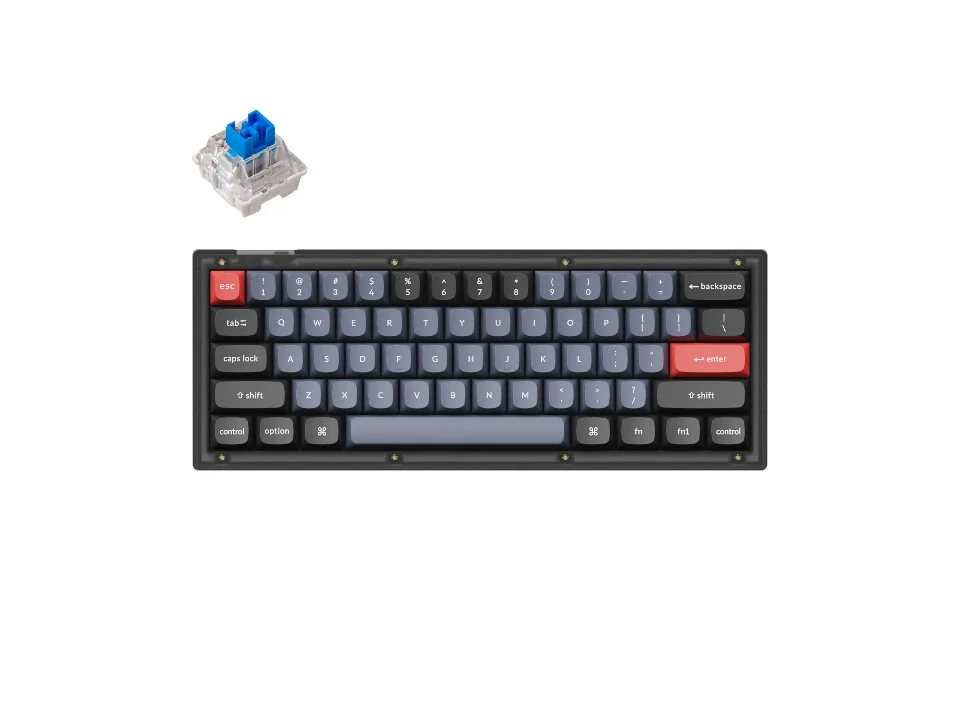
Cheapest way to a clicky switch
$59.99 seen 20 Oct 2026; check the current price
A hot-swappable 60% board listing "Keychron K Pro Blue" alongside Red and Brown: the least expensive board here that names a clicky option at all. Wired only, and you give up the function row for the price. It was seen at $59.99 on 20 Oct 2026; check the current price.
Check price on AmazonPaid link — QuickDesker may earn a commission.
Which switch names should you look for on a product page?
Look for one of three words, or a colour that stands in for one: linear (straight down, nothing to feel), tactile (a bump partway down), or clicky (that bump plus a deliberate noise). Red, Brown and Blue are the colour shorthand for those three in the order given, on the boards that use the convention at all.
That is as much theory as choosing a board requires, and the rest of it, including what the gram and millimetre figures on a switch spec actually buy you, is the subject of Mechanical Keyboard Switches Explained: Linear, Tactile and Clicky. What matters here is that the convention is not universal: Razer, SteelSeries and NuPhy name their switches their own way, which is why the table below reports what each board's own page says rather than decoding a colour.
Which boards tell you how their switches feel?
Four of them say it in plain words rather than in colours. Logitech MX Mechanical and Logitech MX Mechanical Mini both list their three options as "Tactile Quiet," "Clicky" and "Linear." Razer BlackWidow V4 75% lists a single option, "Razer Orange Tactile Gen-3": named, with no choice to make. Razer Huntsman Mini offers "Razer Clicky Optical" and "Razer Linear Optical" side by side, so the choice there is exactly two, both spelled out.
Where a board lists only colour-coded Keychron or Gateron switches, which is most of the Keychron catalogue, we're reporting the convention as background rather than asserting a feel for that specific unlabelled option as if we'd tested it.
Which boards let you change the switches later?
Most of them. Hot-swappable boards hold their switches in sockets rather than solder, so a different switch goes in with a puller and no iron. The ones that don't state it either way are Keychron C3 Pro, both Logitech MX Mechanical and Logitech MX Mechanical Mini, all four Razer Huntsman boards, and SteelSeries Apex Pro TKL Gen 3. If hot-swap support is not recorded here, check the exact model and variant before buying.
If you're not sure which feel you want, this is the way to defer the decision rather than gamble on it. What a socket physically is, which switches actually fit one, and whether it is worth paying for if you never swap anything are covered in Hot-swappable keyboards explained: what the sockets do, and who needs one.
Which boards make the switch decision for you?
Six, and one of them is doing something different from the other five. Logitech Alto Keys K98M lists a single linear switch. Razer BlackWidow V4 75% lists a single tactile one. Razer Huntsman V3 Pro, Razer Huntsman V3 Pro Tenkeyless and Razer Huntsman V3 Pro Mini all ship Razer's "Analog Optical Gen-2" and nothing else. Note that Razer Huntsman Mini is a separate board from those three and does offer a choice, which is easy to miss given the shared name.
SteelSeries Apex Pro TKL Gen 3 is the sixth, and it lists one switch for the opposite reason: SteelSeries ships one magnetic Hall-effect switch and lets you set the actuation point per key in software instead. That is true of this board and it is not true of Hall-effect as a family. Gateron sells a Magnetic Jade specified as a linear at 30 gf and a Magnetic Jade Emerald specified as a heavy tactile at 55 gf, so the feel is still a choice wherever a vendor offers one. Adjustable actuation moves where the keystroke registers; it does not touch the force curve or put a bump in a linear.
None of the six is a worse board for any of this. On a board that ships one well-specified switch you are handed a decision already made rather than a decision taken away, and on this one the thing you get back is a trigger point you can move.
Which switch choices come with these keyboards?
| Product | Switch options | Hot-swappable | Price when seen | Where to buy |
|---|---|---|---|---|
| Keychron V4 | Keychron K Pro Red, Keychron K Pro Blue, Keychron K Pro Brown | Yes | $59.99 (seen 20 Oct 2026) | Check price on AmazonPaid link |
| Keychron K8 Pro | Gateron G Pro Red, Gateron G Pro Blue, Gateron G Pro Brown | Yes | $74.99 (seen 19 Oct 2026 (sold out)) | Check price on AmazonPaid link |
| Keychron Q1 Max | Gateron Jupiter Red, Gateron Jupiter Brown, Gateron Jupiter Banana | Yes | $229.99 (seen 19 Oct 2026) | Check price on AmazonPaid link |
| Logitech MX Mechanical | Tactile Quiet, Clicky, Linear | Not recorded | $149.99 (seen 23 Oct 2026) | Check price on AmazonPaid link |
| Logitech Alto Keys K98M | Logitech Linear Marble Switches | Yes | $99.99 (seen 20 Oct 2026) | Check price on AmazonPaid link |
| Razer Huntsman V3 Pro Tenkeyless | Razer™ Analog Optical Switch Gen 2 | Not recorded | $152.99 (seen 27 Oct 2026) | Check price on AmazonPaid link |
| Razer BlackWidow V4 75% | Razer Orange Tactile Gen 3 | Yes | $189.99 (seen 26 Oct 2026) | Check price on AmazonPaid link |
| Razer Huntsman Mini | Clicky Optical Switch (Purple), Linear Optical Switch (Red) | Not recorded | $69 (seen 27 Oct 2026) | Check price on AmazonPaid link |
| NuPhy Air75 V2 | NuPhy Aloe (linear), NuPhy Cowberry (linear), NuPhy Wisteria (tactile), NuPhy Moss (tactile), Gateron 2.0 Red / Blue / Brown | Yes | $129.95 (seen 16 Sep 2026) | Check price on AmazonPaid link |
| NuPhy Air60 V2 | Moss (60gf), Aloe (37gf), Wisteria (55gf), Brown 2.0, Blue 2.0 | Yes | $109.95 (seen 16 Sep 2026) | Check price on AmazonPaid link |
| SteelSeries Apex Pro TKL Gen 3 | Not recorded | Not recorded | $198.99 (seen 16 Sep 2026) | Check price on AmazonPaid link |
"Hot-swappable" reads as "Not recorded" where a board simply doesn't state it: that's an unpublished field, not a "no."
Prices are what we saw on the dates shown, not live figures. A lot of them were promotional when we read them, so check the current price before you buy.
Paid link — QuickDesker may earn a commission.
“Not recorded” means this comparison has no sourced value for that specification. It does not mean the product lacks the feature.
Common questions
- Which board should I buy if I want to try more than one switch feel?
Choose a hot-swappable board in the layout you want. That lets you try compatible replacement switches without soldering. Compare the dated prices above, and check hot-swap support for the exact variant before buying.
Buy the switches from a third-party seller (that's outside what we track), pull the stock ones with the puller that usually comes in the box, and press the new ones in. Which switches will physically fit is the part that catches people out, and it is covered in Hot-swappable keyboards explained: what the sockets do, and who needs one.
- What if the board only lists a colour and no feel?
Then you're relying on the convention, and on a Keychron or Gateron board that is a reasonable thing to do: Red is linear, Brown is tactile, Blue is clicky, and both brands follow it consistently across every board on this page.
On a Razer, SteelSeries or NuPhy board, don't. Those three name their switches outside the colour system entirely, so a colour on one of their pages is a product name rather than a feel. The switch-options column in the table above is what each vendor actually published.
- What does 'adjustable actuation' mean on the SteelSeries board?
SteelSeries Apex Pro TKL Gen 3 uses magnetic switches whose actuation point (how far you press before the keystroke registers) can be set anywhere from 0.1 to 4.0 mm in software, per key. It is a different axis from linear, tactile and clicky rather than a replacement for it: moving the trigger point does not change the force curve or add a bump.
Magnetic switches do still come in different feels where a vendor sells them separately. Gateron publishes a linear Magnetic Jade at 30 gf and a heavy tactile Magnetic Jade Emerald at 55 gf. What SteelSeries has done is pick one for you and hand you the actuation range instead.
- Are the four Razer Huntsman boards all the same?
No, and the naming makes that harder to see than it should be. Razer Huntsman V3 Pro, Razer Huntsman V3 Pro Tenkeyless and Razer Huntsman V3 Pro Mini are three sizes of the same board and all ship one analog optical switch. Razer Huntsman Mini is a different, older board that offers a clicky option and a linear one.
If you want a choice of feel from Razer, the last of those four is the one that gives you one.
What this is based on
We have not tested these products. The comparisons use manufacturer specifications and retailer information, with sources linked below. Prices are dated snapshots and may have changed.
Every switch name and hot-swap status on this page comes from the manufacturer's own product page for that specific board, read and recorded on 2026-08-16, linked below. Where a board doesn't state hot-swap either way, the table shows that rather than a guessed answer.
Adjustable actuation settles the question of feel on this particular board, because SteelSeries ships one switch, and it does not settle it for magnetic switches generally. Gateron's own product pages for the Magnetic Jade and the Magnetic Jade Emerald, both read on 2026-08-28 and linked below, publish a 30 gf linear and a 55 gf heavy tactile in the same magnetic line.
The general explanation of linear, tactile and clicky is background knowledge about how the switch industry names its parts, not a claim about how any specific switch here feels. Not one of these boards has been typed on by anybody at this desk.
Sources (34)
- Best Buy: Logitech Alto Keys K98M (Graphite) (Retailer, read 4 Oct 2026)
- Best Buy: Logitech MX Mechanical (Graphite – Tactile Quiet) (Retailer, read 4 Oct 2026)
- Best Buy: Razer Huntsman Mini 60% Wired Optical Clicky Switch Gaming Keyboard with Chroma RGB Backlighting Black (Retailer, read 4 Oct 2026)
- Best Buy: Razer Huntsman V3 Pro Full-Size Wired Analog Optical Linear Switch Gaming Keyboard with Snap Tap Black (Retailer, read 4 Oct 2026)
- Best Buy: Razer Huntsman V3 Pro Mini 60% Wired Analog Optical Linear Switch Gaming Keyboard with Snap Tap White (Retailer, read 4 Oct 2026)
- Best Buy: Razer Huntsman V3 Pro TKL Wired Analog Optical Linear Switch Gaming Keyboard with Snap Tap Black (Retailer, read 4 Oct 2026)
- Best Buy: SteelSeries Apex Pro TKL Gen 3 Wired HyperMagnetic Gaming Keyboard with Rapid Tap, Rapid Trigger, Adjustable Actuation Black (Retailer, read 4 Oct 2026)
- GATERON: GATERON Magnetic Jade Emerald Heavy Tactile Switch Set (a magnetic Hall-effect switch published as heavy tactile with an operating force of 55±10 gf) (Manufacturer, read 28 Aug 2026)
- GATERON: GATERON Magnetic Jade HE Switch Set (a magnetic Hall-effect switch published as linear with an initial force of 30±7 gf) (Manufacturer, read 28 Aug 2026)
- Keychron: Keychron C3 Pro QMK/VIA Wired Mechanical Keyboard (Manufacturer, read 11 Sep 2026)
- Keychron: Keychron K8 Pro QMK/VIA Wireless Mechanical Keyboard (Manufacturer, read 11 Sep 2026)
- Keychron: Keychron Q1 Max QMK/VIA Wireless Custom Mechanical Keyboard (Manufacturer, read 11 Sep 2026)
- Keychron: Keychron V4 QMK Custom Mechanical Keyboard (Manufacturer, read 14 Sep 2026)
- Logitech: Alto Keys K98M Wireless Keyboard with Gasket Structure (Manufacturer, read 26 Sep 2026)
- Logitech: Computer Keyboards: Wireless, Bluetooth, Mechanical (store listing) (Retailer, read 16 Aug 2026)
- Logitech: MX Mechanical Mini Wireless Keyboard ("Also available in a full-size version with an integrated numpad. See MX Mechanical") (Manufacturer, read 16 Aug 2026)
- Logitech: MX Mechanical Wireless Keyboard (Manufacturer, read 16 Sep 2026)
- Logitech: Specification - Alto Keys K98M (Manufacturer, read 26 Sep 2026)
- Logitech: Specification - MX Mechanical (Manufacturer, read 16 Sep 2026)
- NuPhy: NuPhy Air60 V2 Wireless Mechanical Keyboard (Manufacturer, read 24 Sep 2026)
- NuPhy: Nuphy Air75 : Wireless & Low Profile Keyboard Mechanical (Manufacturer, read 16 Sep 2026)
- NuPhy.com: NuPhy Air60 V2 - Ionic White / Brown 2.0 (Retailer, read 16 Sep 2026)
- Razer: 60% Compact Keyboard for Pros - Razer Huntsman V3 Pro Mini (Manufacturer, read 16 Sep 2026)
- Razer: At a Glance: Razer BlackWidow V4 75% | RZ03-0500 (Manufacturer, read 16 Sep 2026)
- Razer: At a Glance: Razer Huntsman V3 Pro Mini | RZ03-0499 (Manufacturer, read 16 Sep 2026)
- Razer: Buy Razer Huntsman V3 Pro - US - Black (Manufacturer, read 26 Sep 2026)
- Razer: Esports Keyboard for Pro Gaming - Razer Huntsman V3 Pro (Manufacturer, read 26 Sep 2026)
- Razer: Razer BlackWidow V4 75% (Manufacturer, read 16 Sep 2026)
- Razer: Razer Huntsman Mini (Manufacturer, read 16 Sep 2026)
- Razer: Razer Huntsman Mini - Clicky Optical Switch - US - Black (Razer.com) (Manufacturer, read 16 Sep 2026)
- Razer: TKL Keyboard for Gaming - Razer Huntsman V3 Pro Tenkeyless (Manufacturer, read 16 Sep 2026)
- SteelSeries: Apex Pro TKL Gen 3 - US (Manufacturer, read 16 Sep 2026)
- Tom's Hardware: Logitech MX Mechanical Keyboard Review: the Mini has 84 keys and "all the hallmarks of a 75 percent layout" (Editorial, read 16 Aug 2026)
- Trusted Reviews: Logitech MX Mechanical Mini review: "It's a 75% layout keyboard, which means it's ditched the number pad, but retained the row of F-keys up top as well as the arrow keys" (Editorial, read 16 Aug 2026)
Related guides
Build your setup
Compare keyboards, mice and headphones in the setup builder, then save the combination you like. Prefer a list? Browse all products.