SteelSeries Apex Pro TKL Gen 3
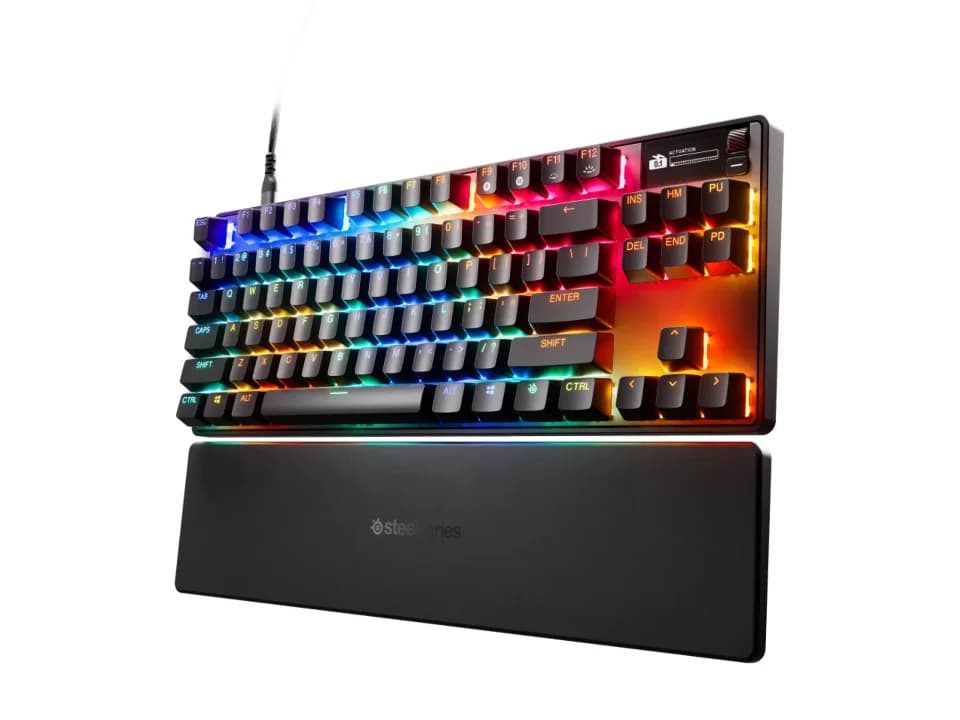
Is the Apex Pro TKL Gen 3 right for you?
The Apex Pro TKL Gen 3 is a tenkeyless keyboard with SteelSeries' OmniPoint 3.0 magnetic Hall effect switches, and it connects by cable.
Best for
- Players who want to choose how far a key goes down before it registers. SteelSeries lists adjustable actuation points from 0.1 mm to 4.0 mm.
- People who want a wrist rest without buying one separately. SteelSeries lists a Wrist Rest in the box.
Skip if
- You want to go wireless.
- You're on a Mac and want every software feature. SteelSeries says not all software features are supported on Mac OS, and lists its GG + QuickSet software for Windows 10 and above.
Want to see it next to a mouse and a headset? Try it on the QuickDesker board and build a whole desk setup around it.
What does it cost, and what should you check first?
- Seen at SteelSeries.com for $198.99 (White) on 16 Sep 2026
- Seen at Best Buy for $199.99 (Black) on 31 Oct 2026
Prices change; check the one for the colour you want. The cable in the box is a detachable braided USB-C to USB-A cable, and a USB-A plug doesn't fit a USB-C port without an adapter.
SteelSeries lists 5 custom profiles in on-board memory and an OLED Smart Display for changing settings on the keyboard.
What can you adjust on the OmniPoint 3.0 switches?
SteelSeries lists the switches as OmniPoint 3.0 Adjustable HyperMagnetic Switches, with an analog Hall effect magnetic sensor. A Hall effect switch has a magnet in the moving part of the key and a sensor below it that measures how far down the key is.
The actuation point is the depth at which a press registers: a short setting registers it early, and a long one waits until the key is further down. SteelSeries gives 40 levels between 0.1 mm and 4.0 mm, and a 45g bottom out force, which is how hard you press to push a key all the way down.
SteelSeries says Rapid Trigger resets a key the moment you release it, Rapid Tap snaps to your latest key press for faster strafing, and Protection Mode reduces accidental presses on surrounding keys.
What a magnetic switch does differently from one with metal contacts is covered in our guide Mechanical Keyboard Switches Explained: Linear, Tactile and Clicky.
What is the Apex Pro TKL Gen 3 made of?
SteelSeries lists an aluminum top plate and double shot PBT keycaps. On a double-shot keycap the letters are molded from a second plastic rather than printed on, so they don't wear off. What PBT changes compared with ABS plastic is covered in our guide ABS vs PBT keycaps: what actually changes, and what the box will not tell you.
Inside, SteelSeries says a triple-layer sound dampening foam gives a thockier-sounding keypress. It also says it improved the stabilizers to reduce key wobble.
Full specifications
| Layout | Tenkeyless (TKL) |
|---|---|
| Connections | Wired |
| Dimensions | Width: 355 mm / 14.0 in, Depth: 129 mm / 5.0 in, Height: 42 mm / 1.7 in |
| Switch technology | OmniPoint 3.0 Adjustable HyperMagnetic Switches (Analog Hall Effect Magnetic Sensor) |
| Backlight | Per Key RGB Illumination |
| Keycap material | Double Shot PBT Keycaps |
| Case material | Aluminum Top Plate |
| Weight | 974 g / 2.15 lbs |
| Remapping software | GG + Engine: Windows 10 and above, Mac OS 11 (Big Sur) and above (Not all software features supported on Mac OS); GG + QuickSet: Windows 10 and above |
| Wrist rest included | Wrist Rest |
| Sound dampening | triple-layer sound dampening foam solution |
| In the box | Apex Pro TKL Gen 3 Gaming Keyboard, Detachable Braided USB-C to USB-A Cable, Keycap Puller, Extension Adapter, Wrist Rest, Product Information Guide |
SteelSeries' Apex Pro TKL Gen 3 product page doesn't list a key count, whether the switches are hot-swappable, spill resistance, a keycap profile, key travel or a mounting style.
Specifications from SteelSeries' Apex Pro TKL Gen 3 product page, read 16 Sep 2026.