Mechanical Keyboard Switches Explained: Linear, Tactile and Clicky
Red, brown or blue? What linear, tactile and clicky switches actually do, what the gram and millimetre figures on a switch spec mean, and how much the colour on the box really tells you.
Updated 5 Sep 2026 · no hands-on testing
The short answer
A mechanical keyboard gives every key its own spring-loaded switch. Linear switches go straight down, smooth the whole way, with nothing to feel and nothing to hear beyond the key reaching the bottom. Tactile switches put a bump partway down that your finger notices, and it adds almost no noise of its own. Clicky is a tactile switch with a noisemaker bolted on, and it is loud on purpose. That is the whole distinction; everything else on a switch spec sheet is a number describing how hard and how far you press.
The colours are a naming convention, not a law. Red means linear, brown means tactile and blue means clicky across the makers that use the system, and plenty of makers do. Others name the feel in plain words or do not offer a choice at all, so read the switch list on the board you are actually buying rather than trusting the colour.
The picks
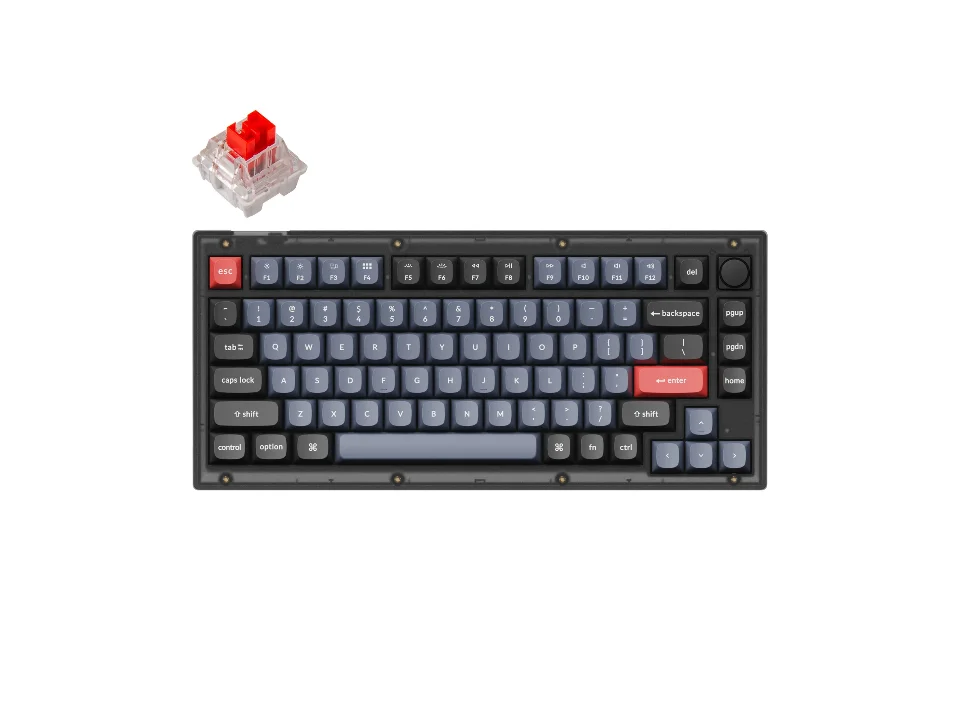
All three families, one board
$69.99 seen 20 Oct 2026; check the current price
Lists four switch options covering linear, tactile and clicky in the colour convention, on a hot-swappable board. It was seen at $69.99 on 20 Oct 2026; check the current price. If you want to understand the difference by feeling it rather than reading about it, one board that takes all three and lets you change them is the cheapest way to run the experiment.
Check price on AmazonPaid link — QuickDesker may earn a commission.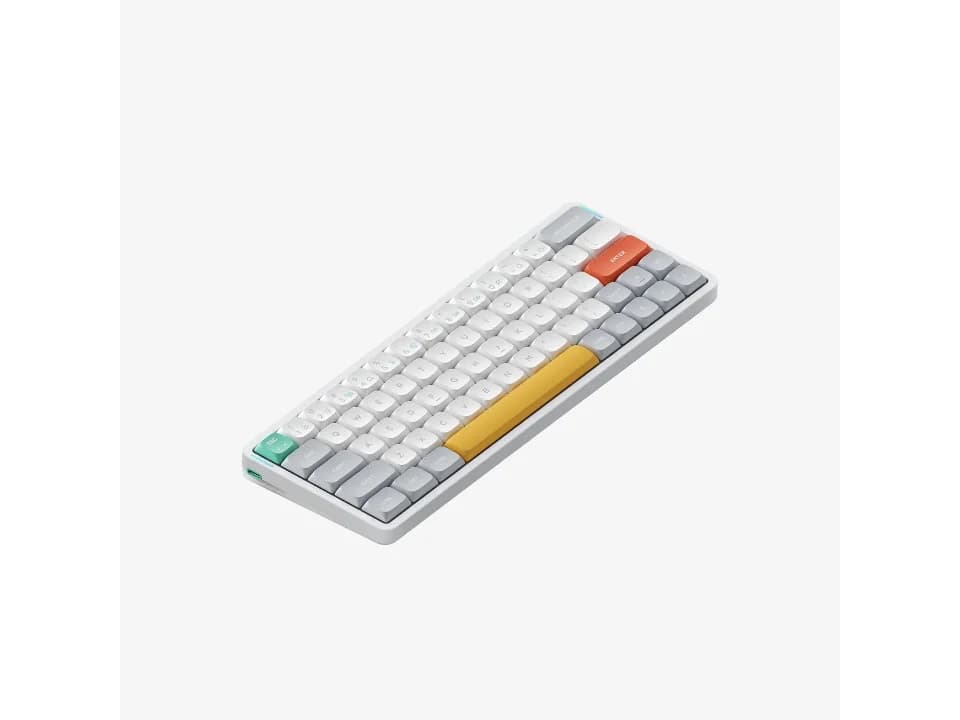
Where the gram figure is actually printed
$109.95 seen 16 Sep 2026; check the current price
One of the few boards whose own switch list publishes an actuation weight next to each of its four house switches, spanning 37gf and 60gf. It was seen at $109.95 on 16 Sep 2026; check the current price. Most vendors give you a colour and leave the number on a separate spec page, if anywhere.
Check price on AmazonPaid link — QuickDesker may earn a commission.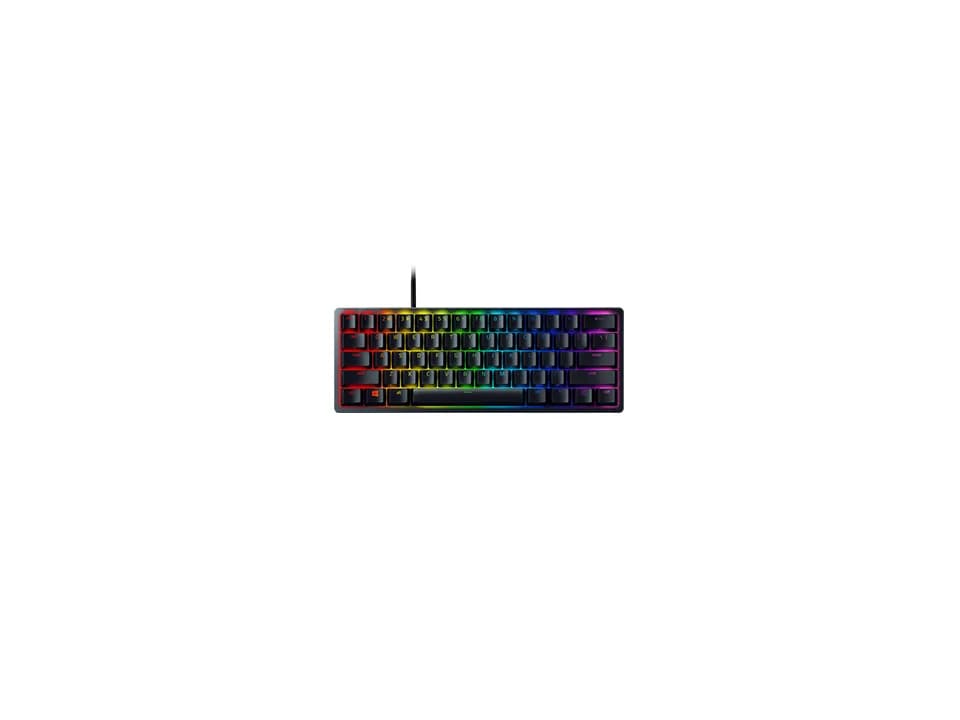
The same choice made with light
$69 seen 27 Oct 2026; check the current price
Offers exactly two options, named Razer Clicky Optical and Razer Linear Optical. It was seen at $69 on 27 Oct 2026; check the current price. It is the clearest illustration here that linear and clicky describe how a switch feels rather than how it detects a press: these are optical switches, and the choice is still the same one.
Check price on AmazonPaid link — QuickDesker may earn a commission.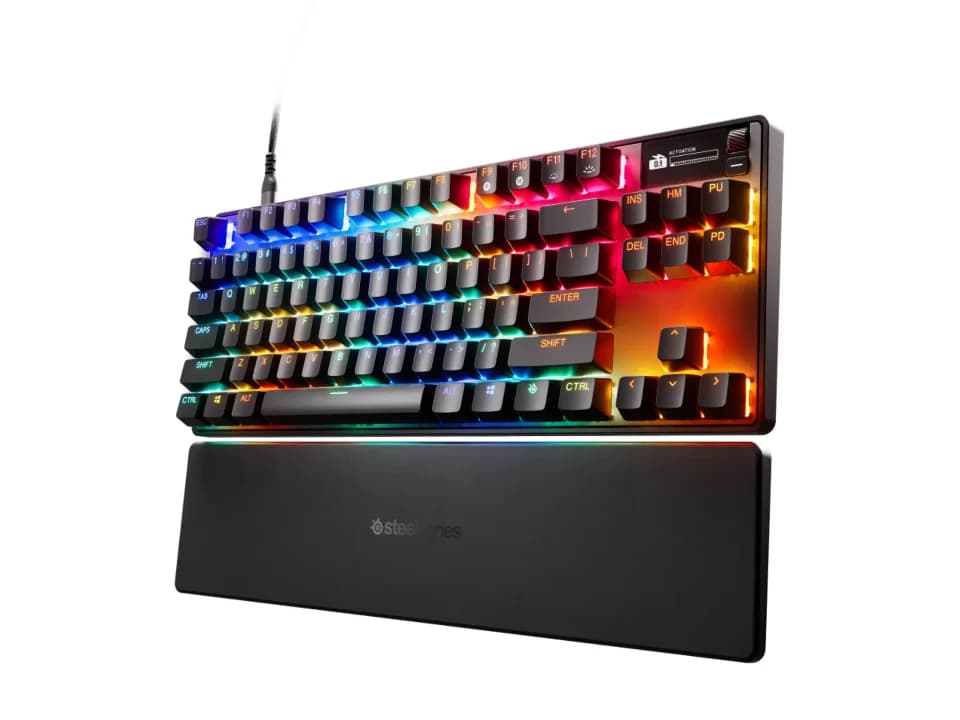
Skip the feel question, set a distance instead
$198.99 seen 16 Sep 2026; check the current price
Magnetic Hall-effect switches with an actuation point adjustable from 0.1 to 4.0 mm. It was seen at $198.99 on 16 Sep 2026; check the current price. There is no red-brown-blue decision to make here, because the thing you would be choosing is a setting rather than a part.
Check price on AmazonPaid link — QuickDesker may earn a commission.
What actually happens when you press a mechanical switch?
A stem moves down inside a housing against a spring, and somewhere in that travel the keyboard decides the key has been pressed. In a classic mechanical switch that decision is made by two pieces of metal touching. The spring pushes the stem back up when you let go, and the whole assembly sits under one keycap, one per key. That is what separates a mechanical keyboard from a membrane one, where a single flexible sheet does the job for the whole board.
Three numbers describe that journey, and a switch page that publishes anything usually publishes these. Actuation force is how hard you have to push at the moment the press registers, given in grams or in centinewtons, which are close enough to the same thing that vendors use them interchangeably. The actuation point, sometimes called pre-travel, is where in the key's descent that happens. Total travel is simply how far the key can go before it stops, which is usually a good deal further.
For a sense of scale, CHERRY, whose MX switches are the ones the colour convention came from, currently lists its MX2A Red at 45 cN of actuation force, 2.0 mm of pre-travel and 4.0 mm of total travel. So on that switch you are pressing with about 45 grams of force, the keystroke registers halfway down, and there is another 2 mm of travel left underneath that does nothing except stop your finger.
That last 2 mm is worth knowing about, because hitting it is called bottoming out and it is where most of a keyboard's noise comes from. Nothing in the switch requires you to do it. Plenty of people never learn not to.
What do linear, tactile and clicky actually mean?
Linear is the simple one: constant, smooth resistance from top to bottom, with no bump and no click, so nothing at all tells you the key just registered. You either learn where the actuation point is or you bottom out every time to be sure. That predictability is why linears get recommended for gaming, where a key you can feather without a bump getting in the way is genuinely useful.
Tactile adds a bump. Partway down, resistance rises and then drops away, and your finger reads that as the moment the key took. The bump is a shape in the stem rather than a noisemaker: CHERRY says the brown switching slide is what produces the tactile characteristics of the MX2A Brown, and that the bulge on its surface is what sends the feedback. Nothing is added to make a sound, which is why a tactile switch is not much louder than a linear one. CHERRY describes that switch as noiseless and lists it at the same 45 cN and 2.0 mm as the Red.
Clicky is a tactile switch with a mechanism added specifically to make a sound. The click is deliberate, it is loud, and it is the whole point of the switch. CHERRY's MX2A Blue is listed as tactile and clicky together, at 50 cN of actuation force and a slightly deeper 2.2 mm pre-travel. If you like the sound, nothing else will satisfy you. If you share a room, this is the family to avoid, and the people around you will not be shy about telling you so.
None of the three is better. They are three answers to the question of what a key should tell you when it works, and the honest way to choose is to decide whether you want to feel the press, hear it, or neither.
Why are switches named after colours, and can you trust the colour?
The convention comes from CHERRY, whose MX line has used colour to distinguish switch variants for decades, and it spread because it worked: once Red meant linear on one brand, a second brand had every reason to use Red the same way. Gateron and Keychron both follow it, which is why the colour tells you something real on a Keychron board.
It is a convention rather than a standard, though, and that distinction matters when you are about to spend money. Nobody administers it. The force behind a colour varies between makers and between generations of the same maker's own switch, so two Brown switches from two brands are the same category and not the same part. Widely repeated figures for the classic Cherry colours put Brown at 55 g and Blue at 60 g, which is not what CHERRY's own current pages say; the safe habit is to read the spec for the switch you are buying rather than the number you remember.
Then there are the brands that opt out entirely and use words instead of colours. Logitech sells its low-profile boards with options labelled Tactile Quiet, Clicky and Linear; Razer does the same with its optical switches. NuPhy goes further and gives its house switches plant names, then writes the feel and the gram weight next to each one, which is more information than any colour has ever carried.
The practical rule: treat the colour as a strong hint on a board that uses the convention, and as no information at all on a board that does not. Keychron V1 listing a Blue option tells you something. A switch called Wisteria tells you nothing until you read what NuPhy says it is, which in that case is tactile.
What do the gram and millimetre numbers mean for you?
Actuation force is the one people over-think. The realistic spread on a normal keyboard runs from the high 30s to the low 60s in grams, and the difference between the ends of that range is noticeable but not dramatic. Lighter switches are easier to press quickly and easier to press by accident. Heavier ones ask for more deliberate presses and tire some people out over a long day. If you have no idea where you sit, the middle of the range is the middle for a reason.
NuPhy Air60 V2 is unusually helpful here because the numbers are right there in the option list rather than buried: its four house switches are published at 37gf, 45gf, 55gf and 60gf, with the two lighter ones linear and the two heavier ones tactile. That single list is a better education in what the gram figure means than any amount of reading, because it holds the brand constant and varies only the weight.
Actuation point is the one that actually changes how a keyboard behaves. A shorter pre-travel registers sooner, which feels faster and makes accidental presses more likely; a longer one does the reverse. Razer publishes 1.2 mm for its Linear Optical switch and 1.5 mm for its Clicky Optical, both well short of the 2.0 mm typical of a contact switch, and that gap is most of what people mean when they call a gaming keyboard fast.
Total travel is mostly a comfort question, and it is where low-profile boards differ most from full-height ones. A low-profile switch has less distance to give, so the whole action feels shallower and quicker. Whether that is pleasant or cramped is personal, and it is the one thing on this page you really cannot settle by reading.
Will a mechanical keyboard annoy the people around you?
Clicky is the one family that makes a noise on purpose, so avoiding blue is most of the answer. It is not all of it, and this is the thing beginners most often get wrong: a linear switch is quieter than a clicky one and it is not quiet. On most boards the loudest single event is the keycap and stem hitting the bottom of their travel, and that happens on every switch family. CHERRY sells a damped linear, the MX2A Silent Red, whose stem carries a patented noise-reduction design, which is not a product you build if linears were already quiet.
What else the sound depends on has nothing to do with the switch at all. Keycap material and thickness change the pitch, plastic cases absorb what aluminium ones ring with, foam inside the case damps resonance, and poorly fitted stabilisers under the big keys rattle regardless of what you put under the small ones. Two boards with identical switches can sound quite different, which is why a switch name alone will never predict how loud your desk is going to be.
If quiet is the actual requirement, start by ruling out clicky and looking for a switch the vendor labels silent or quiet outright. Logitech MX Mechanical is the clearest example here of a vendor naming that intent for you: its options are listed as Tactile Quiet, Clicky and Linear, so the quiet one is not something you have to infer. After that it is down to your own typing. Avoiding hard bottom-outs can reduce typing noise, but the switch and keyboard construction still matter.
If the noise is really a whole-desk problem rather than a keyboard one, the same question runs across the mouse and the headphones too. That is the subject of A quiet home-office setup, for shared rooms and back-to-back calls.
What about optical and magnetic switches?
Both replace the part that detects the press while leaving the spring-and-stem part alone, which is why they still come in linear and clicky versions. The feel and the detection method are separate questions, and it is easy to assume otherwise.
An optical switch breaks a beam of light instead of closing a metal contact. Razer, which uses these across the Huntsman line, describes the stem passing through a light beam as the moment of actuation, and the practical consequence is that there is no contact bounce to filter out, so the small debounce delay a contact switch needs disappears. Razer rates its optical switches at 100 million keystrokes, and puts the industry norm it is measuring against at 50 million, since nothing metal is wearing against anything metal here. Treat the second figure as Razer's framing rather than a settled number: contact switches from other makers are rated all over the place. Razer Huntsman Mini sells the same board with a clicky or a linear optical switch, which is the cleanest demonstration that optical is not itself a feel.
A magnetic switch, usually called Hall effect, puts a magnet on the stem and a sensor under it, and measures how close the two are. That is a continuous position rather than an on or off, and it is a genuinely different capability: the keyboard can be told to register the press at any depth you like, and can re-register a key the instant it starts moving down again without waiting for it to come back up. SteelSeries Apex Pro TKL Gen 3 exposes exactly that, with an actuation point settable from 0.1 to 4.0 mm per key, and Razer Huntsman V3 Pro Tenkeyless does the same thing optically with its analog switches across the same range.
One catch worth knowing before you buy: magnetic switches do not fit ordinary hot-swap sockets. They need a board built for them, and a normal mechanical board cannot be converted. That is the trade for the adjustability, and it is why the boards that offer it list one switch rather than a menu.
Can you change your mind after you buy?
On a hot-swappable board, yes, and cheaply. Hot-swap means the switches sit in sockets rather than being soldered to the circuit board, so you pull one out with a small puller and press a different one in. No soldering is needed, but take your time and follow the board’s switch-removal instructions. Plenty of mechanical boards are built this way; for plenty of others we did not find it stated either way, which is not the same as saying no.
This is the honest recommendation for anyone who has read this far and still cannot decide. Buying hot-swappable turns an irreversible choice into a reversible one for the price of a switch set, and short of pressing a switch yourself in a shop, it is the closest thing to an answer to a feel question, which is not something this site can settle for you.
Which boards actually give you the choice is a separate question from what the choices are, and it is answered board by board in Which mechanical switch should you pick? A board-by-board guide. If you would rather see these keyboards with the mice and headphones next to them instead, the setup builder puts all three columns side by side.
Which switch options do these keyboards offer?
| Product | Switch technology | Switch options offered | Hot-swappable | Price when seen | Where to buy |
|---|---|---|---|---|---|
| Keychron V1 | Mechanical | Not recorded | Yes | $69.99 (seen 20 Oct 2026) | Check price on AmazonPaid link |
| Keychron K3 Max | Low-profile mechanical | Low Profile Gateron Mechanical Red, Low Profile Gateron Mechanical Blue, Low Profile Gateron Mechanical Brown, Low Profile Gateron Mechanical Banana, Low Profile Keychron Mechanical Red | Yes | $99.99 (seen 11 Sep 2026) | Check price on AmazonPaid link |
| Keychron Q1 Max | Mechanical | Gateron Jupiter Red, Gateron Jupiter Brown, Gateron Jupiter Banana | Yes | $229.99 (seen 19 Oct 2026) | Check price on AmazonPaid link |
| Logitech MX Mechanical | Low-profile mechanical | Tactile Quiet, Clicky, Linear | Not recorded | $149.99 (seen 23 Oct 2026) | Check price on AmazonPaid link |
| Razer BlackWidow V4 75% | Mechanical | Razer Orange Tactile Gen 3 | Yes | $189.99 (seen 26 Oct 2026) | Check price on AmazonPaid link |
| Razer Huntsman Mini | Optical | Clicky Optical Switch (Purple), Linear Optical Switch (Red) | Not recorded | $69 (seen 27 Oct 2026) | Check price on AmazonPaid link |
| Razer Huntsman V3 Pro Tenkeyless | Optical | Razer™ Analog Optical Switch Gen 2 | Not recorded | $152.99 (seen 27 Oct 2026) | Check price on AmazonPaid link |
| NuPhy Air60 V2 | Low-profile mechanical | Moss (60gf), Aloe (37gf), Wisteria (55gf), Brown 2.0, Blue 2.0 | Yes | $109.95 (seen 16 Sep 2026) | Check price on AmazonPaid link |
| SteelSeries Apex Pro TKL Gen 3 | Magnetic (Hall effect) | Not recorded | Not recorded | $198.99 (seen 16 Sep 2026) | Check price on AmazonPaid link |
Every switch name here is the vendor's own wording for that board, not our summary of it. "Hot-swappable" reads as "Not recorded" where we did not find it stated, which leaves the field blank rather than making it a no.
Prices are what we saw on the dates shown, not live figures. A lot of them were promotional when we read them, so check the current price before you buy.
Paid link — QuickDesker may earn a commission.
“Not recorded” means this comparison has no sourced value for that specification. It does not mean the product lacks the feature.
Common questions
- What is the difference between red, brown and blue switches?
Red is linear: smooth all the way down, no bump and no click. Brown is tactile: a bump partway down you can feel, with almost no extra noise. Blue is clicky: the same bump plus a loud click the switch makes deliberately. The colours are a convention started by CHERRY and followed by Gateron and Keychron, among others, so they mean this reliably on boards that use the system and mean nothing on boards that do not.
- Which switch is best for gaming?
Linear is the usual recommendation, because there is no bump interrupting a light or repeated press and the actuation point is easy to learn. If you want to go further, a magnetic or analog optical board lets you move the actuation point yourself: SteelSeries Apex Pro TKL Gen 3 and Razer Huntsman V3 Pro Tenkeyless both adjust from 0.1 to 4.0 mm per key. None of that will matter as much as getting a board you find comfortable, and anyone telling you a switch choice is worth a rank is selling something.
- Are brown switches quiet enough for an office?
Quieter than blue, yes, and quiet is a stronger word than they deserve. A tactile switch adds essentially no noise of its own, but the sound of the keycap bottoming out is there on every switch family, and that is the noise your neighbours hear. If the office is the constraint, look for a switch a vendor labels quiet or silent outright, such as the Tactile Quiet option on Logitech MX Mechanical, and expect the case, keycaps and your own typing habits to matter as much as the switch.
- What does the gram number on a switch mean?
It is the actuation force: how hard you press at the moment the keystroke registers. Most switches land somewhere between the high 30s and low 60s in grams. Lighter is faster and easier to trigger by accident, heavier is more deliberate and more tiring over a long day. NuPhy Air60 V2 publishes the figure next to each of its four house switches, from 37gf to 60gf, which is a rare chance to see the number vary with the brand held constant.
- Do optical switches feel different from mechanical ones?
Not inherently. An optical switch changes how the press is detected, using a light beam rather than two metal contacts, and leaves the spring and stem, which between them produce the force curve and the bump, exactly as they were. That is why optical switches still come as linear or clicky: Razer Huntsman Mini offers both on the same board. What optical does change is the electronics, removing the contact bounce a metal switch has to filter out, and the wear, which is why Razer rates its optical switches at 100 million keystrokes rather than the 50 million it cites as the norm for contact switches.
- Can I put different switches in later if I choose wrong?
Yes, if the keyboard supports hot-swapping and the replacement switches are compatible. Ordinary MX-style switches cannot replace optical or magnetic switches just because they fit the same opening. Some magnetic keyboards also allow switch replacement; check the board’s compatibility instructions.
What this is based on
We have not tested these products. The comparisons use manufacturer specifications and retailer information, with sources linked below. Prices are dated snapshots and may have changed.
The general explanation on this page is background about how switches are built and named, corroborated across independent sources rather than taken from any one of them. It is not a claim about how a particular switch feels. There is no typing behind this article, only reading, and a feel is not something a specification can settle anyway.
The specific figures are the manufacturer's own published numbers, read on 2026-08-26. CHERRY's MX2A Red, Brown and Blue pages supply the actuation force, pre-travel and total travel quoted for the switches the colour convention came from. Razer's optical switch pages supply the light-beam mechanism, the 1.2 mm and 1.5 mm actuation points, the 100 million keystroke rating and the 0.1 to 4.0 mm analog range. The magnetic switch explanation follows CORSAIR's and Glorious's accounts, which agree independently on the mechanism, on adjustable actuation and on the fact that Hall-effect switches do not fit standard hot-swap sockets.
None of those figures is asserted of a QuickDesker product. Where this article describes a specific board it reports that board's own switch list, switch technology and hot-swap status as recorded from the manufacturer's page on 2026-08-16, and the sources are listed below.
Whether a board names its switches by colour, and whether it states hot-swap at all, is taken from that manufacturer's own switch list rather than inferred from anything else.
The tactile bump is a feature of the stem rather than of the spring, and both sources are explicit about it. CHERRY attributes the tactile behaviour of the MX2A Brown to the switching slide and the bulge on its surface, and describes the coil spring only as supplying a calibrated pressure force; Kinetic Labs reaches the same conclusion from the other direction, tracing the bump to the contact between the stem's leg and the metal leaves. Both were read on 2026-08-28 and both are linked below.
Sources (20)
- Best Buy: Logitech MX Mechanical (Graphite – Tactile Quiet) (Retailer, read 4 Oct 2026)
- Best Buy: Razer Huntsman Mini 60% Wired Optical Clicky Switch Gaming Keyboard with Chroma RGB Backlighting Black (Retailer, read 4 Oct 2026)
- Best Buy: Razer Huntsman V3 Pro TKL Wired Analog Optical Linear Switch Gaming Keyboard with Snap Tap Black (Retailer, read 4 Oct 2026)
- Best Buy: SteelSeries Apex Pro TKL Gen 3 Wired HyperMagnetic Gaming Keyboard with Rapid Tap, Rapid Trigger, Adjustable Actuation Black (Retailer, read 4 Oct 2026)
- CHERRY: CHERRY MX2A BROWN (states that the brown switching slide is responsible for the tactile switch characteristics and that the bulge on its TLS surface sends the feedback, and describes the coil spring only as supplying a calibrated pressure force) (Manufacturer, read 28 Aug 2026)
- CHERRY: CHERRY MX2A SILENT RED (a linear switch whose two-part stem carries patented integrated noise-reduction technology, alongside a noise-reducing barrel spring design) (Manufacturer, read 28 Aug 2026)
- Keychron: Keychron K3 Max QMK/VIA Wireless Custom Mechanical Keyboard (Manufacturer, read 24 Sep 2026)
- Keychron: Keychron Q1 Max QMK/VIA Wireless Custom Mechanical Keyboard (Manufacturer, read 11 Sep 2026)
- Keychron: Keychron V1 QMK Custom Mechanical Keyboard (Manufacturer, read 14 Sep 2026)
- Kinetic Labs: How to Describe Any Tactile Switch (traces the tactile bump to the contact between a stem's leg and the metal contact leaves, with no role given to the spring) (Editorial, read 28 Aug 2026)
- Logitech: MX Mechanical Wireless Keyboard (Manufacturer, read 16 Sep 2026)
- Logitech: Specification - MX Mechanical (Manufacturer, read 16 Sep 2026)
- NuPhy: NuPhy Air60 V2 Wireless Mechanical Keyboard (Manufacturer, read 24 Sep 2026)
- NuPhy.com: NuPhy Air60 V2 - Ionic White / Brown 2.0 (Retailer, read 16 Sep 2026)
- Razer: At a Glance: Razer BlackWidow V4 75% | RZ03-0500 (Manufacturer, read 16 Sep 2026)
- Razer: Razer BlackWidow V4 75% (Manufacturer, read 16 Sep 2026)
- Razer: Razer Huntsman Mini (Manufacturer, read 16 Sep 2026)
- Razer: Razer Huntsman Mini - Clicky Optical Switch - US - Black (Razer.com) (Manufacturer, read 16 Sep 2026)
- Razer: TKL Keyboard for Gaming - Razer Huntsman V3 Pro Tenkeyless (Manufacturer, read 16 Sep 2026)
- SteelSeries: Apex Pro TKL Gen 3 - US (Manufacturer, read 16 Sep 2026)
Related guides
Build your setup
Compare keyboards, mice and headphones in the setup builder, then save the combination you like. Prefer a list? Browse all products.