Logitech MX Mechanical
Is the MX Mechanical right for you?
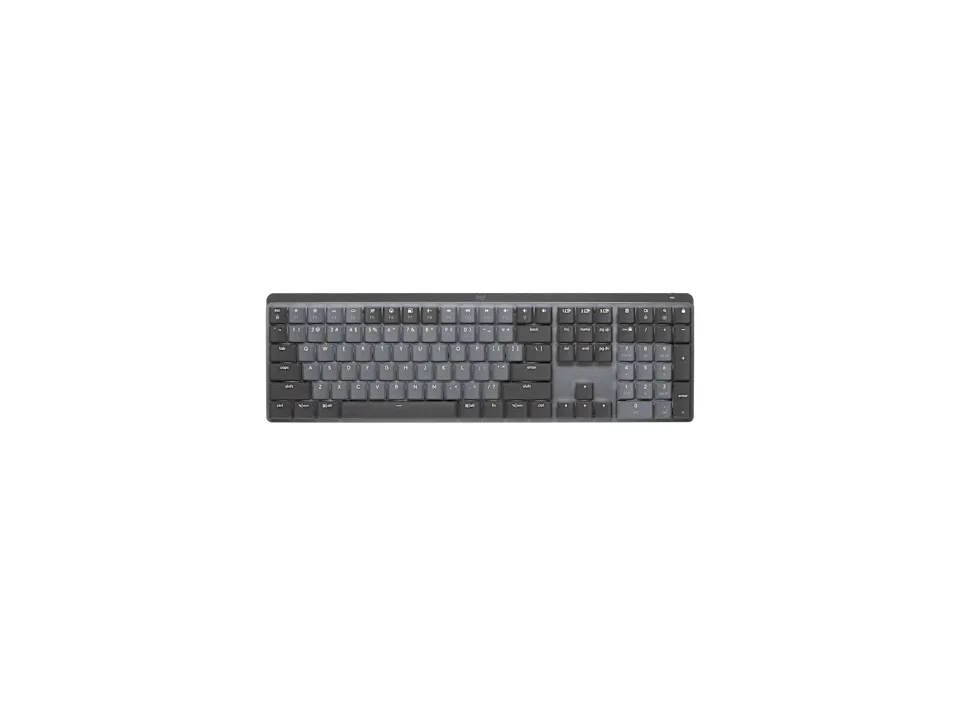
The MX Mechanical is a full-size mechanical keyboard with a number pad, and it connects by Logi Bolt or Bluetooth Low Energy.
Best for
- People who move between devices. Logitech says it connects up to 3 and switches between them.
- People who enter a lot of numbers. Logitech describes it as a full size keyboard for users needing a numeric pad.
Skip if
- You'd keep the backlight on and hate charging. Logitech quotes 15 days with backlight, against 10 months without.
Want to see it next to a mouse and a headset? Try it on the QuickDesker board and build a whole desk setup around it.
What does it cost, and what should you check first?
- Seen at Best Buy for $149.99 (Graphite – Tactile Quiet) on 23 Oct 2026
- Seen at Logitech.com for $149.99 (Graphite – Tactile Quiet) on 23 Oct 2026
Prices change; check the one for the switch you want. Logitech lists three versions, all in Graphite, one for each switch.
The Logi Bolt receiver comes in the box, with a 1m USB-C to A charging cable. A USB-A plug doesn't fit a USB-C port without an adapter, so a laptop with only USB-C ports needs one to charge the keyboard from that cable.
Over Bluetooth Low Energy, Logitech lists Windows, macOS, iOS, iPadOS, Linux, ChromeOS and Android. Logitech says Logi Options+ supports it on Windows and macOS.
Logitech says it's compatible with the MX Palm Rest.
What's the difference between the Tactile Quiet, Clicky and Linear switches?
Logitech offers it with one of three low-profile mechanical switches, Tactile Quiet, Clicky or Linear, and says each has a distinct feel and sound.
Linear switches are smooth all the way down. Tactile ones have a bump partway through the press, and clicky ones add an audible click to that bump. A low-profile switch is shorter than a full-height one, which lets a keyboard sit lower on the desk.
How the three types differ in use is covered in our guide Mechanical Keyboard Switches Explained: Linear, Tactile and Clicky.
How long does the battery last, and how does it connect?
Logitech quotes 15 days with backlight and 10 months without, from a 1500 mAh lithium polymer battery. It says the backlighting adjusts to ambient light and turns off when not in use, to save battery.
From empty, Logitech says a full charge takes 4 hours, and the power light turns red at 10%.
It connects by the Logi Bolt receiver or Bluetooth Low Energy. Logitech says Easy-Switch connects up to 3 devices and switches between them, and it lists a wireless range of 10 m.
Full specifications
| Layout | Full size keyboard |
|---|---|
| Connections | Logi Bolt and Bluetooth Low Energy |
| Battery | Lithium Polymer 1500 mAh |
| Battery life, as quoted | 15 days with backlight and 10 months without |
| Switch technology | Mechanical |
| Switch options offered | Tactile Quiet, Clicky, Linear |
| Number pad | Integrated numpad |
| Backlight | Yes, white backlighting |
| Case material | Aluminum & plastic |
| Weight | 828g |
| Remapping software | Logi Options+ on Windows and macOS |
| Devices paired at once | Up to 3 devices |
| Warranty | 1-Year Limited Hardware Warranty |
| In the box | Keyboard, Logi Bolt receiver, 1m USB-C to A charging cable, compliance flyer |
Logitech's MX Mechanical product page and support specifications don't list a key count, a polling rate, spill resistance or whether the switches are hot-swappable.
Specifications from Logitech's MX Mechanical product page, support specifications and support article on the MX Mechanical and MX Mechanical Mini, read 16 Sep 2026.