Keychron K Pro vs K Max vs Q Max: what does the extra money buy?
Six wireless Keychron boards across three lines. The line name tells you which wireless modes you get, and the cheaper lines win one thing outright.
Updated 4 Oct 2026 · no hands-on testing
The short answer
Three lines, and the line boundary is the radio. Keychron K2 Pro and Keychron K8 Pro are K Pro boards, and both list Bluetooth and a cable with no dongle. Keychron K3 Max is not a K Pro board at all: Keychron lists it in the K Max collection, and like the three Q Max boards it is tri-mode, adding 2.4 GHz to the pair. So the wireless split is not an odd board out. It is where one line ends and the next begins.
The versions compared support hot-swapping and QMK/VIA remapping. The Q Max examples use CNC-machined aluminium cases. Do not read missing case or weight values for the cheaper models as evidence that Keychron never publishes them.
One thing runs the other way. Every K Pro and K Max board here lists a Blue, which is the clicky option, and none of the three Q Max boards does. Move up to Q Max and you lose the clicky option.
The picks
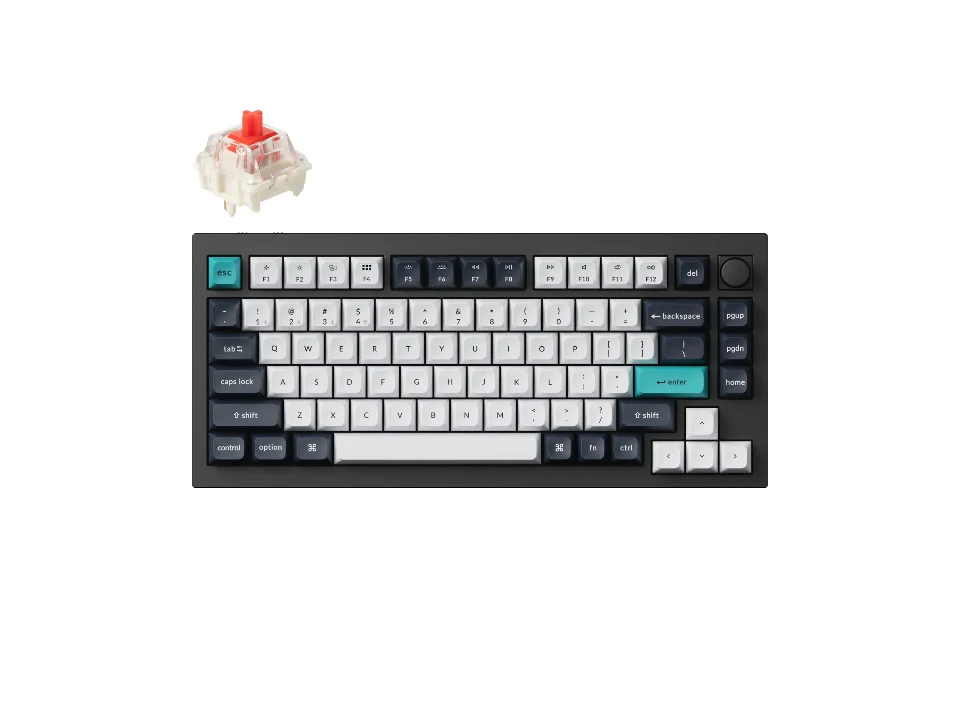
Q Max's all-rounder
$229.99 seen 19 Oct 2026; check the current price
75% layout, CNC-machined 6063 aluminium case, tri-mode wireless. Keychron states the weight (1,724 g), which we did not find for any of the three cheaper boards on this page. It was seen at $229.99 on 19 Oct 2026; check the current price.
Check price on AmazonPaid link — QuickDesker may earn a commission.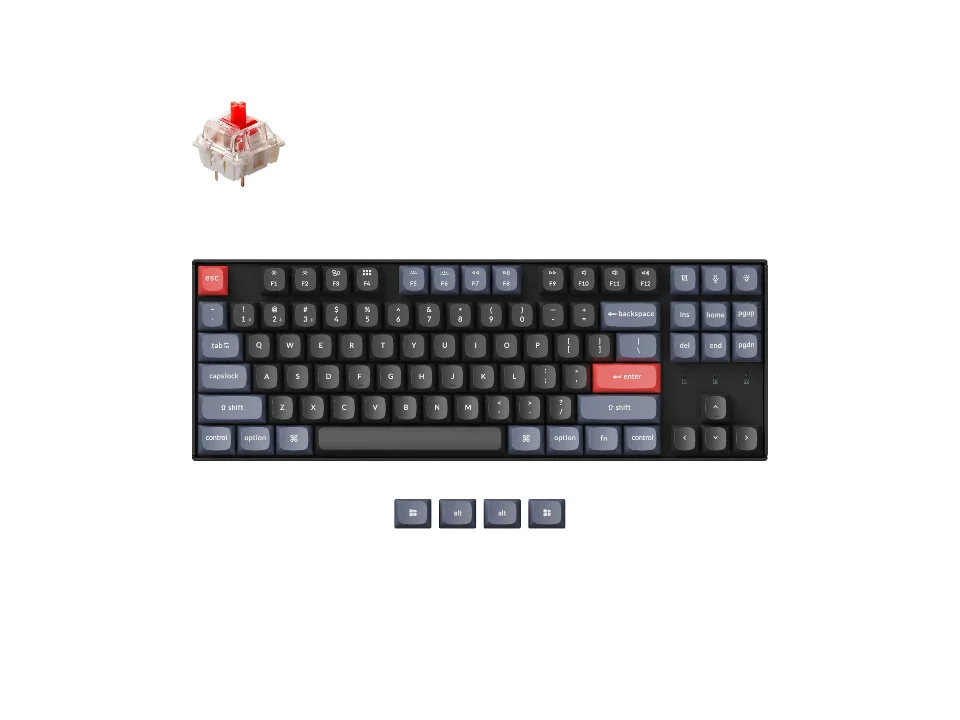
Tenkeyless, Bluetooth and a cable
$74.99 seen 19 Oct 2026 (sold out); check the current price
TKL, hot-swappable, three switch options including a clicky one, for less than half of any Q Max board. Bluetooth and a cable only, which is what being a K Pro board means. It was seen at $74.99 on 19 Oct 2026 (sold out); check the current price.
Check price on AmazonPaid link — QuickDesker may earn a commission.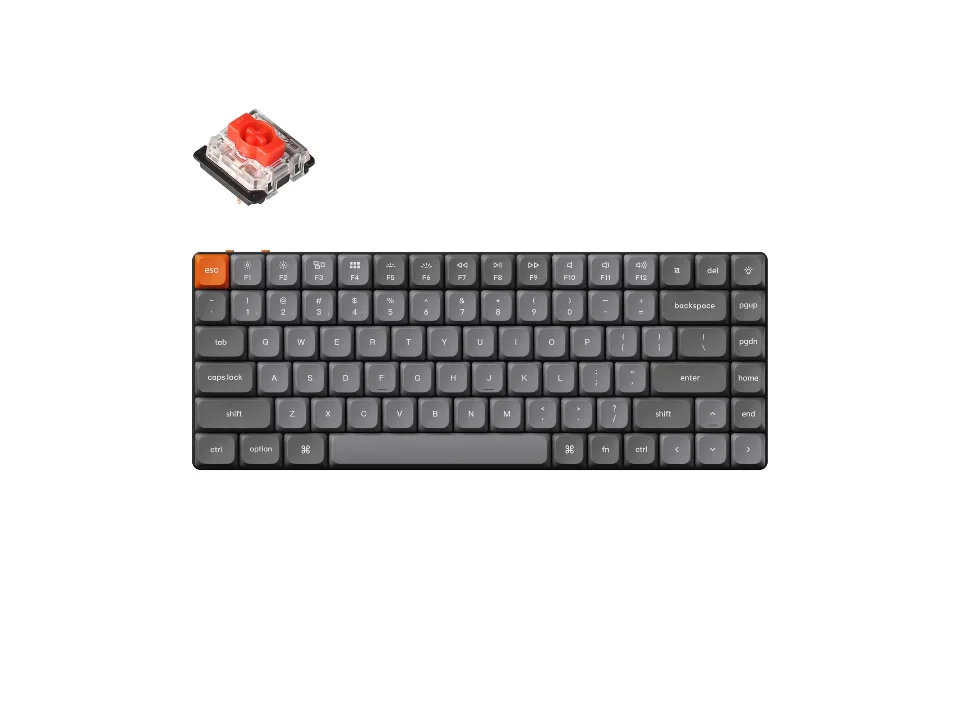
The dongle without the aluminium
$99.99 seen 11 Sep 2026; check the current price
Low-profile and tri-mode. It gets the 2.4 GHz radio the two K Pro boards lack because it is a K Max board rather than a K Pro one. Keychron flags that hot-swap is only on the RGB-backlight version: worth checking the exact listing. It was seen at $99.99 on 11 Sep 2026; check the current price.
Check price on AmazonPaid link — QuickDesker may earn a commission.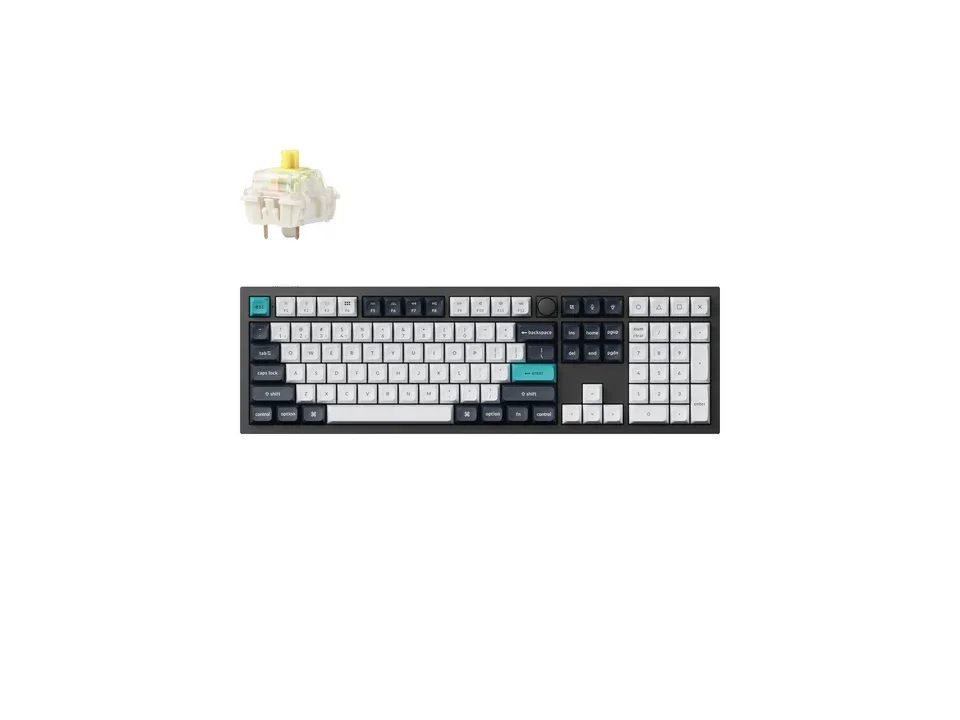
FULL-SIZE Q MAX PICK WITH A NUMPAD
$219.99 seen 14 Sep 2026; check the current price
The full-size option in this six-board comparison. Keychron's own pages disagreed on the price the day we read them; the product-page figure is the one recorded here. It was seen at $219.99 on 14 Sep 2026; check the current price.
Check price on AmazonPaid link — QuickDesker may earn a commission.
Is the K3 Max a K Pro keyboard?
No. The K3 Max is a K Max model, not a K Pro model. The K3 Max belongs to Keychron's K Max line, which the company lists as its own collection, in three variants, with 2.4 GHz named as a feature of the range. The K Pro collection is a separate set of 29 products; the K3 Max is not in it, there is a distinct K3 Pro that is, and the K Pro collection's own connectivity filter offers Bluetooth and nothing else. RTINGS reaches the same conclusion from the outside, reviewing the K3 Max as one variant of a board in the K Max series.
It matters because it moves the board that used to look like an exception. Forced into the K Pro line, this board looked like a puzzle: a K Pro that had somehow kept a dongle its two siblings lacked. Put back in the line Keychron actually sells it in, it is unremarkable. Bluetooth and a cable is what K Pro is, and both Max lines add the 2.4 GHz radio. A line name on a Keychron box turns out to be a real prediction about the radio inside it.
What does the extra money on a Q Max board buy?
The clearest construction difference in these examples is the Q Max aluminium case. Case materials and weights also appear in Keychron’s documentation for cheaper models, so compare the exact version rather than treating a blank in this table as a missing manufacturer specification.
Every board here is hot-swappable, remaps through QMK/VIA, and ships with PBT keycaps wherever Keychron says so. Those are not what the price gap is buying. If the keycap line is the part you were weighing, what the plastic actually changes is covered in ABS vs PBT keycaps: what actually changes, and what the box will not tell you.
The radio is not what the money buys either, and that is the part most easily misread. Keychron K3 Max is tri-mode too, because it is a K Max board. Paying for Q Max buys you the case, not the dongle.
Do all six boards offer the same wireless modes?
No, and the line name is what tells you. All three Q Max boards are tri-mode: a 2.4 GHz dongle, Bluetooth, and a cable. Keychron K3 Max is tri-mode too. Keychron K2 Pro and Keychron K8 Pro are not: both list Bluetooth and wired only, with no 2.4 GHz option at all, which matches what Keychron's K Pro collection publishes for the whole range.
So if a fast, latency-focused wireless connection is what you are after and you would rather not pay Q Max money for it, Keychron K3 Max is the board that gets you there.
Which line gives you a clicky switch?
Not Q Max. Every Q Max board here offers the same three Gateron Jupiter options (Red, Brown, Banana), and none of them is a clicky switch. The K Pro and K Max boards all offer a Blue alongside their Reds and Browns, which is the clicky one. If you have decided you want a board that clicks out of the box rather than swapping switches after buying, that decision on its own points at the cheaper end, price aside.
Keychron K3 Max's switch options are the low-profile versions of the same Gateron lineup, plus a fifth, a low-profile Keychron Red, that neither of the other two cheap boards lists. What the feel names actually describe, and how much the colour on the box tells you, is the subject of Mechanical Keyboard Switches Explained: Linear, Tactile and Clicky.
Which line covers more keyboard sizes?
The Q Max examples shown here span more sizes than the K Pro and K Max examples shown here. Keychron Q2 Max is compact, Keychron Q1 Max is 75%, and Keychron Q6 Max includes a numpad. The cheaper examples in this table omit the numpad; that does not describe every keyboard in their product lines.
How do these Keychron models compare?
| Product | Size | Case | Wireless modes | Price when seen | Where to buy |
|---|---|---|---|---|---|
| Keychron Q1 Max | TKL / 75% | Aluminum | 2.4 GHz, Bluetooth, Wired | $229.99 (seen 19 Oct 2026) | Check price on AmazonPaid link |
| Keychron Q2 Max | Compact (65% / 60%) | CNC machined 6063 aluminium | 2.4 GHz, Bluetooth, Wired | $189.99 (seen 11 Sep 2026) | Check price on AmazonPaid link |
| Keychron Q6 Max | Full-size | Aluminum | 2.4 GHz, Bluetooth, Wired | $219.99 (seen 14 Sep 2026) | Check price on AmazonPaid link |
| Keychron K3 Max | TKL / 75% | Not recorded | 2.4 GHz, Bluetooth, Wired | $99.99 (seen 11 Sep 2026) | Check price on AmazonPaid link |
| Keychron K2 Pro | TKL / 75% | Not recorded | Bluetooth, Wired | $67.99 (seen 11 Sep 2026) | Check price on AmazonPaid link |
| Keychron K8 Pro | TKL / 75% | Not recorded | Bluetooth, Wired | $74.99 (seen 19 Oct 2026 (sold out)) | Check price on AmazonPaid link |
Check the exact variant when comparing construction and hot-swap support. Missing values in this table are not a claim that Keychron has never published the specification.
Prices are what we saw on the dates shown, not live figures. A lot of them were promotional when we read them, so check the current price before you buy.
Paid link — QuickDesker may earn a commission.
“Not recorded” means this comparison has no sourced value for that specification. It does not mean the product lacks the feature.
Common questions
- Is the K3 Max a K Pro or a K Max keyboard?
K Max. Keychron lists it in the K Max collection, in three variants, and the K Pro collection of 29 products does not contain it. There is a separate K3 Pro, which is a different board, and the two names are one character apart, which is most of why this gets confused.
The practical consequence is the radio. K Pro boards are Bluetooth and wired; the K3 Max adds a 2.4 GHz dongle because that is what the Max lines do.
- Is Q Max actually better, or just more expensive?
It states more. A specific aluminium alloy, a machining process, and a weight, on three fields where the cheaper boards state nothing. Whether a stated aluminium case over an unstated one is worth the extra money is a judgement we cannot make for you; we can tell you what each line actually publishes, and that the radio is not part of the difference.
- Which board should I buy if I want a clicky switch?
Any of the three cheaper ones. Every K Pro and K Max board here lists a Blue; none of the three Q Max boards does. That holds whichever of the three you pick, so choose on size and on whether you want the dongle.
- Can I get a full-size Keychron in the cheaper lines?
Not from the boards on this page. Keychron Q6 Max is the only full-size board with a numpad here, and it is a Q Max. If the number pad is the requirement, the size question is worth reading before the line question, and it is worked through in Full-size, TKL or compact: which keyboard size should you get?
- Do all six boards hot-swap?
Yes for the versions compared, but check the Keychron K3 Max variant: Keychron states hot-swap is only available on the RGB-backlight version, not the white-backlight one. Worth checking the exact listing before you order that specific board.
If you are not sure whether sockets are worth paying for in the first place, the case for and against is made in Hot-swappable keyboards explained: what the sockets do, and who needs one.
What this is based on
We have not tested these products. The comparisons use manufacturer specifications and retailer information, with sources linked below. Prices are dated snapshots and may have changed.
The sources below identify the product versions and the dates their information was recorded. Check current variant details before ordering, particularly for backlighting and hot-swap support.
The three-line split is Keychron's own, checked against its collection pages on 2026-08-28 and confirmed against RTINGS from the outside. The K3 Max belongs to the K Max line rather than to K Pro, which is the distinction the whole comparison rests on.
Sources (10)
- Best Buy: Keychron Q6 Max (Best Buy listing) (Retailer, read 4 Oct 2026)
- Keychron: Keychron K Max Series Keyboard collection (lists the K3 Max in three variants among fifteen K Max products, with 2.4 GHz Wireless carried as a feature of the range) (Manufacturer, read 28 Aug 2026)
- Keychron: Keychron K Pro Series Keyboard collection (29 products, not including the K3 Max, with a separate K3 Pro and a connectivity facet reading "Bluetooth Wireless (29)" and no 2.4 GHz) (Manufacturer, read 28 Aug 2026)
- Keychron: Keychron K2 Pro QMK/VIA Wireless Mechanical Keyboard (Manufacturer, read 24 Sep 2026)
- Keychron: Keychron K3 Max QMK/VIA Wireless Custom Mechanical Keyboard (Manufacturer, read 24 Sep 2026)
- Keychron: Keychron K8 Pro QMK/VIA Wireless Mechanical Keyboard (Manufacturer, read 11 Sep 2026)
- Keychron: Keychron Q1 Max QMK/VIA Wireless Custom Mechanical Keyboard (Manufacturer, read 11 Sep 2026)
- Keychron: Keychron Q2 Max QMK/VIA Wireless Custom Mechanical Keyboard (Manufacturer, read 16 Aug 2026)
- Keychron: Keychron Q6 Max QMK/VIA Wireless Custom Mechanical Keyboard (Manufacturer, read 14 Sep 2026)
- RTINGS: Keychron K5 Max [K1 Max, K3 Max, etc.] Review (covers the K3 Max as a variant of a board it places in Keychron's broader K Max series) (Editorial, read 28 Aug 2026)
Related guides
Build your setup
Compare keyboards, mice and headphones in the setup builder, then save the combination you like. Prefer a list? Browse all products.