Keychron mechanical keyboards under $100: which should you choose?
Compare budget Keychron mechanical keyboards by layout and hot-swap support, with dated prices and a clear explanation of the variant differences.
Updated 4 Oct 2026 · no hands-on testing
The short answer
If you want the cheapest real mechanical keyboard, take Keychron C3 Pro: wired, tenkeyless, gasket-mounted, remappable with open firmware. It was seen at $34.99 on 11 Sep 2026; check the current price. If you want the one that will still be the right keyboard in three years, take Keychron K8 Pro, which adds wireless, PBT keycaps and hot-swappable switches you can replace yourself. It was seen at $74.99 on 19 Oct 2026 (sold out); check the current price.
All nine mechanical keyboards under $100 on this page come from the same brand, and there is no polite way to bury that.
The picks
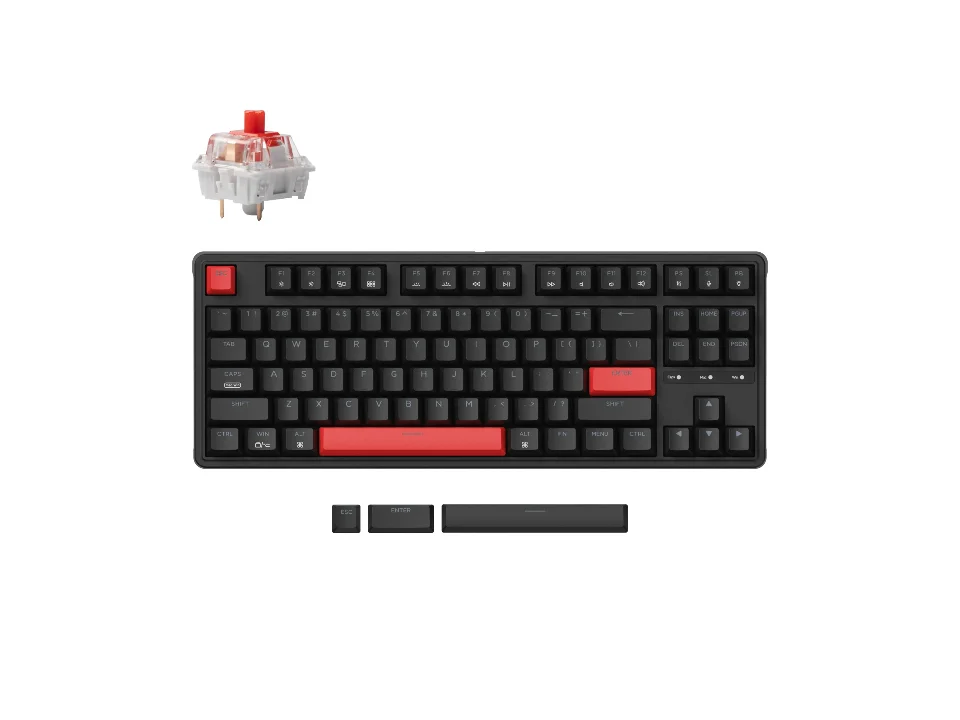
Cheapest real mechanical
$34.99 seen 11 Sep 2026; check the current price
Wired, 87-key tenkeyless, gasket mount, QMK/VIA remapping, a single-colour backlight and a choice of red or brown switches. We did not find whether this variant is hot-swappable, so we have left that blank rather than borrow the answer from the rest of the range: it is the only one of the nine where that is unknown.
Check price on AmazonPaid link — QuickDesker may earn a commission.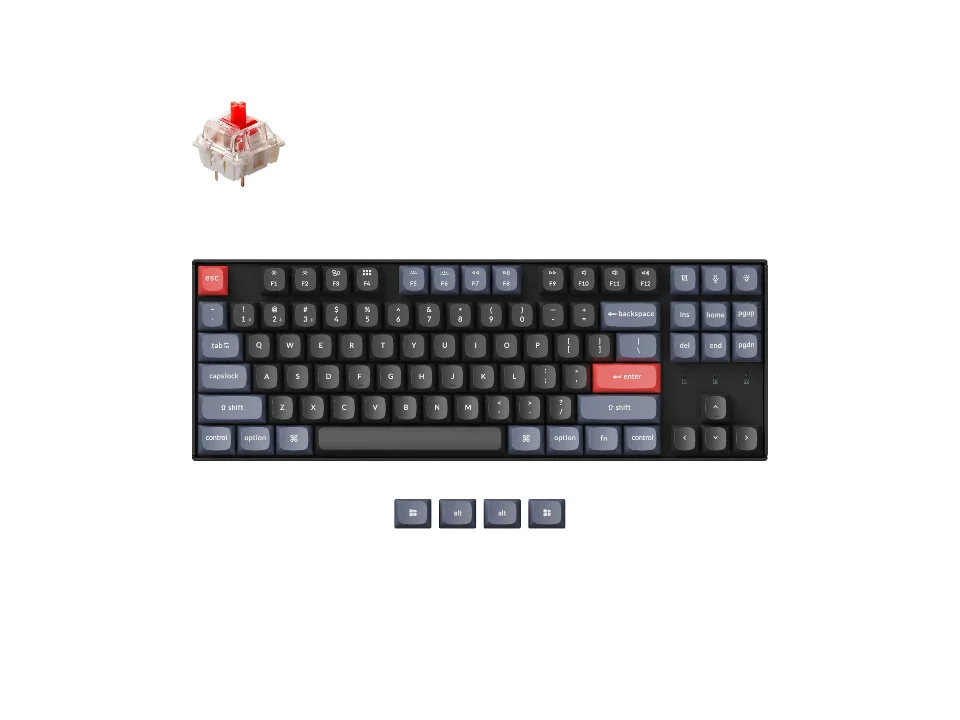
The one most people should get
$74.99 seen 19 Oct 2026 (sold out); check the current price
Tenkeyless, hot-swappable, PBT keycaps, RGB, Bluetooth and a cable, on Gateron G Pro switches. Everything that makes a keyboard last (replaceable switches, hard-wearing keycaps, firmware you can reflash) without going over the line. It was seen at $74.99 on 19 Oct 2026 (sold out); check the current price.
Check price on AmazonPaid link — QuickDesker may earn a commission.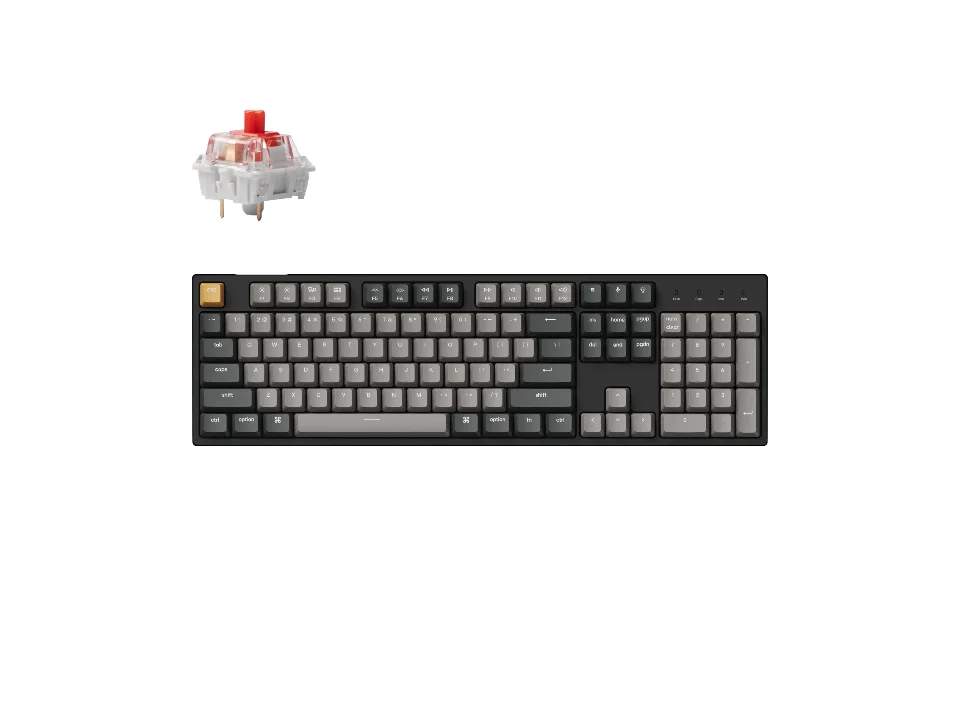
Full-size with a number pad
$44.99 seen 17 Oct 2026 (sold out); check the current price
The one board here under $100 with a hundred-percent layout, real switches and PBT keycaps. Wired only. It was seen at $44.99 on 17 Oct 2026 (sold out); check the current price. Keychron's page quoted a range across variants rather than one number, so the figure here is the one attached to the RGB hot-swappable version. Check which variant you are looking at before you compare it with anything.
Check price on AmazonPaid link — QuickDesker may earn a commission.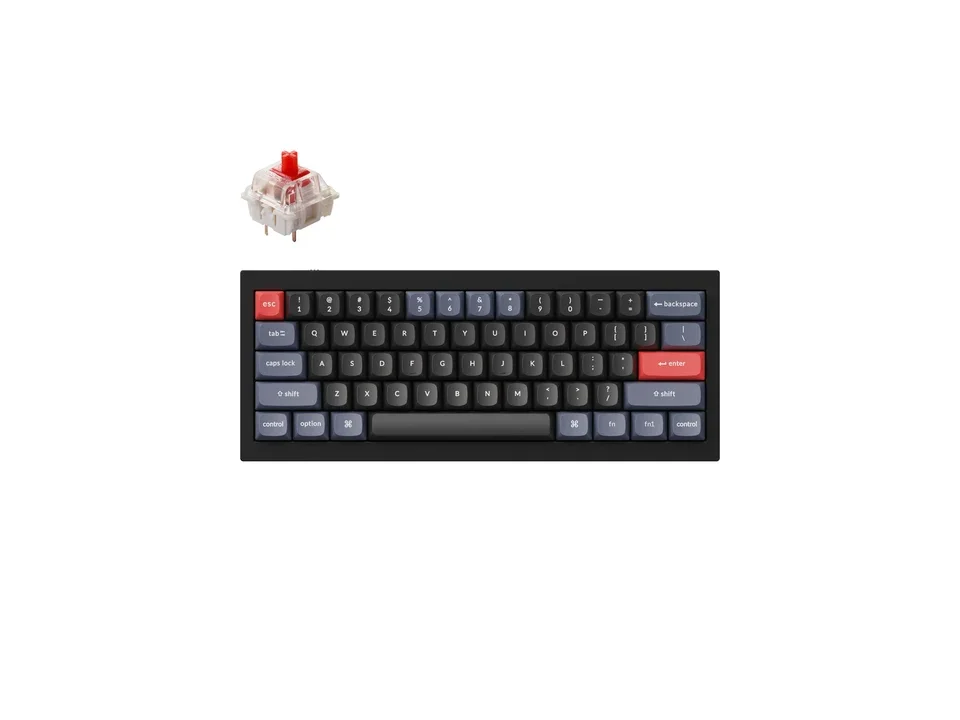
Most keyboard for the money
$79.99 seen 4 Oct 2026; check the current price
A CNC-machined aluminium 60% board with a double-gasket mount, hot-swap and PBT keycaps, down from a list price roughly twice what we saw. It weighs 1,500 g, which is the point: an aluminium case is normally what you cross $150 to get. It was seen at $79.99 on 4 Oct 2026; check the current price.
Check price on AmazonPaid link — QuickDesker may earn a commission.
Are these Keychron boards the only budget mechanical options?
No. This comparison covers the Keychron models in our current selection that were within the budget at their recorded prices. It is not a survey of every budget mechanical keyboard.
Use the comparisons below to choose a layout and check the exact variant. If you consider another brand, look for clear specifications and support information before ordering.
Do keyboards this cheap have hot-swappable switches?
Eight of these nine do, which is the single most useful thing about this bracket. The switches sit in sockets, so a different one goes in with the puller in the box and no soldering.
That used to be an enthusiast feature and at this price it now essentially comes free. It is the strongest practical argument for paying mechanical money at all: you are buying a keyboard whose wearing parts are user-serviceable. What the socket physically is, and which switches will fit one, is covered in Hot-swappable keyboards explained: what the sockets do, and who needs one.
The ninth is Keychron C3 Pro, where Keychron simply does not say. Other C3 Pro variants are advertised as hot-swappable. We have not assumed this one is.
Which sizes can you get in this bracket?
The selection includes compact, tenkeyless and full-size layouts. Keychron V4 and Keychron Q4 are the 60% examples without a dedicated function row. Choose them for the layout, not because compact membrane alternatives are impossible.
Tenkeyless and 75%: Keychron C3 Pro, Keychron V1, Keychron K2 Pro, Keychron K8 Pro and the low-profile Keychron K3 Max. Five of the nine, which is where most of the range sits.
Full-size with a number pad: Keychron C2 Pro and the 96% Keychron V5. Fewer options, and both wired. If you are not sure which of the three you want, Full-size, TKL or compact: which keyboard size should you get? is the decision in one page.
Should you take wired or wireless at this price?
Wired, unless you specifically need the desk clear. Six of the nine are wired only; the other three add a radio and a battery.
Those three are Keychron K2 Pro and Keychron K8 Pro, both Bluetooth plus a cable, and Keychron K3 Max, which adds a 2.4 GHz dongle to the pair and is the only low-profile board of the nine. The choice between them is a clean one: a 75% with a big battery, a tenkeyless with a big battery, or a slim 75% with the faster radio and a smaller one. Keychron quotes roughly 260 hours for Keychron K2 Pro with the backlight off and roughly 73 for Keychron K3 Max, which is the size of the battery you give up for the thinner case.
What does spending more actually buy?
Not much in the way of basics, and that is the part worth taking away. Above $100 you start to see different switch technologies (the magnetic Hall-effect switches on SteelSeries Apex Pro TKL Gen 3) and low-profile wireless boards like Logitech MX Mechanical Mini and NuPhy Air75 V2.
It also gets you bigger aluminium boards, though Keychron Q4 shows that is partly a discount question rather than a price-bracket question. Nothing above the line gets you a fundamentally better ordinary mechanical keyboard; it gets you a specific feature you either want or do not.
How current are these prices?
These prices were recorded on 16 August 2026; they are not live quotes. Several were sale prices. Check the current price and selected variant before ordering, especially where backlighting or hot-swap support changes between versions.
Keychron Q4 is the extreme case (roughly half its list price when we saw it), and Keychron C2 Pro is the one to read most carefully, because Keychron's page quoted a range across variants rather than a single number and the figure here is one variant's. Check the current price, and which variant it belongs to, before you commit to any of them.
How do these budget keyboards compare?
| Product | Size | Connection | Switch technology | Hot-swap | Keycaps | Price when seen | Where to buy |
|---|---|---|---|---|---|---|---|
| Keychron C3 Pro | TKL / 75% | Wired | Mechanical | Not recorded | ABS | $34.99 (seen 11 Sep 2026) | Check price on AmazonPaid link |
| Keychron C2 Pro | Full-size | Wired | Mechanical | Yes | PBT | $44.99 (seen 17 Oct 2026 (sold out)) | Check price on AmazonPaid link |
| Keychron V4 | Compact (65% / 60%) | Wired | Mechanical | Yes | PBT | $59.99 (seen 20 Oct 2026) | Check price on AmazonPaid link |
| Keychron V1 | TKL / 75% | Wired | Mechanical | Yes | PBT | $69.99 (seen 20 Oct 2026) | Check price on AmazonPaid link |
| Keychron V5 | Full-size | Wired | Mechanical | Yes | PBT | $64.99 (seen 20 Oct 2026 (sold out)) | Check price on AmazonPaid link |
| Keychron K2 Pro | TKL / 75% | Wireless | Mechanical | Yes | PBT | $67.99 (seen 11 Sep 2026) | Check price on AmazonPaid link |
| Keychron K8 Pro | TKL / 75% | Wireless | Mechanical | Yes | PBT | $74.99 (seen 19 Oct 2026 (sold out)) | Check price on AmazonPaid link |
| Keychron K3 Max | TKL / 75% | Wireless | Low-profile mechanical | Yes | PBT | $99.99 (seen 11 Sep 2026) | Check price on AmazonPaid link |
| Keychron Q4 | Compact (65% / 60%) | Wired | Mechanical | Yes | PBT | $79.99 (seen 4 Oct 2026) | Check price on AmazonPaid link |
All nine carry an Amazon listing we could match to the exact variant we researched, so all nine rows link. Where that is not true anywhere on this site the row says so rather than linking a near-miss. What the keycap column is worth in practice is the subject of ABS vs PBT keycaps: what actually changes, and what the box will not tell you.
Prices are what we saw on the dates shown, not live figures. A lot of them were promotional when we read them, so check the current price before you buy.
Paid link — QuickDesker may earn a commission.
“Not recorded” means this comparison has no sourced value for that specification. It does not mean the product lacks the feature.
Common questions
- Is this every mechanical keyboard under $100?
No. It is a deliberately restricted set: products from brands with published specifications and a real support presence. Marketplace listings under unfamiliar names are a large part of this price bracket and none of them are here.
If a specific board you have seen elsewhere is missing, that is more likely to mean we could not source its specifications than that we rejected it.
- How do you decide whether to link a keyboard?
We take an Amazon listing only when the listing title matches the exact product and variant we researched. Keyboards ship in many variants (switch colour, backlight, wired or wireless) and a listing that matches the model name but not the variant sends you to the wrong keyboard.
All nine cleared that bar, so every row here links. Where a product does not clear it, you get the manufacturer's own page instead. We would rather link nothing than link wrong.
- Wired or wireless at this price?
Wired, unless you specifically need the desk clear.
The three wireless options all also work over a cable, so it is not a permanent commitment either way.
- What does QMK/VIA actually get me?
Open firmware: every key can be remapped, including to macros and layers, and the configuration lives on the keyboard rather than in a program running on your computer. All nine boards on this page support it.
The practical argument for it is that it keeps working on a machine you cannot install software on, and it keeps working after the vendor loses interest in the model. What a layer is and how you use one to get a missing key back is covered in Keyboard layouts explained: key blocks, ANSI vs ISO, and what a percentage hides.
- Should I just buy a membrane keyboard instead?
If the goal is the lowest possible price, yes: membrane starts far below this bracket. If the goal is a keyboard you keep, the hot-swap sockets are the argument, and they are what this price now includes.
That trade is gone through in detail, including the one case where the choice is made for you, in Mechanical vs. membrane keyboards: which should you actually buy?
What this is based on
We have not tested these products. The comparisons use manufacturer specifications and retailer information, with sources linked below. Prices are dated snapshots and may have changed.
The title says all nine here on purpose. These are the boards under $100 we were able to research and verify, which is a deliberately restricted set rather than a survey of the bracket, and the common-questions block above says so again in plain words.
All nine keyboards were researched from Keychron's own product pages, which publish layout, switch options, keycap material, mount type and firmware support directly. Prices are Keychron's own store prices seen on the date shown against each one, The keyboards above $100 mentioned for comparison were researched the same way. Every source is listed below.
Not one of these nine boards has been under anybody's hands here. There are no typing impressions on this page, no sound descriptions and no durability claims beyond what the manufacturer states, because we have no basis for any of them. What we can tell you is what each board is specified to be and what it cost on a real page on a real day.
The table isn't ordered by preference. Where we do express a preference (the four picks above), the reason is stated and rests on a published specification, not on a ranking.
Sources (17)
- Best Buy: SteelSeries Apex Pro TKL Gen 3 Wired HyperMagnetic Gaming Keyboard with Rapid Tap, Rapid Trigger, Adjustable Actuation Black (Retailer, read 4 Oct 2026)
- Keychron: Keyboards Comparison (Manufacturer, read 14 Sep 2026)
- Keychron: Keychron C2 Pro QMK/VIA Wired Mechanical Keyboard (Manufacturer, read 11 Sep 2026)
- Keychron: Keychron C3 Pro QMK/VIA Wired Mechanical Keyboard (Manufacturer, read 11 Sep 2026)
- Keychron: Keychron K2 Pro QMK/VIA Wireless Mechanical Keyboard (Manufacturer, read 24 Sep 2026)
- Keychron: Keychron K3 Max QMK/VIA Wireless Custom Mechanical Keyboard (Manufacturer, read 24 Sep 2026)
- Keychron: Keychron K8 Pro QMK/VIA Wireless Mechanical Keyboard (Manufacturer, read 11 Sep 2026)
- Keychron: Keychron Q4 QMK Custom Mechanical Keyboard (Manufacturer, read 11 Sep 2026)
- Keychron: Keychron V1 QMK Custom Mechanical Keyboard (Manufacturer, read 14 Sep 2026)
- Keychron: Keychron V4 QMK Custom Mechanical Keyboard (Manufacturer, read 14 Sep 2026)
- Keychron: Keychron V5 QMK Custom Mechanical Keyboard (Manufacturer, read 14 Sep 2026)
- Logitech: Computer Keyboards: Wireless, Bluetooth, Mechanical (store listing) (Retailer, read 16 Aug 2026)
- Logitech: MX Mechanical Mini Wireless Keyboard ("Also available in a full-size version with an integrated numpad. See MX Mechanical") (Manufacturer, read 16 Aug 2026)
- NuPhy: Nuphy Air75 : Wireless & Low Profile Keyboard Mechanical (Manufacturer, read 16 Sep 2026)
- SteelSeries: Apex Pro TKL Gen 3 - US (Manufacturer, read 16 Sep 2026)
- Tom's Hardware: Logitech MX Mechanical Keyboard Review: the Mini has 84 keys and "all the hallmarks of a 75 percent layout" (Editorial, read 16 Aug 2026)
- Trusted Reviews: Logitech MX Mechanical Mini review: "It's a 75% layout keyboard, which means it's ditched the number pad, but retained the row of F-keys up top as well as the arrow keys" (Editorial, read 16 Aug 2026)
Related guides
Build your setup
Compare keyboards, mice and headphones in the setup builder, then save the combination you like. Prefer a list? Browse all products.