Logitech Signature Slim K950
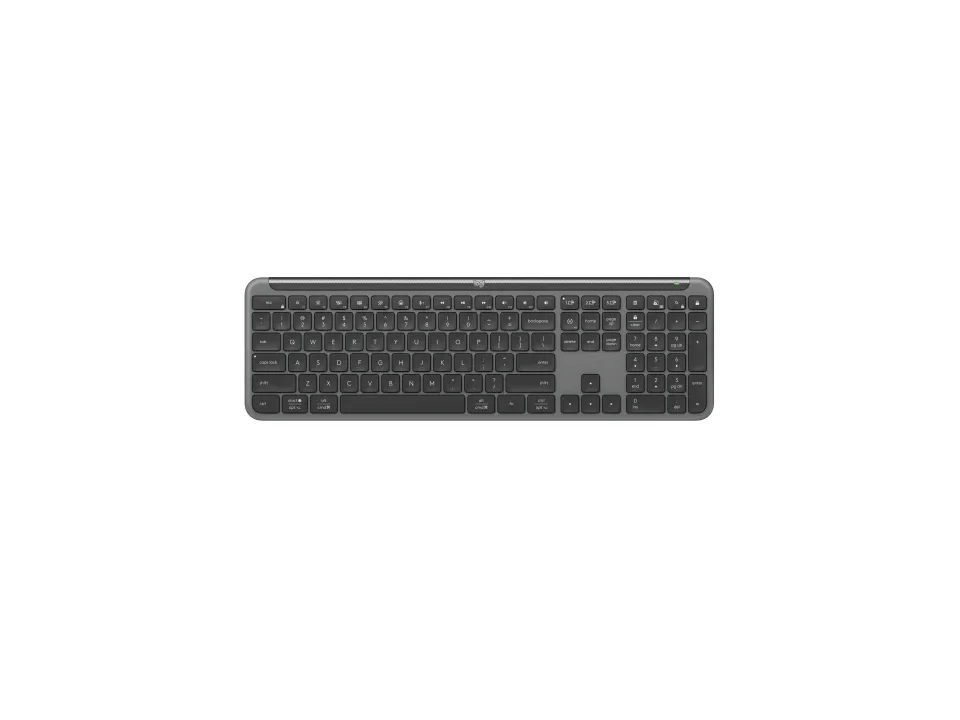
Is the Signature Slim K950 right for you?
The Signature Slim K950 is a full-size scissor keyboard with a number pad, and it connects by a Logi Bolt USB receiver or Bluetooth Low Energy.
Best for
- People who type on more than one device. Logitech says the Easy-Switch keys connect up to 3 multi-OS devices.
- People who enter a lot of numbers. Logitech lists a full-size layout with number pad.
Skip if
- You type in a dim room and want lit keys. Logitech lists the backlighting as None.
- You'd rather recharge a keyboard than swap batteries. It takes 2 AAA batteries, which Logitech lists as non-rechargeable.
A number pad adds width to a keyboard; which size suits your desk is covered in our guide Full-size, TKL or compact: which keyboard size should you get?
Want to see it next to a mouse and a headset? Try it on the QuickDesker board and build a whole desk setup around it.
What does it cost, and what should you check first?
- Seen at Logitech.com for $79.99 (Graphite) on 26 Oct 2026
- Seen at Best Buy for $86.49 (Off-white) on 16 Sep 2026
Prices change; check the one for the colour you want. Logitech sells it in Graphite and Off-white.
The Logi Bolt USB receiver comes in the box, and the two AAA batteries come already installed.
Logitech's product page says the receiver needs an available USB-A port. A USB-A plug doesn't fit a USB-C port without an adapter, so a laptop with only USB-C ports needs one for the receiver.
Logitech says Logi Options+ supports it on Windows and macOS.
How do the scissor keys compare with mechanical ones?
Logitech's support specifications list it as a scissor keyboard, with 60 g of actuation force and 1.80 mm of total travel. On a scissor keyboard, each key sits on a pair of hinged supports that keep it level as it goes down. Actuation force is how hard you press before a key registers. A full-height mechanical switch typically travels about 4 mm, so each press here is much shorter.
Two reviews were positive about the typing. One found the tactile scissor switches gave a good, extremely quiet typing experience; another called it satisfying, with keys it described as clacky and light.
How mechanical switches compare with other key mechanisms is covered in our guide Mechanical vs. membrane keyboards: which should you actually buy?
How long do the AAA batteries last, and how does it connect?
Logitech's support specifications quote 36 months from the batteries, and its product page lists them as two non-rechargeable alkaline AAAs. A couple of spare AAAs in a drawer covers the day they run out.
It connects by the Logi Bolt USB receiver or by Bluetooth Low Energy, which Logitech lists as Bluetooth 5.1. Logitech's support specifications give the keyboard a wireless range of 10 m.
Full specifications
| Layout | Full-size layout |
|---|---|
| Connections | Logi Bolt USB receiver; Bluetooth Low Energy Technology (Bluetooth 5.1) |
| Battery | Non-rechargeable, Alkaline; 2xAAA |
| Battery life, as quoted | 36 months |
| OS compatibility | Logi Bolt: Windows 10 or later, Mac OS 10.15 or later, Chrome OS, Linux; Bluetooth Low Energy: Windows 10 or later, Mac OS 10.15 or later, iOS 14 or later, iPadOS 14 or later, Chrome OS, Linux, Android 8 or later (Logitech support specifications) · Logi Bolt USB Receiver; Required: Available USB-A Port Windows 10, 11 or later macOS 11 or later ChromeOS Linux; Bluetooth Low Energy; Required: Bluetooth Low Energy wireless technology Windows 10, 11 or later macOS 11 or later ChromeOS Linux iPadOS 14 or later iOS 14 or later Android 9.0 or later (Logitech product page) |
| Switch technology | Scissor keyboard |
| Number pad | With number pad |
| Backlight | None |
| Weight | 685 g (with battery)- receiver not included |
| Remapping software | Logi Options+ on Windows and macOS |
| Actuation force | 60 g/ 2.12 oz |
| Key travel | 1.80 mm/ 0.07 inch |
| Receiver | Logi Bolt USB receiver (included) |
| Devices paired at once | Up to 3 multi-OS devices |
| Warranty | 1-Year Limited Hardware Warranty |
| In the box | 1x USB Bolt receiver (outside the device - in the kbd tray); 1 x keyboard with 2 x AAA batteries (pre-installed); 1 x IID (4’’x4’’); 1 QSG printed on the keyboard tray |
Logitech's Signature Slim K950 product page and support specifications don't list a polling rate, spill resistance or an included wrist rest.
Specifications from Logitech's Signature Slim K950 product page and support specifications, read 16 Sep 2026.