Logitech ERGO K860
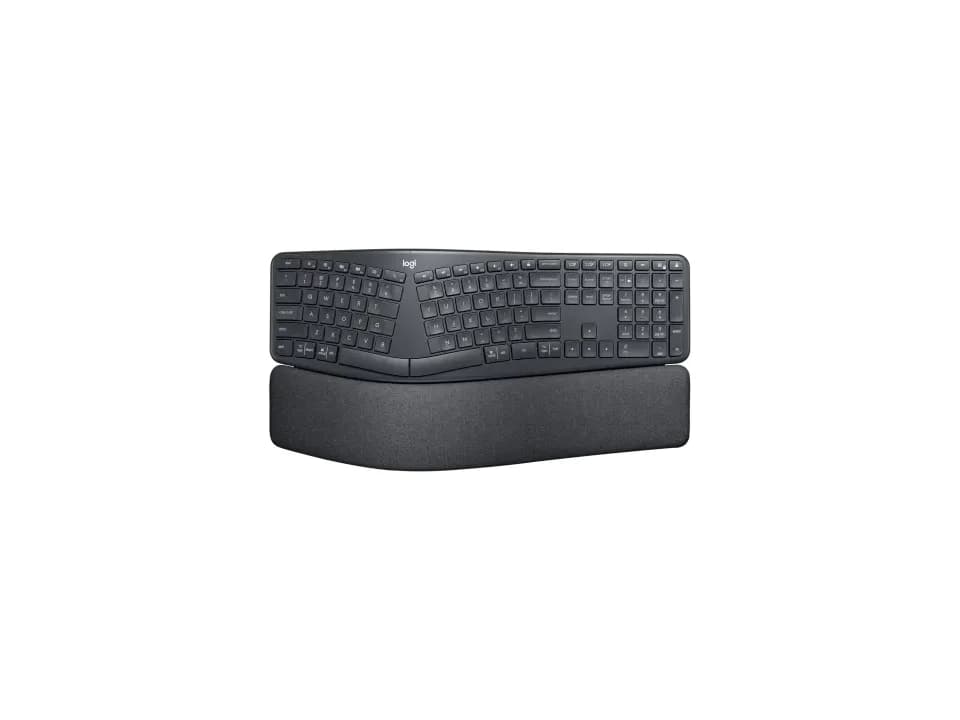
Is the ERGO K860 right for you?
The ERGO K860 is a full-size ergonomic split keyboard with a number pad, and it connects by a Logitech Unifying USB receiver or Bluetooth Low Energy.
Best for
- People who move between a Mac and a Windows PC. Logitech says it pairs with up to 3 devices, and the keys carry a dual-printed layout for both systems.
- People who want the keyboard to slope down away from them. Logitech says integrated legs give 0°, -4° and -7° tilt angles from the front. A negative angle raises the front above the back.
Skip if
- You need to type at full speed from day one. Two reviews found the split layout takes time to get used to.
- You'd want to take the wrist rest off. Logitech says the pillowed wrist rest is permanently integrated into the frame.
Want to see it next to a mouse and a headset? Try it on the QuickDesker board and build a whole desk setup around it.
What does it cost, and what should you check first?
- Seen at Best Buy for $119.99 (Graphite) on 21 Oct 2026
- Seen at Logitech.com for $119.99 (Graphite) on 21 Oct 2026
Prices change, so check the current one before you buy. The Unifying USB receiver and 2 AAA batteries come in the box.
Logitech also says the keyboard is not designed to be spill-resistant, so keep drinks clear of it.
How hard do you press the ERGO K860's keys, and how far do they travel?
Logitech's support specifications give 60gf of actuation force and 1.8mm of total travel.
Actuation force is how hard you press before a key registers. A full-height mechanical switch typically travels about 4 mm. How mechanical switches compare with other key mechanisms is covered in our guide Mechanical vs. membrane keyboards: which should you actually buy?
How long do the batteries last, and how does it connect?
Logitech quotes up to 24 months on 2 AAA batteries. It says the keys aren't backlit, to maximize battery efficiency.
When the batteries reach 10%, Logitech says you'll get an onscreen notification, so keep two spare AAAs in a drawer.
It connects by the Unifying USB receiver or Bluetooth Low Energy. Logitech says it pairs with up to 3 devices simultaneously, and you move between them with its Easy-Switch keys.
What do reviewers say about the split layout?
One review listed the layout, which can take some time to get used to, as a downside. In another, the reviewer measured their typing speed dropping from a typical 80 words a minute to 57 while adapting to the split key layout.
Logitech says you'll "type more naturally with a curved, split keyframe that improves typing posture."
Full specifications
| Layout | Full-size ergonomic split keyboard |
|---|---|
| Connections | Logitech Unifying USB receiver and Bluetooth® Low Energy |
| Battery | 2 x AAA Batteries |
| Battery life, as quoted | Up to 24 months |
| Dimensions | Height: 9.17 in (233 mm), Width: 17.95 in (456 mm), Depth: 1.89 in (48 mm) |
| Number pad | Integrated numpad |
| Backlight | No, the keys are not backlit |
| Weight | 1160 g |
| Remapping software | Logi Options+ on Windows and macOS |
| Wrist rest included | The pillowed wrist rest is permanently integrated into the frame |
| Spill resistance claimed | No, the keyboard is not designed to be spill-resistant |
| Actuation force | 60gf |
| Key travel | 1.8mm |
| Devices paired at once | Up to 3 devices simultaneously |
| Warranty | 1-Year Limited Hardware Warranty |
| In the box | Ergonomic Keyboard, Unifying USB Receiver, 2 x AAA batteries, Quick Start Guide |
Logitech's ERGO K860 product page and support specifications don't list a key count or a polling rate.
Specifications from Logitech's ERGO K860 product page and support specifications, read 14 Sep 2026.