DPI vs polling rate: which mouse number actually matters?
The big number on the box measures sensitivity, not accuracy, and you will turn it down anyway. The number that describes the mouse's own share of the delay is missing from most product pages.
Updated 10 Oct 2026 · no hands-on testing
The short answer
DPI is sensitivity. It sets how far the pointer travels for an inch of mouse movement, and Logitech's own guide puts it exactly that way: the higher the DPI, the faster the pointer moves. It is not a measure of precision, it is not a measure of sensor quality, and buying a mouse because the number is bigger is buying a setting you will immediately turn down.
Polling rate is the one that describes the mouse's own contribution to how quickly a movement reaches the screen: how often it reports its position to the computer, in reports per second. Razer puts 1,000 Hz at roughly a millisecond of input delay. That is one part of one stage of the delay between your hand and the picture, and the rest of the stages are covered further down. Here is the awkward part. Manufacturers publish a maximum DPI far more readily than a polling rate, so the number that sounds impressive is the one you are given and the one that bears on how the mouse behaves is often missing.
The picks
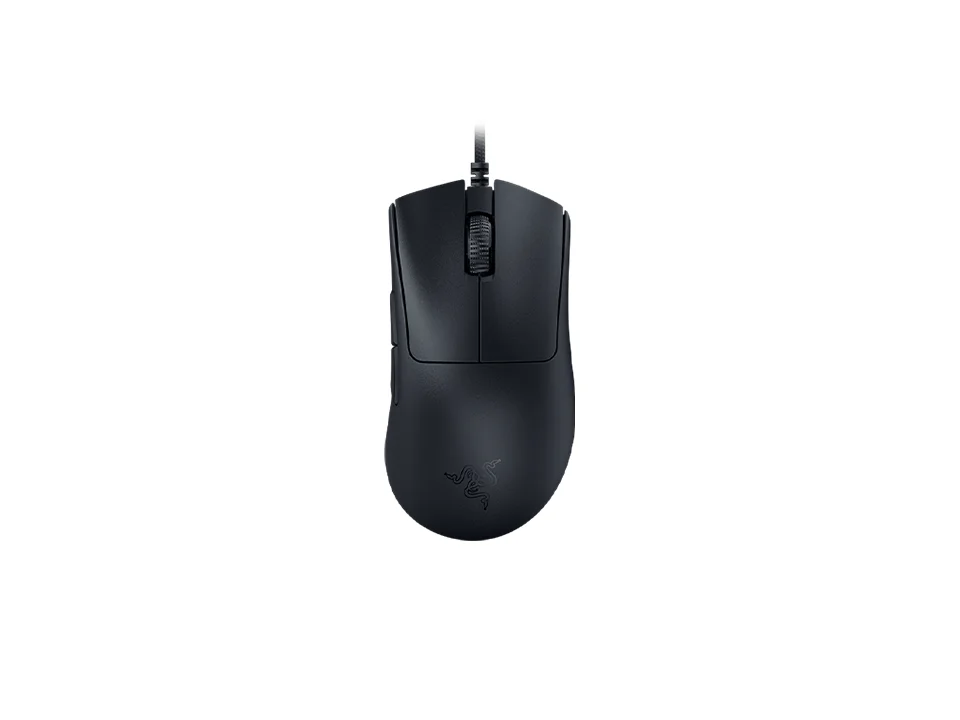
The one mouse here that publishes its report rate and not its DPI
$59.99 seen 27 Oct 2026; check the current price
It states 8,000 Hz polling and no maximum DPI figure at all, which inverts the usual order: it leads with the number that describes how the mouse behaves rather than how far the pointer travels. It was seen at $59.99 on 27 Oct 2026; check the current price. Whether you need 8,000 Hz is a separate argument, made below. Publishing it is still the right instinct.
Check price on AmazonPaid link — QuickDesker may earn a commission.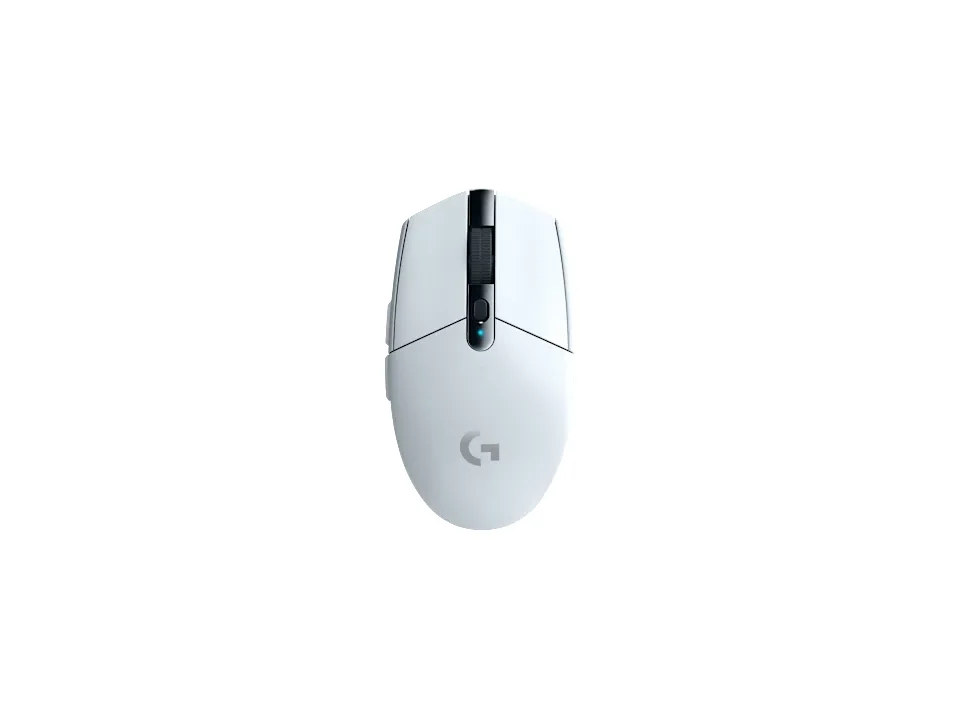
1,000 Hz without the gaming-mouse price
$29.99 seen 21 Oct 2026; check the current price
Published at 1,000 Hz with a DPI range running from 200 to 12,000. It was seen at $29.99 on 21 Oct 2026; check the current price. Of the mice here that state a polling rate at all, this is the cheapest.
Check price on AmazonPaid link — QuickDesker may earn a commission.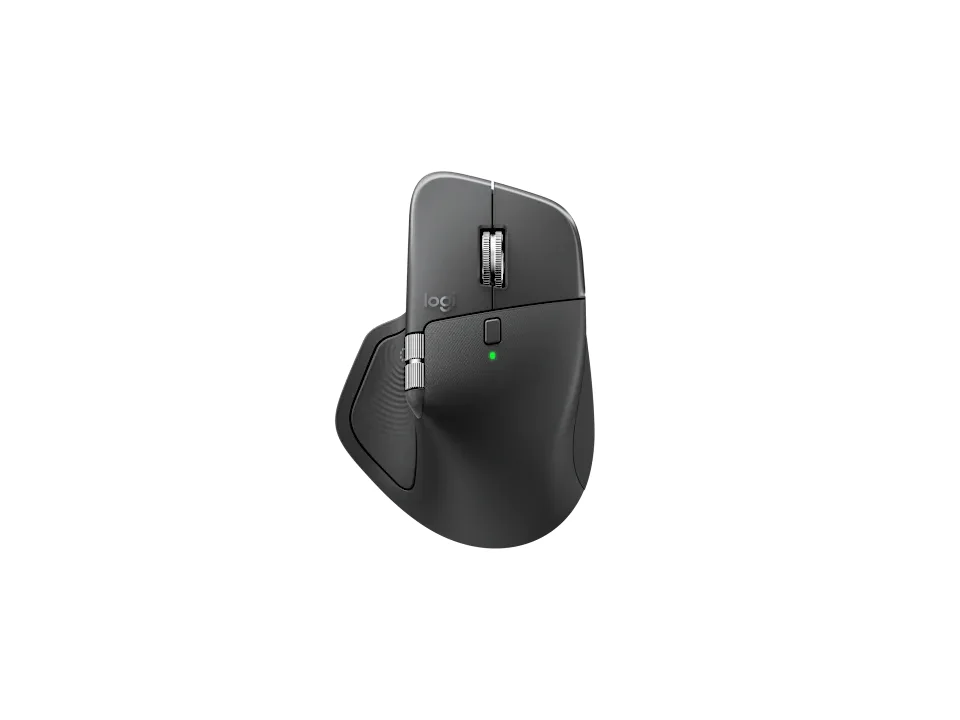
Expensive, low polling rate, and none the worse for it
$119.99 seen 8 Sep 2026; check the current price
Published at 125 Hz, which is one eighth the rate of the mouse above, at a much higher price. It was seen at $119.99 on 8 Sep 2026; check the current price. That is a design decision rather than a corner cut: this is a mouse built for a battery life measured in weeks and for moving a cursor around documents, where a report every millisecond would buy nothing and cost real power.
Check price on AmazonPaid link — QuickDesker may earn a commission.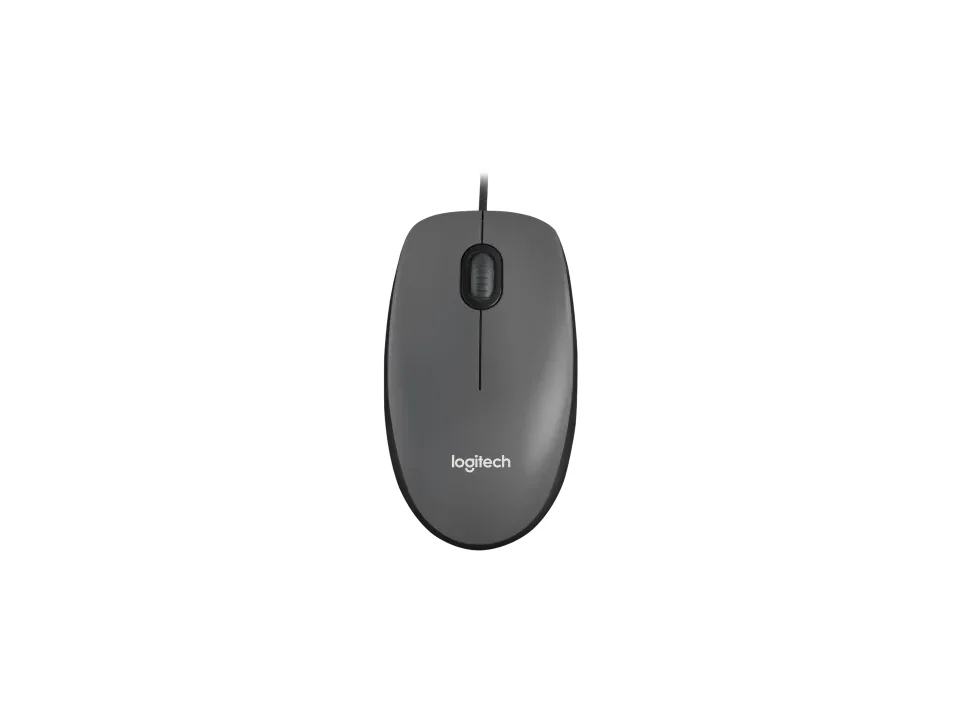
1,000 DPI, and the pointer still crosses the screen
$9.99 seen 22 Oct 2026; check the current price
A maximum of 1,000 DPI, which is one thirty-fifth of the largest figure on this page. It was seen at $9.99 on 22 Oct 2026; check the current price. It is here as a reality check: this mouse works, and if DPI measured quality it would be unusable rather than merely basic.
Check price on AmazonPaid link — QuickDesker may earn a commission.
What does mouse DPI actually measure?
How far the pointer moves when the mouse moves an inch. Dots per inch counts the position readings the sensor produces across that inch, so a higher figure means a bigger pointer movement for the same hand movement. Logitech G's own guide describes it as essentially the sensitivity setting for your mouse and says outright that a higher DPI means you can move the mouse faster.
That is a setting, and the word is doing a lot of work. Sensitivity is a preference tied to your screen resolution, how much desk you have, and whether you would rather move your wrist or your whole forearm. Two people can be equally good with a mouse and sit five times apart on this number. On some mice the setting sits on a button: the Adesso iMouse E1 Vertical counts a DPI switch among its 6 buttons.
You will also see CPI, counts per inch, used for the same idea. It is the more literal name for what the sensor does, since nothing here involves dots or printing. Vendors mostly say DPI because that is the term buyers know, and where a product page uses CPI it means the same number. SteelSeries uses CPI on its page for the SteelSeries Rival 5, listing a range of 100–18,000 in 100 CPI increments.
Is a mouse with higher DPI a better mouse?
No, and the spec sheets are the argument. The published maximums in the table below run from 1,000 all the way to 35,000, a spread of thirty-five times. If that number tracked quality you would expect price to track it too, and it does not: a mouse capped at 2,000 or below can cost more than a gaming mouse advertising twenty times the figure, and one trackball here does exactly that.
The more revealing figure is the other end of the range. Where a mouse publishes a minimum DPI as well as a maximum, that minimum is 100, 200, 400, 500 or 1,000. A mouse advertised at 25,600 that starts at 100 is not telling you it works best at the top. It is telling you it has a slider, and the whole slider is the product.
What we are not going to do is tell you where on that slider to sit. It depends on your screen, your desk depth and how you like to move, none of which we can see from here. What is worth saying is what the box figure is: a ceiling rather than a setting, and a ceiling is only worth paying for if you were going to reach it.
One genuine sensor question does hide behind all this, and it is not the DPI figure. Logitech G distinguishes optical sensors, which it calls more accurate, from laser sensors, which it calls more versatile across surfaces but more prone to jitter and acceleration. Where a mouse names its sensor at all, that name tells you more than the DPI ceiling does. The Razer DeathAdder V3 HyperSpeed is one that does: Razer lists a Focus X 26K Optical Sensor. So does the CORSAIR Scimitar RGB Elite: Corsair lists a custom PixArt PMW3391 optical sensor. The HyperX Pulsefire Haste 2 names its sensor as well: HyperX lists the HyperX 26K Sensor.
What is polling rate, and what does 1,000 Hz mean?
It is how often the mouse tells the computer where it is. Logitech G's wording is that polling rate is how often your mouse relays its position, so a 1,000 Hz mouse relays it a thousand times a second. Razer describes the same thing as the frequency at which data is communicated from the device to the PC.
Convert that and it becomes concrete. A thousand reports a second is one every millisecond, and Razer puts the input delay at 1,000 Hz at approximately one millisecond for exactly that reason. Below that the gaps get wide enough to show up on a fast screen. At 125 Hz a report arrives every eight milliseconds, so on a monitor drawing 120 frames a second the mouse position used for a frame can already be a frame old. For ordinary office work, a stable connection matters more than chasing the highest polling rate.
This is the number that describes the mouse's share of whether a click feels immediate, and it is the one people almost never look at, because it is almost never printed. Where it is printed, 125 Hz, 1,000 Hz and 8,000 Hz are the figures you see. Logitech prints one for the Logitech G G203 LIGHTSYNC: a USB report rate of 1000Hz (1ms).
It is a share rather than the whole thing, and that is worth being precise about, because a mouse is not the only thing standing between your hand and the picture. NVIDIA names five stages in its Reflex documentation: peripheral latency, game latency, render latency, display latency, and the total system latency they add up to. Peripheral latency is defined there as the time an input device takes to process a mechanical input and send the event to the PC, and polling rate governs part of that one stage. RTINGS makes the same point from the other end, noting that every piece of equipment introduces some delay and that you also need a monitor with low input lag.
So a mouse with a high report rate on a slow monitor in a heavy game is still going to feel slow, and no mouse specification will fix that. What polling rate buys is that the mouse is not the part making it worse.
Is 8,000 Hz polling worth having?
For nearly everybody, no, and the most useful evidence is Razer's own page for the feature. Razer quotes 0.125 ms of input delay for a wireless mouse at 8,000 Hz against roughly 1 ms at 1,000 Hz, and then notes that in some instances your PC may not be powerful enough to support HyperPolling. A vendor telling you its flagship feature has a CPU cost is a vendor being straight with you, and it is the sentence to read twice.
The reason it can cost anything is that each report is work for the computer. Eight thousand of them a second is eight thousand interrupts a second, and that competes with whatever else the machine is doing. On a system with headroom you get a smaller number. On a system without it you can end up worse off than at 1,000 Hz.
There is also a display ceiling. A saved millisecond only shows up if the screen redraws often enough to render it, and a 60 Hz monitor draws a frame every 16 milliseconds. Going from 1 ms to 0.125 ms under a 16 ms frame is a real change to a number and not to anything you can see.
So the position, plainly: 1,000 Hz is where the meaningful gain already is, and 8,000 Hz is for a competitive player with a high-refresh monitor and CPU to spare. Razer DeathAdder V3 is the mouse here offering it, and it is a good mouse for reasons that have nothing to do with that figure.
Why does the box shout about DPI and stay quiet about polling rate?
Because 35,000 is a better number to print than 1,000, and because DPI has no ceiling in the way a report rate does. A sensor maker can keep raising the maximum, each generation gets a bigger figure on the box, and a buyer has no way to tell that the extra range is unreachable. Polling rate has a sensible value that most decent mice already hit, which makes for a poor marketing ladder. That is our reading of the incentive rather than something either company has said.
What gets printed is the shape of that incentive. A DPI ceiling is on nearly every product page and a polling rate on very few. The gap is not an oversight, because the same product pages that omit the report rate find room for a sensor's marketing name and a lighting mode.
Which makes one entry stand out. Razer DeathAdder V3 publishes 8,000 Hz, and we did not find a maximum DPI for it, inverting the usual pattern. Whatever the reason, it leads with the number describing how the mouse behaves rather than how far the pointer travels.
So which number should you read before buying?
Polling rate if it is published, and 1,000 Hz is the figure to want. If you cannot find it, which will be true most of the time, read the sensor name instead and treat the DPI ceiling as noise. A mouse from a company that names its sensor is a mouse whose maker thinks the sensor is worth naming.
Then stop optimising numbers, because the specification that decides whether you like a mouse is its shape, and there is no unit for that. Where your hand sits on the shell and how heavy the thing is will matter to you every day, long after you have forgotten what the DPI ceiling was. That question is worked through in Palm, claw or fingertip: which mouse grip do you use, and does it matter?
The other number worth a moment is how the mouse connects, which changes the same stage this page is about rather than a different one. It has its own piece: Wired, 2.4 GHz or Bluetooth: which mouse connection is actually fastest? And if you would rather stop reading specs and start comparing actual products, the setup builder puts the mice beside the keyboards and headphones.
How do these mice compare on DPI and polling rate?
| Product | Max DPI | Min DPI | Polling rate (Hz) | Sensor | Price when seen | Where to buy |
|---|---|---|---|---|---|---|
| Razer Viper V3 Pro | 35,000 | Not recorded | Not recorded | Focus Pro 35K Gen 2 | $129.99 (seen 28 Oct 2026) | Check price on AmazonPaid link |
| Razer Basilisk V3 Pro 35K | 35,000 | Not recorded | Not recorded | Focus Pro 35K Gen 2 | $129.99 (seen 26 Oct 2026) | Check price on AmazonPaid link |
| Logitech G G502 X | 25,600 | 100 | Not recorded | HERO 25K | $79.99 (seen 21 Oct 2026) | Check price on AmazonPaid link |
| Logitech G305 LIGHTSPEED | 12,000 | 200 | 1,000 | HERO | $29.99 (seen 21 Oct 2026) | Check price on AmazonPaid link |
| Logitech MX Master 4 | 8,000 | 200 | 125 | Darkfield high precision | $119.99 (seen 8 Sep 2026) | Check price on AmazonPaid link |
| Razer DeathAdder V3 | 30,000 | Not recorded | 8,000 | Focus Pro 30K | $59.99 (seen 27 Oct 2026) | Check price on AmazonPaid link |
| Logitech ERGO M575S | 2,000 | 100 | 125 | Not recorded | $39.99 (seen 21 Oct 2026) | Check price on AmazonPaid link |
| Logitech MX Ergo S | 2,000 | 100 | 125 | Not recorded | $99.99 (seen 23 Oct 2026) | Check price on AmazonPaid link |
| Logitech M100 | Not recorded | Not recorded | Not recorded | Not recorded | $9.99 (seen 22 Oct 2026) | Check price on AmazonPaid link |
Read the two DPI columns together. The mice that publish a minimum are telling you the range exists so you can choose inside it, not that the top of it is the point. "Not recorded" means the manufacturer states no figure, which for polling rate is the normal case rather than the exception.
Prices are what we saw on the dates shown, not live figures. A lot of them were promotional when we read them, so check the current price before you buy.
Paid link — QuickDesker may earn a commission.
“Not recorded” means this comparison has no sourced value for that specification. It does not mean the product lacks the feature.
Common questions
- What is a good DPI for a mouse?
Lower than the box implies, and we are not going to name a number for you, because it depends on your screen resolution, how much desk you have and whether you prefer to move your wrist or your arm. What the spec sheets show is where the useful range sits: where a mouse states a minimum DPI at all, it is 100, 200, 400, 500 or 1,000.
Set it by feel. Move the mouse comfortably across your mousepad and see whether the pointer crosses the screen. If it overshoots, turn it down. That takes a minute and beats any figure a stranger can give you.
- Does a higher DPI mean a more accurate mouse?
No. DPI is sensitivity, not accuracy: Logitech G describes it as essentially the sensitivity setting, where a higher figure moves the pointer further for the same hand movement. Raising it does not add information about where the mouse is, it just multiplies what the sensor already reported.
Published maximums run from 1,000 to 35,000 and the price does not follow the number. A mouse capped at 2,000 or below can cost more than a gaming mouse advertising twenty times the figure.
- What is mouse polling rate?
How many times a second the mouse reports its position to the computer, measured in hertz. Logitech G's description is that a 1,000 Hz mouse relays its position a thousand times a second, and Razer converts that to roughly one millisecond of input delay.
A lower rate means longer gaps. At 125 Hz, a report arrives every eight milliseconds. For moving a cursor around documents that is invisible. For a fast game it is the number that decides whether the mouse feels immediate.
- Is an 8,000 Hz polling rate better than 1,000 Hz?
On paper yes, in practice for almost nobody. Razer quotes 0.125 ms at 8,000 Hz against approximately 1 ms at 1,000 Hz, and on the same page notes that in some instances your PC may not be powerful enough to support HyperPolling, because every report is work the processor has to do.
A faster polling rate shortens the interval between reports, but that is only one part of the delay you experience. For ordinary office work, 1,000 Hz is a sensible stopping point; higher rates deserve more attention when you have a fast display and a reason to prioritize input latency.
- Why does my mouse not list a polling rate?
Because most do not. A maximum DPI is on nearly every product page and a polling rate on very few. It is not that the figure is unknown to the manufacturer; it is that a DPI ceiling makes a better headline and has no natural upper limit to advertise against.
If it is unpublished, assume nothing. We record an unpublished spec as unpublished rather than filling in a likely default, which is why several rows in the table above show "Not recorded" rather than a guess.
- Does any of this matter for ordinary office work?
Barely. For documents, spreadsheets and browsing, a 125 Hz mouse is fine and a 35,000 DPI ceiling is irrelevant. Logitech MX Master 4 publishes 125 Hz and is one of the more expensive mice here, which is a design choice about battery life rather than a compromise.
What will actually affect your day is the shape of the thing under your hand and whether the buttons are where your fingers are. Neither has a number on the box.
What this is based on
We have not tested these products. The comparisons use manufacturer specifications and retailer information, with sources linked below. Prices are dated snapshots and may have changed.
The definitions come from two manufacturers' own published explainers, read on 2026-08-26. Logitech G's gaming mouse guide supplies DPI as the sensitivity setting, polling rate as how often the mouse relays its position with 1,000 Hz meaning a thousand times a second, and the optical against laser sensor characterisation. Razer's HyperPolling page supplies polling rate as the frequency at which data is communicated to the PC, the figures of roughly 1 ms at 1,000 Hz and 0.125 ms wireless or 0.090 ms wired at 8,000 Hz, and Razer's own statement that a PC may not be powerful enough to support the feature.
The two sources agree independently on what each number measures, which is the part of this page that matters most, since the whole argument rests on DPI being a sensitivity setting rather than a quality figure.
The scoping of polling rate to one stage of the delay comes from two further sources read on 2026-08-28. NVIDIA's Reflex documentation names peripheral, game, render, display and total system latency as separate stages and defines peripheral latency as the time an input device takes to process a mechanical input and send the event to the PC. RTINGS' click-latency methodology states from the other direction that every piece of equipment introduces delay and that the monitor's input lag matters too. Neither is a measurement of any product on this page, and neither is quoted as one.
No one on this project has clicked any of these mice, and there is no claim here about how any of them feels at any setting. No input latency has been measured here either, because the equipment to measure it is not something this project owns. The millisecond figures are Razer's, quoted as Razer's.
Maximum and minimum DPI, sensor name and polling rate are each taken from that manufacturer's own specification page, and a figure we did not find is left blank rather than estimated.
Sources (44)
- Adesso: iMouse E1 Quick Start Guide (Manufacturer, read 26 Sep 2026)
- Adesso: iMouse E1 Specifications (Manufacturer, read 26 Sep 2026)
- Adesso: Vertical Ergonomic Illuminated Mouse (Manufacturer, read 26 Sep 2026)
- Best Buy: Adesso - iMouse Wired Optical Ergonomic Mouse - Wired - Glossy black (Retailer, read 26 Sep 2026)
- Best Buy: CORSAIR - Scimitar RGB Elite Wired MOBA/MMO Optical Gaming Mouse with 17 Programmable Buttons - Wired - Black (Retailer, read 4 Oct 2026)
- Best Buy: Logitech - MX Master 4 Ergonomic Wireless Mouse - Black (Retailer, read 8 Sep 2026)
- Best Buy: Logitech ERGO M575 S Wireless Ergonomic Trackball Mouse, Black (Retailer, read 4 Oct 2026)
- Best Buy: Logitech G203 LIGHTSYNC Wired Optical Gaming Mouse with 8,000 DPI sensor - Wired - Black (Retailer, read 4 Oct 2026)
- Best Buy: Logitech G305 LIGHTSPEED Wireless Optical 6 Programmable Button Gaming Mouse with 12,000 DPI HERO Sensor - Black (Retailer, read 3 Oct 2026)
- Best Buy: Logitech G502 X Wired Optical Gaming Mouse, White (Retailer, read 4 Oct 2026)
- Best Buy: Logitech M100 Wired Optical Ambidextrous PC Mouse with 1000 DPI Optical Tracking - Wired - Gray (Retailer, read 4 Oct 2026)
- Best Buy: Razer - Basilisk V3 Pro 35K Optical Gaming Mouse with HyperScroll Tilt Wheel - Wireless - Black (Retailer, read 4 Oct 2026)
- Best Buy: Razer - DeathAdder V3 Lightweight Optical Gaming Mouse with 8K Hz HyperPolling Technology - Wired - Black (Retailer, read 4 Oct 2026)
- Best Buy: Razer DeathAdder V3 HyperSpeed (Black) (Retailer, read 4 Oct 2026)
- Best Buy: Razer Viper V3 Pro (Black) (Retailer, read 4 Oct 2026)
- Best Buy: SteelSeries - Rival 5 Wired Optical Gaming Mouse with RGB Lighting - Wired - Black (Retailer, read 4 Oct 2026)
- Corsair: Product information: Scimitar RGB Elite (Manufacturer, read 26 Sep 2026)
- Corsair: SCIMITAR RGB ELITE Optical MOBA/MMO Gaming Mouse (Manufacturer, read 26 Sep 2026)
- HyperX: HyperX Pulsefire Haste 2 | Gaming Mouse (Manufacturer, read 7 Sep 2026)
- Logitech: Download - G203 LIGHTSYNC Gaming Mouse (Manufacturer, read 7 Sep 2026)
- Logitech: ERGO M575S - Wireless Trackball Mouse (Manufacturer, read 7 Sep 2026)
- Logitech: FAQ - MX Ergo S (Manufacturer, read 8 Sep 2026)
- Logitech: G305 LIGHTSPEED Wireless Gaming Mouse Technical Specifications (Manufacturer, read 7 Sep 2026)
- Logitech: Logitech G203 LIGHTSYNC RGB 6 Button Gaming Mouse (Black) (Manufacturer, read 7 Sep 2026)
- Logitech: Logitech G305 Lightspeed Wireless Gaming Mouse (Manufacturer, read 7 Sep 2026)
- Logitech: M100 Corded Mouse (Manufacturer, read 8 Sep 2026)
- Logitech: M100 Technical Specifications (Manufacturer, read 8 Sep 2026)
- Logitech: MX Ergo S - Wireless Trackball Mouse (Manufacturer, read 8 Sep 2026)
- Logitech: MX Ergo S on Logitech.com (Manufacturer, read 4 Oct 2026)
- Logitech: MX Master 4 Wireless Mouse (Manufacturer, read 8 Sep 2026)
- Logitech: Specification - ERGO M575S (Manufacturer, read 7 Sep 2026)
- Logitech: Specification - G502 X Gaming Mouse (Manufacturer, read 7 Sep 2026)
- Logitech: Specification - MX Ergo S (Manufacturer, read 8 Sep 2026)
- Logitech: Specification - MX Master 4 (Manufacturer, read 8 Sep 2026)
- Logitech G: G502 X Gaming Mouse (Manufacturer, read 7 Sep 2026)
- Logitech G: Logitech G203 LIGHTSYNC RGB 6 Button Gaming Mouse (Manufacturer, read 7 Sep 2026)
- NVIDIA: Reflex Low Latency Platform (names peripheral, game, render, display and total system latency as separate stages, and defines peripheral latency as the time an input device takes to process a mechanical input and send those input events to the PC) (Manufacturer, read 28 Aug 2026)
- Razer: Razer Basilisk V3 Pro 35K product page (Manufacturer, read 9 Sep 2026)
- Razer: Razer DeathAdder V3 HyperSpeed product page (Manufacturer, read 9 Sep 2026)
- Razer: Razer DeathAdder V3 product page (Manufacturer, read 24 Sep 2026)
- Razer: Razer Viper V3 Pro master guide (Manufacturer, read 26 Sep 2026)
- Razer: Razer Viper V3 Pro product page (Manufacturer, read 26 Sep 2026)
- RTINGS: Our Mouse Control Tests: Click Latency (states that every piece of equipment introduces some delay and that a computer and monitor with low input lag are needed alongside a responsive mouse) (Editorial, read 28 Aug 2026)
- SteelSeries: Rival 5 (Manufacturer, read 9 Sep 2026)
Related guides
Build your setup
Compare keyboards, mice and headphones in the setup builder, then save the combination you like. Prefer a list? Browse all products.