Logitech G G502 X
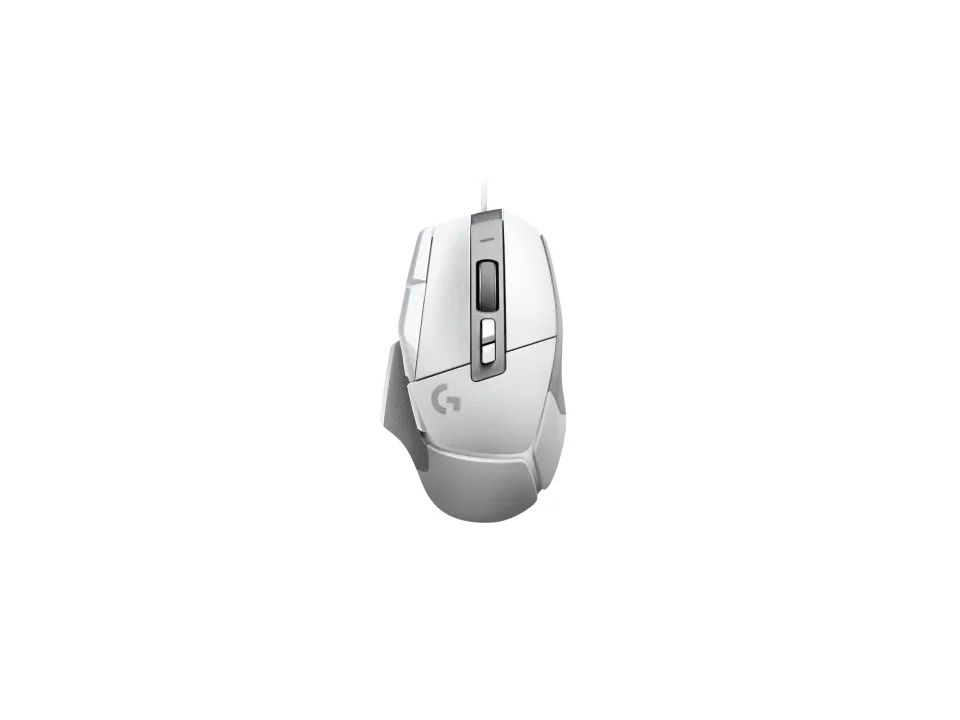
Is the G502 X right for you?
The G502 X is an 89 g gaming mouse with an optical HERO 25K sensor, and it connects over USB.
Best for
- People who want plenty to remap. Logitech lists 13 programmable controls.
- Players who like to set sensitivity very low or very high. Logitech lists a range of 100 to 25,600 DPI.
Skip if
- You'd rather keep things simple with a few buttons. Logitech lists 11 buttons on it.
- You want RGB lighting. Logitech lists RGB as No.
Want to see it next to a keyboard and a headset? Try it on the QuickDesker board and build a whole desk setup around it.
What does it cost, and what should you check first?
- Seen at Best Buy for $79.99 (White) on 21 Oct 2026
- Seen at Logitech.com for $79.99 (White) on 21 Oct 2026
Prices change; check the one for the colour you want. Logitech sells it in White and Black.
In the box you get the mouse, a DPI-Shift button cover and the user documentation. Logitech's support specifications list it for Windows 10 or later and Mac 10.14 or later. The warranty is a two-year limited hardware warranty.
What do the HERO 25K sensor's numbers mean?
Logitech lists the HERO 25K as an optical sensor that runs from 100 to 25,600 DPI. DPI sets how far the cursor travels for each inch the mouse moves, so the low end moves it a short way and the high end sends it much further. Logitech rates the sensor to track movement faster than 400 IPS (inches per second) and above 40 G of acceleration, tested on its G240 Gaming Mouse Pad.
Logitech also says HERO 25K works with zero smoothing, filtering and acceleration, and calls its accuracy sub-micron. How DPI stacks up against the other figures on a mouse spec sheet is covered in our guide DPI vs polling rate: which mouse number actually matters?
How many buttons can you remap on the G502 X?
Logitech lists 11 buttons and 13 programmable controls. A programmable control is one you can set to do something other than its default job, such as sending a shortcut. You set them up in Logitech G HUB. The mouse holds two profiles on board by default, and Logitech says it holds five once you use G HUB.
Logitech says the thumb button can be turned 180° or removed, and replaced by a keycap that extends the grip area. It also says the G502 X was redesigned to bring its weight down to 89 grams. The wheel tilts left and right, and Logitech lists its vertical scroll type as Hyper-fast. Logitech says its LIGHTFORCE hybrid optical-mechanical switches use optical actuation for speed and reliability. There's more on how many buttons a game or a job needs in our guide: Do you need a mouse with 7+ programmable buttons?
Full specifications
| Buttons | 11 |
|---|---|
| Programmable controls | 13 |
| Sensor type | Optical |
| Sensor | HERO 25K |
| Minimum DPI | 100 |
| Maximum DPI | 25,600 |
| Connections | USB |
| Weight | 3.14 oz (89 g) |
| Tilt scrolling | Yes |
| Lighting | No (RGB) |
| Remapping software | Logitech G HUB |
| Onboard profiles | Yes (5) - Two profiles by default, five by using Logitech G HUB Software |
| Maximum tracking speed | >400 IPS (Tested on Logitech G240 Gaming Mouse Pad) |
| Maximum acceleration | >40 G (Tested on Logitech G240 Gaming Mouse Pad) |
| Warranty | 2-Year Limited Hardware Warranty |
| In the box | G502 X Gaming Mouse, DPI-Shift button cover, User documentation |
Logitech's G502 X support specifications and product page don't list a switch rating, silent clicks or a lift-off distance.
Specifications from Logitech's G502 X support specifications and product page, read 7 Sep 2026.