Wired, 2.4 GHz or Bluetooth: which mouse connection is actually fastest?
A dongle stopped being the slow option a long time ago and Bluetooth did not, which is the distinction the question usually loses. The real trade is battery life, and two mice here prove it on their own spec sheets.
Updated 8 Oct 2026 · no hands-on testing
The short answer
A 2.4 GHz dongle is as fast as a cable for any purpose you can perceive, and Bluetooth is a separate question with a different answer. RTINGS, which buys and tests its own mice, states both halves in its click-latency methodology: wired mice and models with proprietary USB receivers generally offer the lowest latency, Bluetooth mice have the highest, and advances in wireless mean many gaming mice with proprietary receivers now match or even surpass wired models. Bluetooth genuinely is slower, and it is still perfectly good for everything that is not a fast game.
What wireless actually costs you is battery, and two mice here publish the exact price on their own spec sheets. Razer states up to 140 hours on its dongle and 210 hours on Bluetooth for the same mouse, and up to 250 against 400 hours on another. Same product, same manufacturer, and the slower radio buys you half again as much runtime. That is the real trade, not speed.
The picks
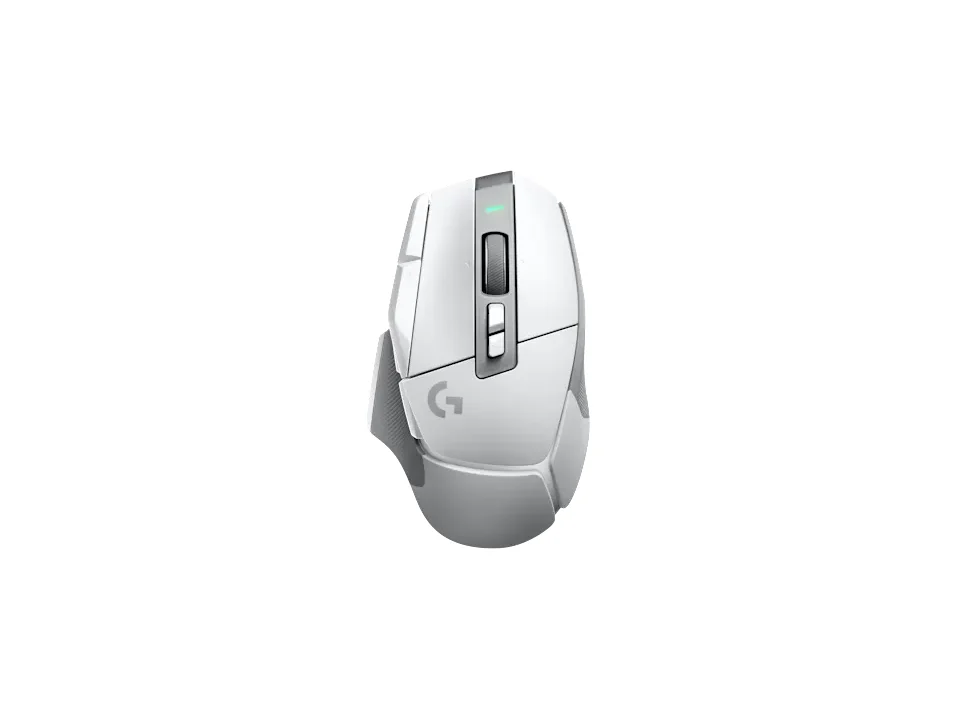
Dongle and cable in the same mouse
$159.99 seen 21 Oct 2026; check the current price
Offers a 2.4 GHz connection and a wired one, publishes 1,000 Hz polling, and quotes up to 140 hours in constant motion. It was seen at $159.99 on 21 Oct 2026; check the current price. If you want to settle the wired-against-wireless argument for yourself rather than take anyone's word for it, a mouse that does both is the only way to hold everything else constant.
Check price on AmazonPaid link — QuickDesker may earn a commission.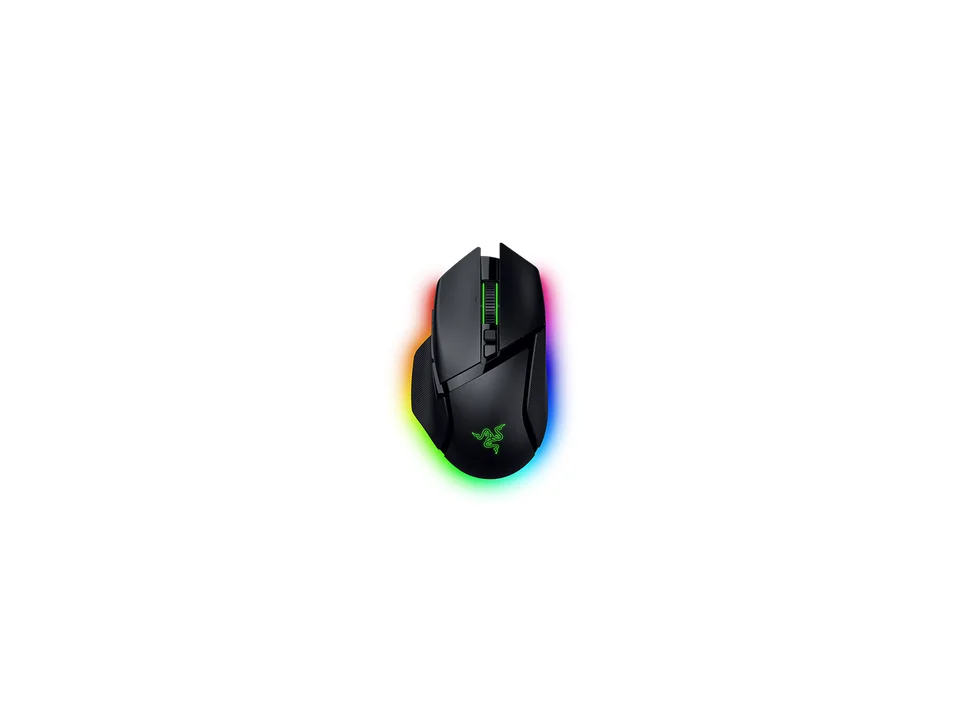
The trade-off, printed on one product page
$129.99 seen 26 Oct 2026; check the current price
Razer publishes up to 140 hours on the HyperSpeed dongle and up to 210 hours on Bluetooth for this same mouse. It was seen at $129.99 on 26 Oct 2026; check the current price. One vendor, one product, two radios, and a 50 per cent runtime difference between them. Every other comparison on this page is weaker than this one.
Check price on AmazonPaid link — QuickDesker may earn a commission.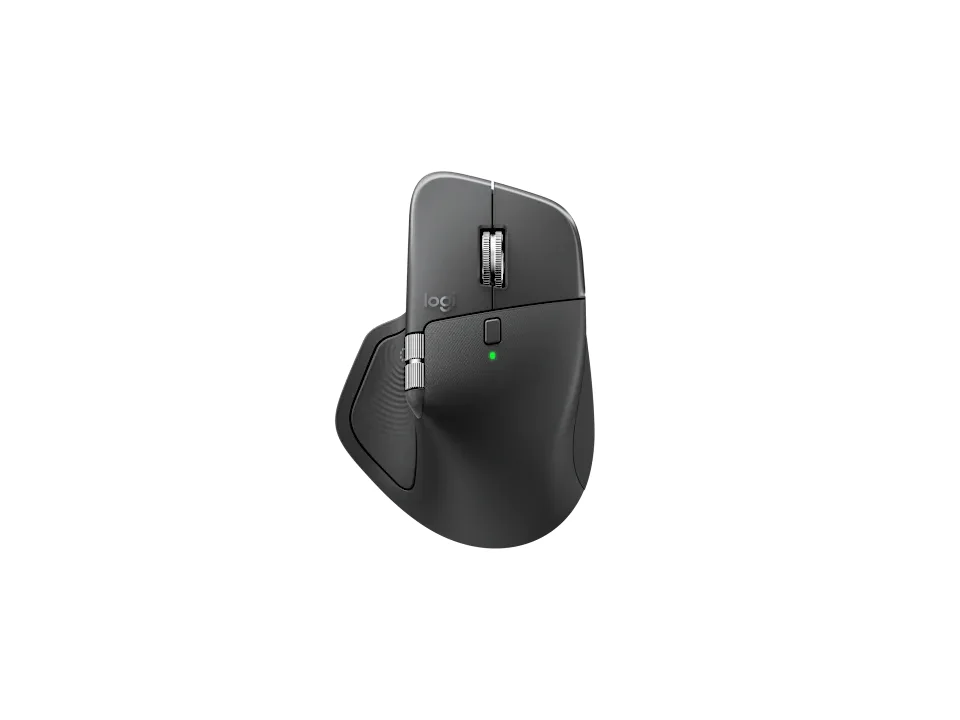
Bluetooth and a dongle, for a desk with more than one computer
$119.99 seen 8 Sep 2026; check the current price
Carries both wireless modes and quotes up to 70 days of use. It was seen at $119.99 on 8 Sep 2026; check the current price. This is the case where Bluetooth is not a compromise: pairing to a laptop and a desktop and switching between them is something a dedicated dongle does not do without being moved.
Check price on AmazonPaid link — QuickDesker may earn a commission.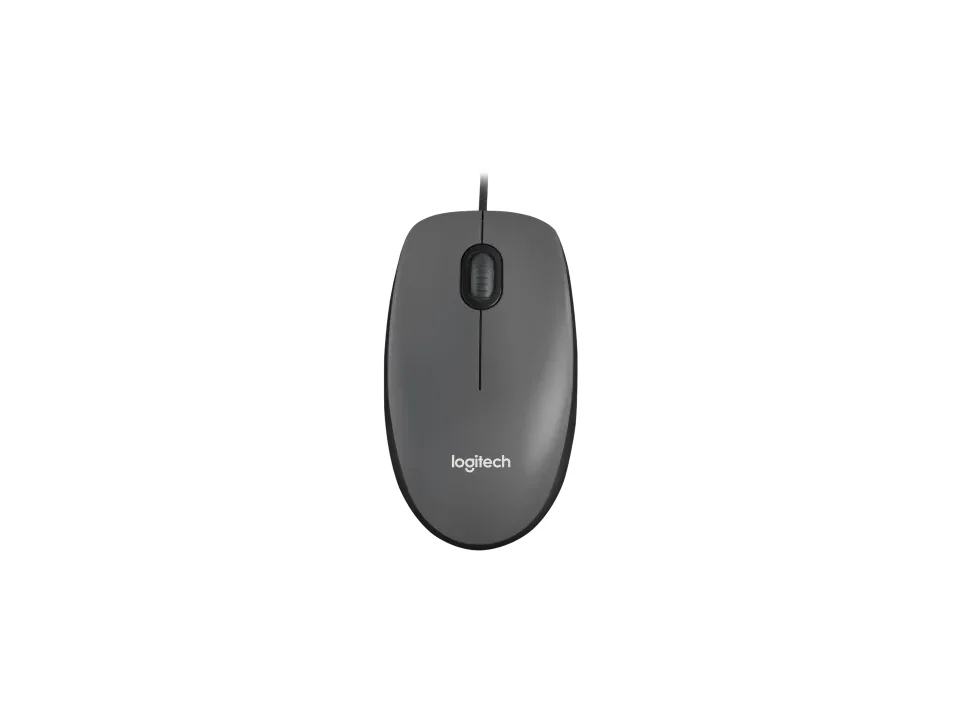
The cable, and the honest reason to still pick it
$9.99 seen 22 Oct 2026; check the current price
Wired, with no battery, no dongle and nothing to pair, and the least expensive mouse on this page. It was seen at $9.99 on 22 Oct 2026; check the current price. Against a good 2.4 GHz receiver, what a cable buys you is not speed: it never goes flat, there is nothing to lose, and it has no radio for a nearby USB 3.0 port to jam, which is the failure mode taken apart further down this page.
Check price on AmazonPaid link — QuickDesker may earn a commission.
Is a wired mouse faster than a wireless one?
Not against a dedicated 2.4 GHz receiver, and yes against Bluetooth. The question hides that distinction and the answer falls apart without it. RTINGS says both halves plainly in its click-latency methodology, read on 2026-08-28: wired mice and models with proprietary USB receivers generally offer the lowest latency while Bluetooth mice have the highest, and many gaming mice with proprietary receivers now match or even surpass wired models.
Its published thresholds put numbers on that without pretending to describe any particular mouse. RTINGS calls a good value under 10 ms over a cable, under 10 ms over a receiver, and under 20 ms over Bluetooth. The first two figures are the same and the third is twice them, which is the shape of the whole argument in three numbers. The same page is candid about how little the small differences mean: it says a mouse scoring 8.0 and one scoring 9.7 feel identical in practice.
The manufacturers' own numbers point the same way and should be read with more suspicion. Razer's HyperSpeed page publishes motion latency of 0.36 ms for one of its wireless mice and 0.57 ms for another, against about 0.92 ms for what it calls equivalent competitors, and click latency figures of 0.204 ms and 0.291 ms against 0.807 ms. Those competitor figures are the ones to look at hardest, because even the slow entry in Razer's own comparison is under a millisecond.
Take the marketing discount those numbers deserve. They come from the company selling the product, neither mouse quoted is a product on this site, and no input latency has been measured here. What survives the discount is the order of magnitude, and it is fractions of a millisecond for every wireless mouse in the comparison, including the ones Razer is arguing against.
One caution against reading that as a flat rule. Igor's Lab measured cable and dongle on the same mice and found the gap ranging from a fraction of a millisecond on one model to a few milliseconds on another, so it is a property of the implementation rather than of the connection type. A good dongle matches a cable. Not every dongle is a good one.
Logitech makes the same case and publishes less of it. Its LIGHTSPEED page claims the technology beats most competitors' wired connections, which is a strong claim, and then gives no millisecond figure anywhere on the page. Two vendors, same argument, and only one of them shows the number. Where a company chooses adjectives over figures, treat the adjectives as the marketing they are.
The belief that wireless lags comes from a real era. Early consumer wireless mice were genuinely worse, and enough people were burned that the reputation outlived the hardware by about a decade. It is worth updating.
What is the difference between a 2.4 GHz dongle and Bluetooth?
A dongle is a private radio and Bluetooth is a public one. The dongle that ships in the box talks to that mouse and nothing else, over a protocol the manufacturer wrote and tuned for one job, and it occupies a USB port to do it. Bluetooth uses the radio already in your computer, shared with your headphones and your phone and whatever else is paired, over a general-purpose standard that has to serve all of them.
That difference shows up as report rate more than as raw speed. A dedicated link can be driven as hard as the manufacturer likes, which is how a gaming mouse reaches 1,000 Hz and beyond wirelessly. A shared stack negotiates its interval with the host and settles far lower, which is why Logitech MX Master 4, a Bluetooth-first office mouse, publishes 125 Hz. That number is covered properly in DPI vs polling rate: which mouse number actually matters?
Offering both radios and letting you pick per device is the arrangement that has quietly become normal on anything above the budget shelf. A mouse that does Bluetooth and nothing else is the unusual one now. The CORSAIR Scimitar Elite Wireless SE carries both radios, SLIPSTREAM 2.4GHz wireless and Bluetooth, and Corsair puts a switch on the bottom to move between them. Razer Pro Click V2 adds a cable to the two radios: Razer lists HyperSpeed Wireless (2.4 GHz), Bluetooth for up to 3 hosts and USB-C wired.
Bluetooth also wins on things a dongle cannot touch. It uses no USB port, which matters on a laptop with two of them, and it pairs to several machines at once so one mouse can serve a work laptop and a desktop. Neither has anything to do with speed, and for a lot of desks they decide it.
How much battery does the faster connection cost you?
Between half again and two thirds more runtime, and you do not have to take that from us. Razer Basilisk V3 Pro 35K is published at up to 140 hours on Razer's HyperSpeed dongle and up to 210 hours on Bluetooth. Razer Naga V2 HyperSpeed is published at up to 250 hours on the dongle and up to 400 on Bluetooth. Same mouse, same manufacturer, same page, and the slower radio lasts substantially longer both times.
This is the cleanest evidence on this page precisely because nothing else changes. Comparing a gaming mouse's battery against an office mouse's tells you about two products; comparing one mouse against itself on two radios tells you about the radios.
Zoom out and the split holds, though not along the line you would expect. A runtime quoted in months or days and a runtime quoted in hours are describing two different kinds of mouse: the hours figures, from 95 up to 500, belong to gaming mice driving the radio hard, and the months figures, from 70 days up to two years, to office mice that report far less often. Rechargeable and AA mice turn up on both sides of that line, so what separates them is how hard the radio is being driven rather than what is powering it.
None of which makes the short-runtime mice worse. It makes them a different product. If the thought of a mouse dying mid-week bothers you, one quoting two years on a single AA cell effectively never dies, and that is a real feature rather than a consolation prize.
The Logitech G305 LIGHTSPEED shows the AA side of that on a gaming mouse: Logitech quotes up to 250 hours in its Performance mode and up to 9 months in its Endurance mode, from one AA battery.
Why does a wireless mouse stutter next to a USB 3.0 port?
Because USB 3.0 is noisy in exactly the band your mouse is using, and this is documented rather than folklore. Intel published a white paper on it, hosted by the USB Implementers Forum, which sets out the mechanism: USB 3.0 signalling produces broadband noise ranging from DC to 5 GHz, with emissions landing in the 2.4 to 2.5 GHz band that wireless mice, keyboards and Bluetooth devices operate in.
The paper is specific about where the noise escapes. It radiates from the USB 3.0 connector on the computer, from the connector on the peripheral, or from the cable itself, and it degrades the signal-to-noise ratio at the wireless receiver. The paper's own test results describe lagging mouse response and reduced wireless range, which is exactly the symptom people report and then blame on the mouse.
The fix follows from the mechanism and Intel names it: put the antenna as far as possible from USB 3.0 ports and devices. In practice that means moving the dongle to a port on the other side of the machine, or into a cheap USB extension cable so it sits on the desk near the mouse instead of behind a tower next to an external drive. An older USB 2.0 port, if the machine still has one, is not affected in the same way.
Interference can look like a faulty mouse. Before returning it, try moving the receiver away from USB 3.0 equipment and closer to the mouse. If that changes nothing, continue with the manufacturer’s troubleshooting steps.
So what does a cable actually get you?
Several things survive every argument above. It never runs out. There is no dongle to lose or leave in a hotel, and no radio for anything to interfere with. None of that is glamorous, and together it is the reason plenty of mice still offer a cable, including several that also offer a radio. The Razer DeathAdder V3 HyperSpeed is one of them: Razer lists HyperSpeed Wireless and Wired as its connections.
There is also a price floor. At the bottom of the range you find wired mice, because a cable costs a manufacturer almost nothing while a radio, a receiver and a battery each cost something. If the budget is the constraint rather than the desk, wired is not a compromise, it is where the value is.
What a cable costs you is drag. A mouse cable catches on the edge of the desk and pulls, which is a real annoyance rather than a spec, and it is the reason usually given for competitive players moving to wireless once it was good enough. Given the figures above, it has been good enough for a while.
Which connection should you buy?
For a desktop you sit at, a 2.4 GHz dongle, and treat it as equivalent to a cable unless you find evidence otherwise. Put the dongle somewhere with a clear line to the mouse rather than behind the machine, and you have dealt with the failure mode this connection runs into most often. Battery, firmware and how well a given vendor built the radio are still yours to live with.
For a laptop, or for a desk with more than one computer on it, Bluetooth, and specifically a mouse that offers both so you are not locked out of the dongle later. Losing a USB port on a laptop is a bigger daily cost than a report every eight milliseconds instead of every one.
For a competitive game, a dongle, and check that the mouse publishes a polling rate before you pay a premium for the word wireless. Which products market themselves that way, and what else a gaming desk needs, is covered in A gaming desk setup, two ways. If you would rather compare actual mice than connection types, the setup builder has all three columns of the board side by side.
How do these mice compare by connection?
| Product | Connection modes | Battery | Vendor's battery figure | Price when seen | Where to buy |
|---|---|---|---|---|---|
| Logitech G G502 X LIGHTSPEED | 2.4 GHz | Rechargeable | Not recorded | $159.99 (seen 21 Oct 2026) | Check price on AmazonPaid link |
| Razer Basilisk V3 Pro 35K | Bluetooth, 2.4 GHz, Wired | Not recorded | Up to 140 hours on Razer HyperSpeed Wireless (constant motion at 1000 Hz) | $129.99 (seen 26 Oct 2026) | Check price on AmazonPaid link |
| Razer Naga V2 HyperSpeed | Bluetooth, 2.4 GHz | AA cells | Up to 250 hours (on HyperSpeed Wireless); Up to 400 hours (on Bluetooth) | $79.99 (seen 27 Oct 2026) | Check price on AmazonPaid link |
| Logitech MX Master 4 | Bluetooth, 2.4 GHz | Rechargeable | 70 days | $119.99 (seen 8 Sep 2026) | Check price on AmazonPaid link |
| Logitech Signature M650 | Bluetooth, 2.4 GHz | AA cells | Up to 24 months with the Logi Bolt receiver | $33.99 (seen 24 Oct 2026) | Check price on AmazonPaid link |
| Razer Viper V3 Pro | 2.4 GHz, Wired | Rechargeable | Up to 95 hours at 1000 Hz | $129.99 (seen 28 Oct 2026) | Check price on AmazonPaid link |
| Apple Magic Mouse (USB-C) | Bluetooth | Rechargeable | Not recorded | $79 (seen 1 Nov 2026) | No Amazon link. We couldn't match this to an Amazon listing we're confident is the right one, so there's no link. We'd rather link nothing than send you to the wrong product. |
| Logitech M100 | Wired | Not recorded | Not recorded | $9.99 (seen 22 Oct 2026) | Check price on AmazonPaid link |
| Razer DeathAdder V3 | Wired | Not recorded | Not recorded | $59.99 (seen 27 Oct 2026) | Check price on AmazonPaid link |
The two Razer rows in the middle are the ones to read closely: each publishes a separate figure for its dongle and for Bluetooth, on the same mouse. The bottom two rows are wired, so a blank battery column means there is no battery rather than an undisclosed one. The Apple row carries no buy link because its Amazon listing title is identical to the older model's, and we would rather link nothing than link the wrong product.
Prices are what we saw on the dates shown, not live figures. A lot of them were promotional when we read them, so check the current price before you buy.
Paid link — QuickDesker may earn a commission.
“Not recorded” means this comparison has no sourced value for that specification. It does not mean the product lacks the feature.
Common questions
- Is a wireless mouse slower than a wired one for gaming?
Not necessarily: a good dedicated gaming receiver can perform comparably to a wired connection. RTINGS states that wired mice and models with proprietary USB receivers generally offer the lowest latency while Bluetooth mice have the highest, and that many gaming mice with proprietary receivers now match or even surpass wired models. Razer quotes motion latency of 0.36 ms and 0.57 ms on two of its wireless mice against roughly 0.92 ms for what it calls equivalent competitors, so even the slow end of its own comparison is under a millisecond. Logitech claims its LIGHTSPEED wireless beats most competitors' wired connections, though we found no figure supporting it.
No latency has been measured here and none ever will be, so this page reports what vendors and one testing outlet state, and how they state it. The reputation wireless has for lag comes from hardware that is now two decades old.
- Is Bluetooth good enough for a mouse?
For documents, browsing, design work and everything else that is not a twitch game, yes. Bluetooth's disadvantage is report rate rather than reliability: it shares a general-purpose radio stack with everything else you have paired, and settles on a much lower reporting interval than a dedicated dongle.
It also has advantages a dongle does not. It uses no USB port, and it pairs to several machines at once. On a laptop those usually matter more than the report rate does.
- Why does my wireless mouse stutter near a USB 3.0 port?
Because USB 3.0 emits noise in the same band the mouse uses. Intel's white paper on the subject, hosted by the USB Implementers Forum, describes USB 3.0 signalling producing broadband noise from DC to 5 GHz with emissions in the 2.4 to 2.5 GHz range, radiating from the port on the computer, the port on the device or the cable, and degrading the signal at the receiver.
Intel's recommended mitigation is distance: keep the antenna as far as possible from USB 3.0 ports and devices. A USB extension cable that puts the dongle on your desk rather than behind the machine solves it for a couple of pounds.
- Does a faster wireless connection use more battery?
Yes, and two mice on this page publish both figures themselves. Razer Basilisk V3 Pro 35K is stated at up to 140 hours on its dongle and up to 210 hours on Bluetooth, and Razer Naga V2 HyperSpeed at up to 250 against up to 400. Same mouse, same manufacturer, roughly half again as long on the slower radio.
The pattern holds without depending on the battery chemistry. The mice quoting a runtime in hours are the gaming ones; the mice quoting months or days are not, and rechargeable and AA cells appear on both sides.
- Can one mouse use both Bluetooth and a dongle?
Frequently, and it is worth looking for. A mouse can carry both radios and let you choose per device, and some of those also accept a cable. Razer Pro Click V2 Vertical Edition is one of them: Razer lists its HyperSpeed Wireless dongle, Bluetooth for up to 3 hosts and a USB-C cable. The Logitech MX Vertical is another: Logitech lists three ways to connect, a Unifying USB receiver, Bluetooth Low Energy and its USB-C charging cable.
That combination removes the decision entirely: the dongle for the desktop you play on, Bluetooth for the laptop, and you are not locked out of either later.
- Should I just buy a wired mouse to be safe?
Choose wired if you do not want a battery to charge or replace, or a receiver to keep track of. The cable supplies power and avoids a wireless radio link. There are inexpensive wired options in the comparison above.
Buying wired to avoid latency is solving a problem that the published figures say is not there. Buying wired because you do not want to think about batteries is a perfectly good reason.
What this is based on
We have not tested these products. The comparisons use manufacturer specifications and retailer information, with sources linked below. Prices are dated snapshots and may have changed.
The connection-type conclusion follows RTINGS' click-latency test methodology, read on 2026-08-28, which is a published method rather than a measurement of any product on this site. It supplies the ordering of the three connection types, the good-value thresholds of under 10 ms wired, under 10 ms over a receiver and under 20 ms over Bluetooth, and the observation that two mice scoring 8.0 and 9.7 feel identical in practice. Igor's Lab, read the same day, supplies the caution that the cable-to-dongle gap varies by model; its per-model millisecond figures are deliberately left out of the prose because a figure measured on one mouse on one bench goes stale exactly like a price does. No mouse on this page has been clicked here and no latency has been measured here, because the equipment to measure it is not something this project owns.
The vendor latency figures are Razer's own, published on its HyperSpeed Wireless page and read on 2026-08-26: motion latency of 0.36 ms and 0.57 ms on two of its wireless mice against approximately 0.92 ms for what Razer terms equivalent competitors, and click latency of 0.204 ms and 0.291 ms against 0.807 ms. Neither Razer product quoted is a product on this site, and the figures are used here as evidence about the order of magnitude of modern wireless rather than as a claim about anything shown above. Logitech G's LIGHTSPEED page, read the same day, claims the technology beats most competitors' wired connections, and we found no figure on it, which is reported as the gap it is.
The interference section follows Intel's white paper "USB 3.0 Radio Frequency Interference Impact on 2.4 GHz Wireless Devices", document 327216-001, hosted by the USB Implementers Forum and read on 2026-08-26. The mechanism, the affected band, the three radiation paths and the mitigation are all the paper's.
The battery figures are each manufacturer's own vendor-quoted numbers as recorded on 2026-08-16, and both dual figures come from a single manufacturer's page for a single product, which is why they carry more weight here than any cross-brand comparison would.
The observations about which connection modes a mouse offers, and about which kinds of mouse quote a runtime in hours rather than in months, are read from each manufacturer's own published specifications for the products shown here. They describe the products on this page rather than the market as a whole.
Sources (38)
- Best Buy: Apple - Magic Mouse - Multi-Touch Surface (USB-C) - Wireless - White Multi-Touch Surface (Retailer, read 16 Aug 2026)
- Best Buy: Logitech - MX Master 4 Ergonomic Wireless Mouse - Black (Retailer, read 8 Sep 2026)
- Best Buy: Logitech G305 LIGHTSPEED Wireless Optical 6 Programmable Button Gaming Mouse with 12,000 DPI HERO Sensor - Black (Retailer, read 3 Oct 2026)
- Best Buy: Logitech G502 X LIGHTSPEED Wireless Optical Gaming Mouse, Black (Retailer, read 4 Oct 2026)
- Best Buy: Logitech M100 Wired Optical Ambidextrous PC Mouse with 1000 DPI Optical Tracking - Wired - Gray (Retailer, read 4 Oct 2026)
- Best Buy: Logitech MX Vertical Advanced Wireless Optical Ergonomic Mouse, Graphite (Retailer, read 4 Oct 2026)
- Best Buy: Logitech Signature M650 Wireless Optical Mouse with Silent Clicks - Wireless - Graphite (Retailer, read 4 Oct 2026)
- Best Buy: Razer - Basilisk V3 Pro 35K Optical Gaming Mouse with HyperScroll Tilt Wheel - Wireless - Black (Retailer, read 4 Oct 2026)
- Best Buy: Razer - DeathAdder V3 Lightweight Optical Gaming Mouse with 8K Hz HyperPolling Technology - Wired - Black (Retailer, read 4 Oct 2026)
- Best Buy: Razer - Naga V2 HyperSpeed MMO Optical Gaming Mouse with 19 Programmable Buttons - Wireless - Black (Retailer, read 4 Oct 2026)
- Best Buy: Razer DeathAdder V3 HyperSpeed (Black) (Retailer, read 4 Oct 2026)
- Best Buy: Razer Pro Click V2 Optical Mouse with Vertical Ergonomic Design - Black (Retailer, read 4 Oct 2026)
- Best Buy: Razer Viper V3 Pro (Black) (Retailer, read 4 Oct 2026)
- Corsair: SCIMITAR ELITE WIRELESS SE MMO Gaming Mouse – Black & Yellow on Corsair.com (Manufacturer, read 26 Sep 2026)
- Corsair: SCIMITAR ELITE WIRELESS SE MMO Gaming Mouse – Gun Metal (Manufacturer, read 26 Sep 2026)
- Igor's Lab: Latency measurements on gaming mice: wired vs. wireless (measures both connections on the same mice and reports a gap that varies by model rather than a constant penalty for wireless) (Editorial, read 28 Aug 2026)
- Logitech: G305 LIGHTSPEED Wireless Gaming Mouse Technical Specifications (Manufacturer, read 7 Sep 2026)
- Logitech: Logitech G305 Lightspeed Wireless Gaming Mouse (Manufacturer, read 7 Sep 2026)
- Logitech: Logitech MX Vertical Ergonomic Wireless Mouse (Manufacturer, read 8 Sep 2026)
- Logitech: M100 Corded Mouse (Manufacturer, read 8 Sep 2026)
- Logitech: M100 Technical Specifications (Manufacturer, read 8 Sep 2026)
- Logitech: MX Master 4 Wireless Mouse (Manufacturer, read 8 Sep 2026)
- Logitech: MX Vertical Advanced Ergonomic Mouse data sheet (Manufacturer, read 8 Sep 2026)
- Logitech: MX Vertical Technical Specifications (Manufacturer, read 8 Sep 2026)
- Logitech: Signature M650 Wireless Mice - Small, Large, Left Handed Mouse (Manufacturer, read 8 Sep 2026)
- Logitech: Specification - G502 X LIGHTSPEED Gaming Mouse (Manufacturer, read 7 Sep 2026)
- Logitech: Specification - MX Master 4 (Manufacturer, read 8 Sep 2026)
- Logitech: Specification - Signature M650 (Manufacturer, read 8 Sep 2026)
- Logitech G: G502 X LIGHTSPEED Wireless Gaming Mouse (Manufacturer, read 7 Sep 2026)
- Razer: Razer Basilisk V3 Pro 35K product page (Manufacturer, read 9 Sep 2026)
- Razer: Razer DeathAdder V3 HyperSpeed product page (Manufacturer, read 9 Sep 2026)
- Razer: Razer DeathAdder V3 product page (Manufacturer, read 24 Sep 2026)
- Razer: Razer Naga V2 HyperSpeed product page (Manufacturer, read 26 Sep 2026)
- Razer: Razer Pro Click V2 - Wireless Ergonomic Mouse (Manufacturer, read 9 Sep 2026)
- Razer: Razer Pro Click V2 Vertical Edition Productivity Mouse (Manufacturer, read 9 Sep 2026)
- Razer: Razer Viper V3 Pro master guide (Manufacturer, read 26 Sep 2026)
- Razer: Razer Viper V3 Pro product page (Manufacturer, read 26 Sep 2026)
- RTINGS: Our Mouse Control Tests: Click Latency (states that wired mice and models with proprietary USB receivers generally offer the lowest latency while Bluetooth mice have the highest, that Bluetooth is not recommended for gaming but works well for office use, that many gaming mice with proprietary receivers now match or even surpass wired models, and good-value thresholds of under 10 ms wired, under 10 ms over a receiver and under 20 ms over Bluetooth) (Editorial, read 28 Aug 2026)
Related guides
Build your setup
Compare keyboards, mice and headphones in the setup builder, then save the combination you like. Prefer a list? Browse all products.