Razer Pro Click V2
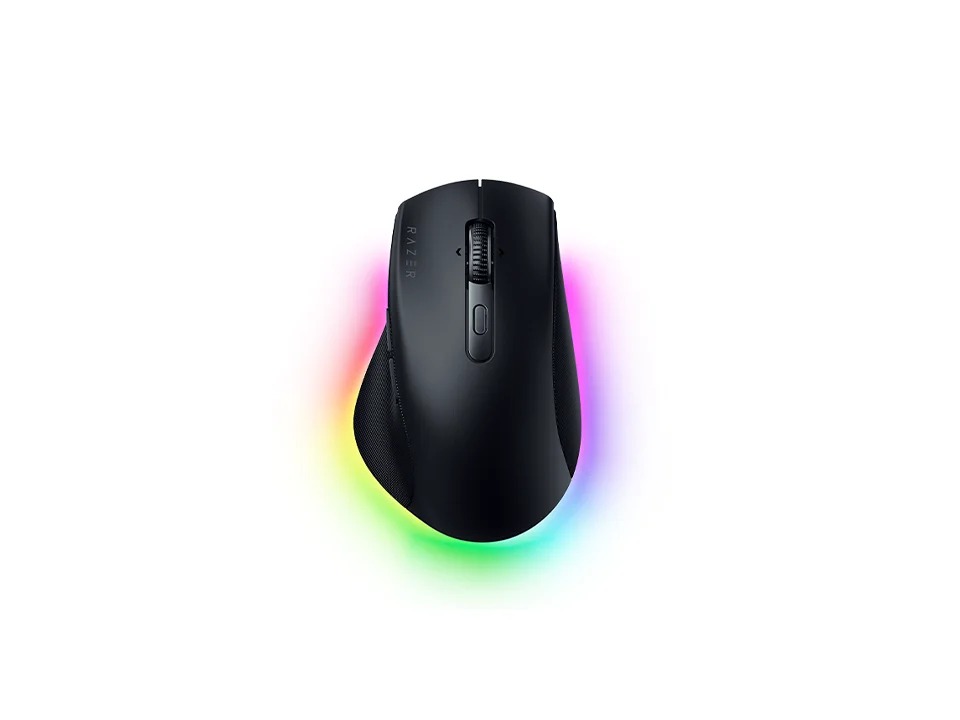
Is the Pro Click V2 right for you?
The Pro Click V2 is a right-handed wireless mouse that connects by 2.4 GHz dongle, Bluetooth or USB-C cable, and weighs about 110 g.
Best for
- Desks with more than one computer. Razer lists Bluetooth for up to 3 hosts, alongside its 2.4 GHz dongle and a USB-C cable.
- People who'd put shortcuts on their mouse buttons. Razer lists 9 programmable controls, set up in Razer Synapse 4.
Skip if
- You'd rather not keep Razer's software running. Reviewers found some features need Synapse running in the background.
Want to see it next to a keyboard and a headset? Try it on the QuickDesker board and build a whole desk setup around it.
What does it cost, and what should you check first?
- Seen at Razer.com for $99.99 (Black) on 28 Oct 2026
Prices change, so check the current one before you buy. The cable in the box is USB-A to USB-C and 1.2 m long, for charging and for wired use. A USB-A plug doesn't fit a USB-C port without an adapter. The HyperSpeed Wireless Dongle comes in the box too. Razer offers up to 2 years of warranty, and 14 days of risk-free returns if you buy from RazerStore.
How does the Pro Click V2 connect, and how long does the battery last?
Razer lists three ways to connect: its HyperSpeed Wireless dongle on 2.4 GHz, Bluetooth for up to 3 hosts, and a USB-C cable. How the three compare is covered in our guide Wired, 2.4 GHz or Bluetooth: which mouse connection is actually fastest?
Razer quotes up to 3.5 months of battery life. The lighting is Razer Chroma RGB, and Razer's launch announcement for the Pro Click V2 mice says a Smart Dimming feature dims it automatically to stretch the battery between charges. The same announcement says a five-minute charge over USB-C gives up to 2–3 working days of use.
What can you program on the Pro Click V2?
Razer lists 9 programmable controls and 1 onboard profile, set up in Razer Synapse 4. Razer adds that customization is available for Microsoft apps such as Word and Excel, and for Adobe's suite, such as Photoshop. Our guide covers how many buttons a job or a game really needs: Do you need a mouse with 7+ programmable buttons?
The wheel tilts, and Razer says it can toggle between tactile and free-spin scrolling. In free-spin the wheel keeps rolling after a flick, which helps on long pages; in tactile mode it moves in steps. Razer rates the switches for 60 million clicks.
Two reviews raise the same catch: some features lean on Synapse running in the background. One found the wheel's left and right tilt needs it.
Full specifications
| Programmable controls | 9 |
|---|---|
| Handedness | Right-handed |
| Sensor type | Razer Focus Pro Optical Sensor |
| Maximum DPI | 30,000 |
| Connections | Razer HyperSpeed Wireless (2.4 GHz); Bluetooth – up to 3 hosts; USB-C wired |
| Battery life, as quoted | Up to 3.5 months |
| Weight | ~110 g |
| Switch rating | 60-million Clicks |
| Tilt scrolling | Dual mode with tilt |
| Free-spin scroll wheel | dual-mode scroll wheel that can toggle between tactile or free-spin scrolling |
| Lighting | Razer Chroma™ RGB |
| Remapping software | Razer Synapse 4 |
| Onboard profiles | 1 |
| Dimensions | Length: 126.0 mm / 4.95 in; Width: 80.0 mm / 3.15 in; Height: 46.0 mm / 1.80 in |
| Maximum tracking speed | 550 |
| Maximum acceleration | 40 |
| Receiver | Razer HyperSpeed Wireless Dongle |
| Cable length | 1.2 m |
| Warranty | Up to 2 years |
| In the box | Razer Pro Click V2; Razer HyperSpeed Wireless Dongle; USB Type A to USB Type C cable; Important Product Information Guide |
Razer's Pro Click V2 product page doesn't list a polling rate or silent clicks.
Specifications from Razer's Pro Click V2 product page, read 9 Sep 2026.