Logitech G G502 X LIGHTSPEED
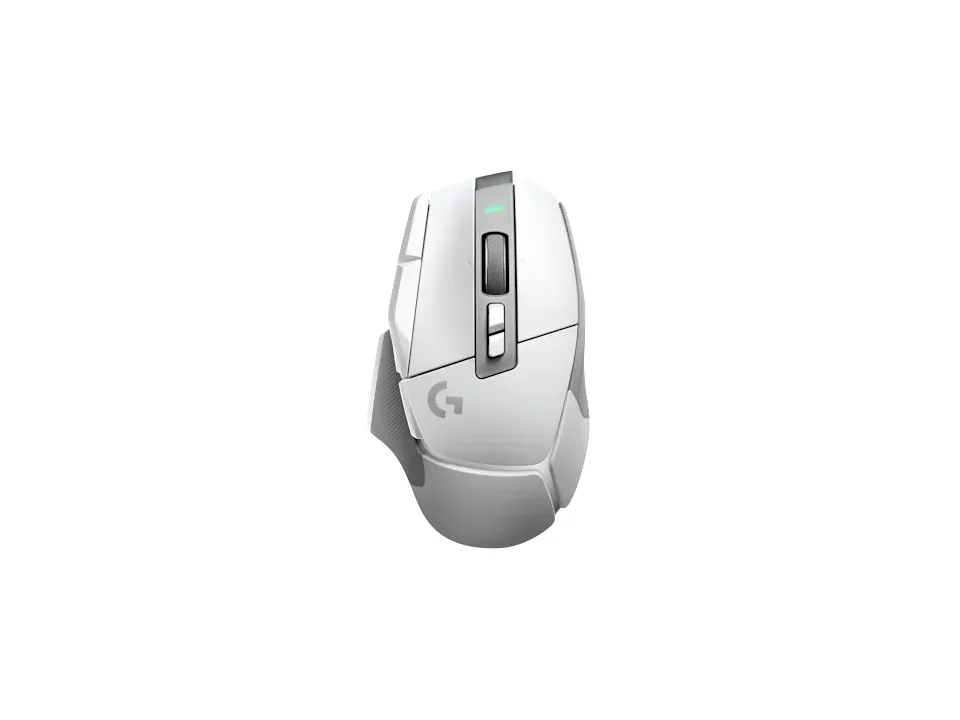
Is the G502 X LIGHTSPEED right for you?
The G502 X LIGHTSPEED is a wireless gaming mouse with a rechargeable battery.
Best for
- Gamers who want plenty to remap. Logitech lists 13 programmable controls.
- People who'd rather top up over a cable than buy batteries. It charges over USB-C, and the charging cable comes in the box.
Skip if
- You want a battery you can swap yourself. Logitech lists its rechargeable battery as proprietary and not accessible.
- You want RGB lighting. Logitech lists RGB as No.
Want to see it next to a keyboard and a headset? Try it on the QuickDesker board and build a whole desk setup around it.
What does it cost, and what should you check first?
- Seen at Best Buy for $159.99 (Black) on 21 Oct 2026
- Seen at Logitech.com for $159.99 (Black) on 21 Oct 2026
Prices change; check the one for the colour you want. Logitech sells it in Black and White.
In the box you get the mouse, a USB-C charging cable, the LIGHTSPEED USB-A receiver, a USB extension cable, a DPI-Shift button cover and the user documentation. The receiver has a USB-A plug, and a USB-A plug won't go into a USB-C port without an adapter. Logitech's requirements are a USB port and internet access for the optional software download, on Windows 10 or later or Mac 10.14 or later. The warranty is a two-year limited hardware warranty.
How long does the battery last, and how does it connect?
Logitech quotes the battery life two ways. Its product page says 140 hours. Its support specifications say up to 500 hours in HI mode (performance) and up to 18 months in LO mode (endurance). The battery itself is a rechargeable Li-polymer one that charges over USB-C.
It connects over Logitech's Lightspeed 2 wireless, through the LIGHTSPEED USB-A receiver in the box. Logitech adds that Lightspeed 2 includes 2:1 pairing with a compatible keyboard receiver. The USB extension cable lets you put the receiver closer to the mouse than a port at the back of your computer. What each kind of connection trades away is covered in our guide Wired, 2.4 GHz or Bluetooth: which mouse connection is actually fastest?
What can you program on the G502 X LIGHTSPEED?
Logitech lists 11 buttons and 13 programmable controls. A programmable control can send a key, a shortcut or a macro instead of its usual job. You set them up in Logitech G HUB, which Logitech offers as a download, and the mouse stores 5 profiles on board.
Logitech says the thumb button can be turned 180° or removed, and replaced by a keycap that extends the grip area. The wheel tilts left and right, and Logitech lists its vertical scroll type as Hyper-fast. Logitech says its LIGHTFORCE hybrid optical-mechanical switches use optical actuation for speed and reliability. There's more on whether you'd use all 13 in our guide: Do you need a mouse with 7+ programmable buttons?
Full specifications
| Buttons | 11 |
|---|---|
| Programmable controls | 13 |
| Sensor type | Optical |
| Minimum DPI | 100 |
| Connections | Lightspeed 2 |
| Power | Type: Rechargeable; Quantity: 1; Accessible: No; Size: Proprietary; Technology: Li-polymer |
| Battery life, as quoted | Up to 500 hours - HI mode (performance); Up to 18 months - LO mode (endurance) (Logitech support specifications) · 140 hrs (Logitech product page) |
| Weight | 102 g |
| Tilt scrolling | Yes |
| Lighting | No (RGB) |
| Remapping software | Logitech G HUB |
| Onboard profiles | Yes (5) |
| Dimensions | Height: 1.62 in (41.1 mm); Width: 3.12 in (79.2 mm); Length: 5.17 in (131.4 mm) |
| Maximum acceleration | > 40G |
| Charging port | USB-C |
| Warranty | 2-Year Limited Hardware Warranty |
| In the box | G502 X LIGHTSPEED Wireless Gaming Mouse, DPI-Shift button cover, USB-C charging cable, LIGHTSPEED USB-A receiver, USB extension cable, User documentation |
Logitech's G502 X LIGHTSPEED support specifications and product page don't list a switch rating or silent clicks.
Specifications from Logitech's G502 X LIGHTSPEED support specifications and product page, read 7 Sep 2026.