Logitech M100
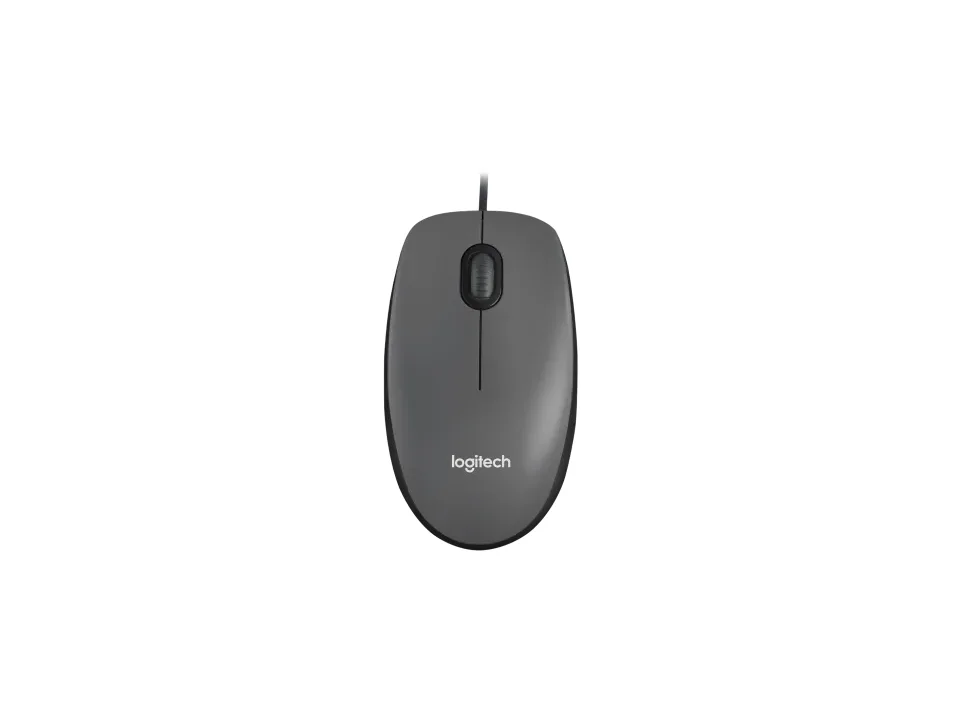
Is the M100 right for you?
The M100 is a corded optical mouse, and Logitech calls it full size.
Best for
- Left-handers, or anyone who switches hands. Logitech says "left-handed or right, you'll be comfortable hour after hour."
- Anyone who wants a mouse that works as soon as it's plugged in. Logitech promises "no downloads, no setup, no fuss."
Skip if
- You'd rather not have a cable on your desk. Logitech lists it as corded, with a 70.87 in (180 cm) cable.
- You want thumb buttons for going back and forward. Logitech lists three buttons: left-click, right-click and middle-click.
Want to see it next to a keyboard and a headset? Try it on the QuickDesker board and build a whole desk setup around it.
What does it cost, and what should you check first?
- Seen at Best Buy for $9.99 (Grey) on 22 Oct 2026
- Seen at Logitech.com for $9.99 (Grey) on 22 Oct 2026
Prices change, so check the current one before you buy. Check your ports first. Logitech's product page lists a USB-A cord, and a USB-A plug doesn't fit a USB-C port without an adapter.
For compatibility, the same page lists Windows 10, 11 or later, macOS 10.5 or later, ChromeOS (Certified Works With Chromebook) and Linux kernel 2.6+ or later. Logitech lists the mouse and user documentation in the box, and the product page gives a 3-year limited hardware warranty.
Amazon's listing is the black version.
What do you get with a corded mouse like the M100?
Logitech's support specifications give the M100's cable as 70.87 in (180 cm). A corded mouse takes its power and sends its signal through that cable. Logitech's own pitch is simple: "Just plug the cable into the USB port and M100 is ready for use." Want to drop the cable? That's what a wireless mouse is for. What each connection trades away is covered in our guide Wired, 2.4 GHz or Bluetooth: which mouse connection is actually fastest?
Will the M100 suit your hand, left or right?
Logitech's support specifications list the M100 as ambidextrous. An ambidextrous mouse is shaped the same on its left and right sides, so it sits the same way under either hand. By Logitech's figures it weighs 3.17 oz (90 g). Whether an either-hand mouse or a right-hand shape suits you better is covered in our guide Ambidextrous vs. contoured-right mice: which hand is yours shaped for?
Full specifications
| Buttons | 3 - Left/Right-click, Middle-click |
|---|---|
| Handedness | Ambidextrous |
| Sensor type | Optical (Visible RED) |
| Connections | Corded |
| Weight | 3.17 oz (90 g) |
| Dimensions | 4.45 in (113 mm) / 2.44 in (62 mm) / 1.50 in (38 mm) |
| Cable length | 70.87 in (180 cm) |
| Warranty | 3-year limited hardware warranty |
| In the box | Mouse, User documentation |
Logitech's M100 support specifications and product page don't list a polling rate.
Specifications from Logitech's M100 support specifications and product page, read 8 Sep 2026.