Logitech MX Master 4
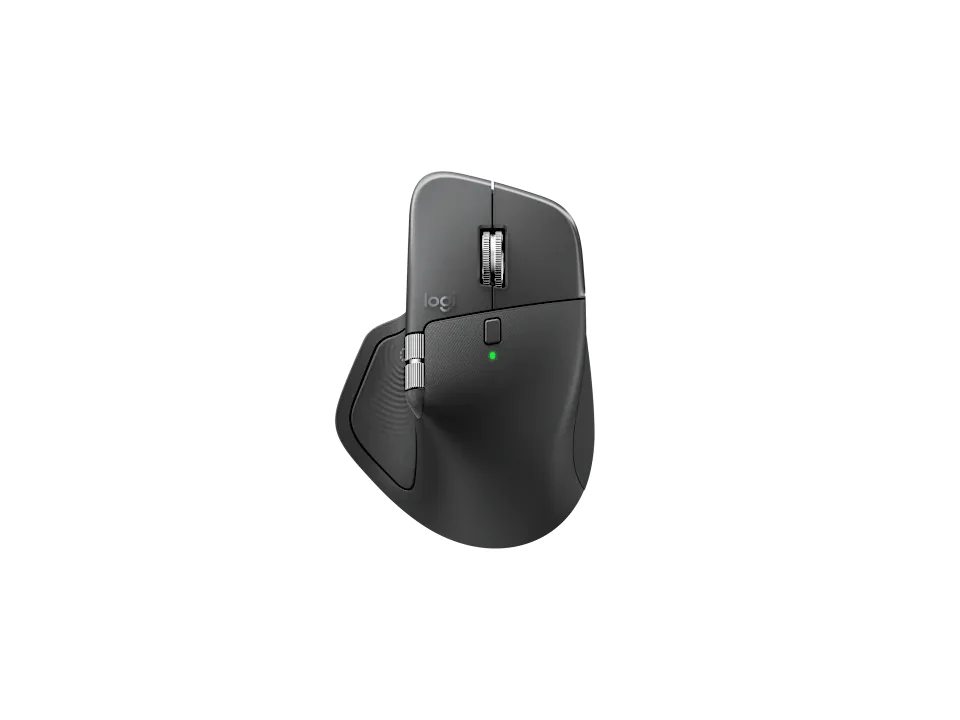
Is the MX Master 4 right for you?
The MX Master 4 is a rechargeable eight-button mouse with a Darkfield high precision sensor, and it connects by Bluetooth Low Energy or a USB-C Bolt receiver.
Best for
- People who scroll sideways a lot. Logitech lists a thumb wheel for horizontal scrolling.
- Anyone who wants quiet clicks. Two reviews found the clicks very quiet.
Skip if
- You have smaller hands. One review found it not well suited to them; another said it may not suit them.
- You want a battery you can swap out yourself. Logitech's support specifications say this one isn't user replaceable.
Want to see it next to a keyboard and a headset? Try it on the QuickDesker board and build a whole desk setup around it.
What does it cost, and what should you check first?
- Seen at Best Buy for $119.99 (Black) on 8 Sep 2026
- Seen at Logitech.com for $119.99 (Graphite) on 23 Oct 2026
- Seen at Walmart for $119.99 (Black) on 4 Oct 2026
Prices change; check the one for the colour you want. Logitech sells it in Graphite, Pale Gray and Black.
In the box, Logitech lists the mouse, a USB-C Bolt receiver and user documentation. A USB-C plug doesn't fit a USB-A port without an adapter, so check you have a free USB-C port if you'll use the receiver. The battery is rechargeable, and Logitech's support specifications say it isn't user replaceable. The warranty is a one-year limited hardware warranty.
How long does a charge last, and how does it connect?
Logitech quotes 70 days of battery life from the 650 mAh rechargeable battery, and says a one-minute charge gives 3 hours of use.
Without the receiver, it connects over Bluetooth Low Energy, which Logitech lists as version 5.1. Over Bluetooth, Logitech gives the report rate as 125 Hz (8 ms): that's how many times a second the mouse tells your computer where it is. Logitech puts the wireless range at 10 m. What each connection trades away is covered in our guide Wired, 2.4 GHz or Bluetooth: which mouse connection is actually fastest?
What do the MX Master 4's buttons and wheels do?
Logitech lists eight buttons. It calls the main wheel a MagSpeed wheel with smart shift and credits it with ultra fast scrolling, and the thumb wheel handles horizontal scrolling. The customization app is Logi Options+, with basic support in Tune.
Logitech says the mouse has customizable haptic feedback, supported for Options+ features such as the Actions Ring, Smart Actions and Gestures. It describes the Actions Ring as a way of accessing tools and filters at your cursor.
What do reviewers say?
The clicks get praise. One review found the left and right clicks very quiet; another found the clicking quiet enough to be comfortable around other people. There's more on what makers mean by quiet clicks in our guide: Which Mice Have Silent Clicks, and What Do They Cover?
Size is the catch. One review found it not well suited to smaller hands. Another noted it grew by several millimetres and about nine grams over the model before it, and said that may not suit smaller hands. How hand size and grip fit together is covered in our guide Palm, claw or fingertip: which mouse grip do you use, and does it matter?
Full specifications
| Buttons | 8 |
|---|---|
| Sensor type | Darkfield high precision |
| Minimum DPI | 200 |
| Maximum DPI | 8,000 DPI |
| Polling rate | 125 Hz (8 ms) (Bluetooth) |
| Power | Rechargeable 650 mAh |
| Battery life, as quoted | 70 days (rechargeable) |
| Weight | 150 g |
| Horizontal scrolling | Yes (Thumb wheel) |
| Remapping software | Options + and basic support in Tune |
| Dimensions | 128.15 mm × 88.35 mm × 50.8 mm |
| Receiver | USB-C Bolt receiver |
| Warranty | 1-Year Limited Hardware Warranty |
| In the box | Mouse; USB-C Bolt receiver; User documentation |
Logitech's MX Master 4 support specifications and product page don't list tilt scrolling, a switch rating or onboard profiles.
Specifications from Logitech's MX Master 4 support specifications and product page, read 8 Sep 2026.