A gaming desk setup, two ways
Compare a budget wired gaming setup with a wireless option, including the keyboard, mouse and headset choices that change how you play.
Updated 5 Sep 2026 · no hands-on testing
The short answer
The wired combo (Keychron V4, CORSAIR Scimitar RGB Elite and HyperX Cloud Stinger 3 (Wired)) comes to $199.97 combined, at the prices we saw between 12 Oct 2026 and 20 Oct 2026. Nothing to charge, nothing to pair, and a 60% board that frees up desk room for the mouse to travel.
The wireless combo (Keychron K3 Max, Razer Naga V2 HyperSpeed and HyperX Cloud III S Wireless) comes to $299.97 combined, at the prices we saw between 11 Sep 2026 and 27 Oct 2026. All three connect over a dedicated 2.4 GHz link rather than Bluetooth alone, and the mouse alone carries 21 programmable controls.
The picks
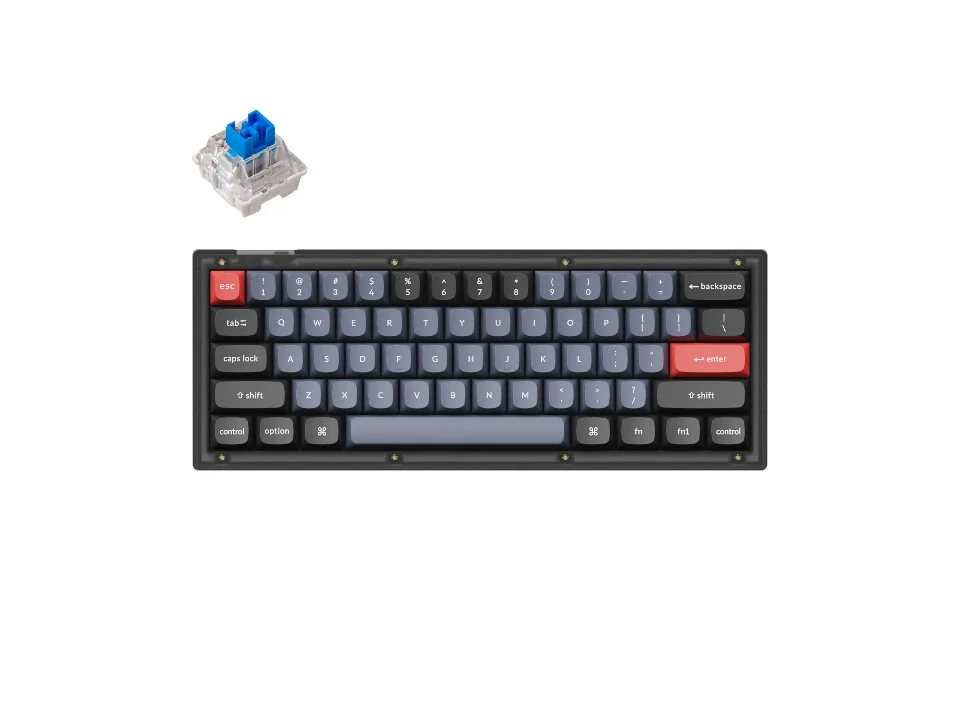
Keyboard: wired, compact, hot-swappable
$59.99 seen 20 Oct 2026; check the current price
A 60% board with RGB and PBT keycaps, hot-swappable. It was seen at $59.99 on 20 Oct 2026; check the current price. The 60% layout means no function row and no arrow cluster taking up desk space next to the mouse.
Check price on AmazonPaid link — QuickDesker may earn a commission.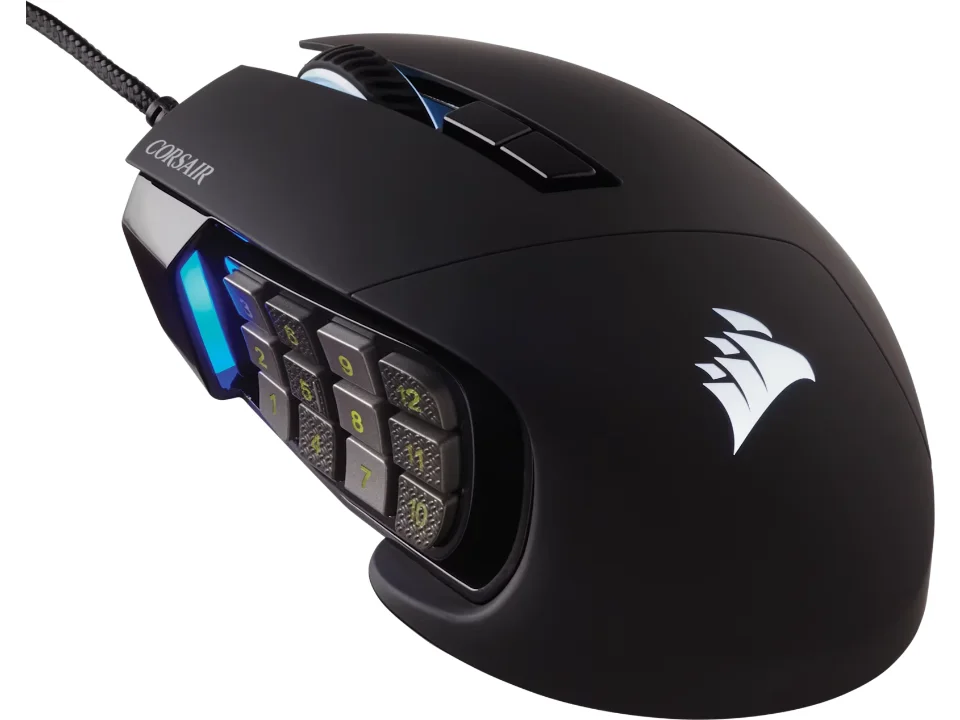
Mouse: wired, 17 programmable controls
$89.99 seen 12 Oct 2026; check the current price
A 12-key thumb pad plus the standard buttons, wired for the simplest possible latency story. It was seen at $89.99 on 12 Oct 2026; check the current price. CORSAIR's own site returned an error when this entry was researched, so it rests on the retailer listing alone.
Check price on AmazonPaid link — QuickDesker may earn a commission.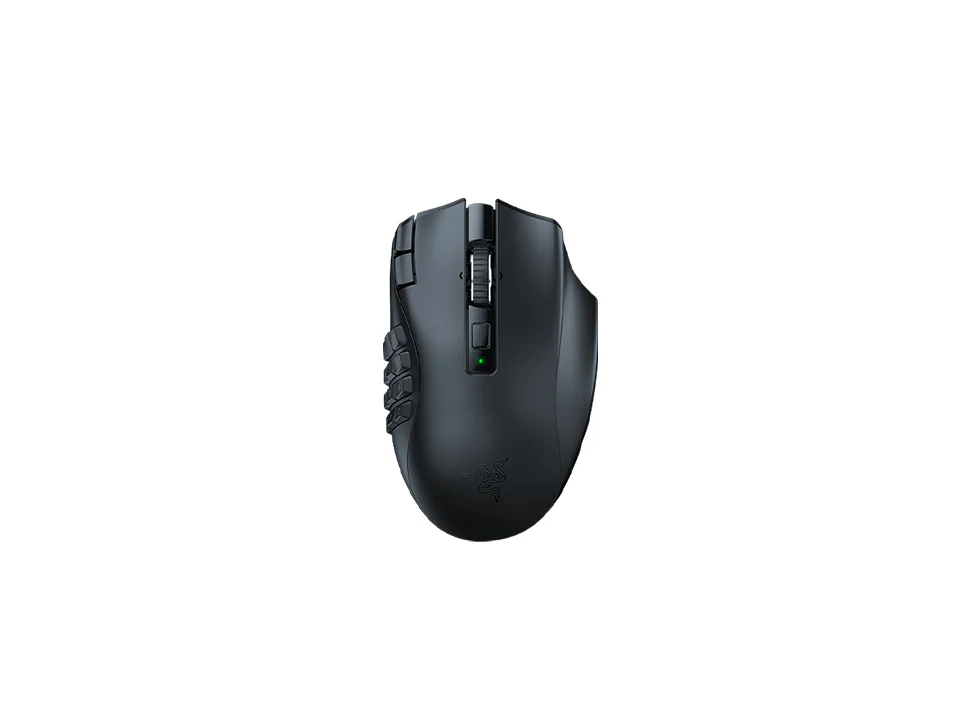
Mouse: wireless, 21 programmable controls
$79.99 seen 27 Oct 2026; check the current price
19 physical buttons and 21 controls Razer counts as programmable, connecting over 2.4 GHz HyperSpeed or Bluetooth. It was seen at $79.99 on 27 Oct 2026; check the current price. Razer names the sensor but doesn't publish a maximum DPI figure for it.
Check price on AmazonPaid link — QuickDesker may earn a commission.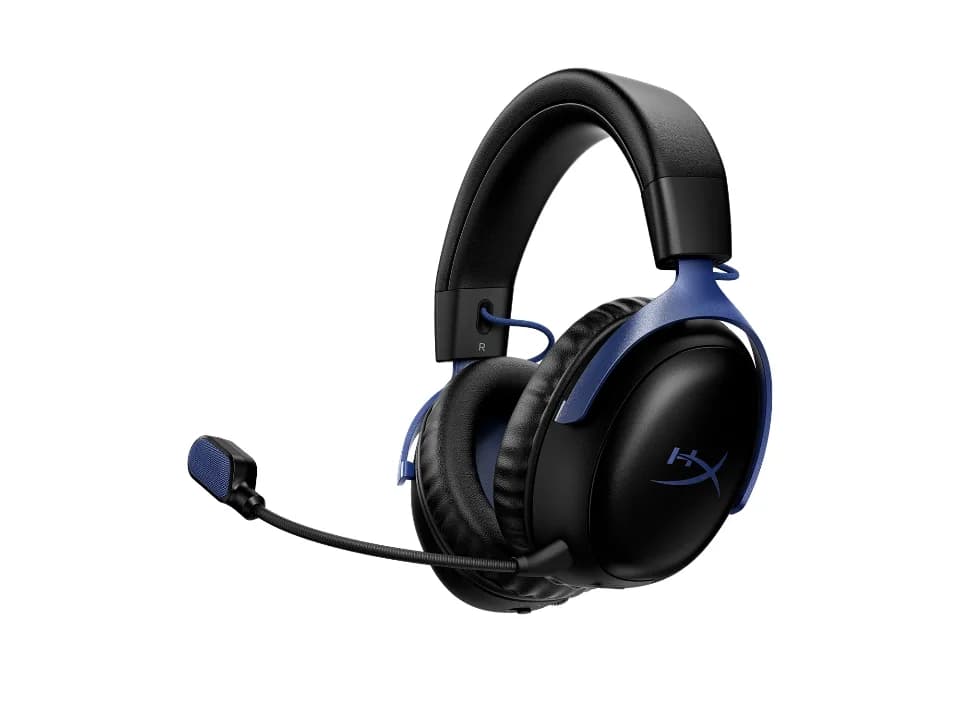
Headset: wireless, detachable boom mic
$119.99 seen 13 Oct 2026; check the current price
2.4 GHz and Bluetooth, a detachable boom mic, and a mic-side noise-reduction claim. It was seen at $119.99 on 13 Oct 2026; check the current price. HyperX calls that claim "noise cancelling," but it cleans up what the other player hears and does nothing about the noise around you: the same distinction drawn in What “noise cancelling” actually means on a headphone box.
Check price on AmazonPaid link — QuickDesker may earn a commission.
Why two combos instead of one recommendation?
Because the answer changes with one thing, and it is not skill. Wired removes an entire category of question (pairing, latency, battery) at the cost of a cable on the desk. Wireless removes the cable at a real price premium and, in the mouse's case, buys a genuinely different amount of control: 21 programmable controls against 17. Neither is the correct answer generally; it depends on whether the cable is actually a problem for your desk.
Every part below is priced at what we saw on a real page on a recorded date, same as every other setup article on this site. The totals are computed from those figures, not typed in. We did not find a polling rate for either mouse here, so that number cannot decide this particular purchase even if you want it to; what it measures and when it is worth reading is covered in DPI vs polling rate: which mouse number actually matters?
There is a wider limit here that a gaming recommendation ought to state out loud. The word gaming implies latency, audio positioning and how a thing holds up in a long session, and none of those has been measured here on any of these products. What these two combos rest on is published specifications and published connection modes, and that supports a narrower claim than the label suggests: these are sensible parts on paper for the two ways a gaming desk is usually built. A reader who needs to know which of two mice is quicker in a game is not going to find it out here, or on any page that has not put a probe on the button.
Should you play on a dongle or on Bluetooth?
On the dongle, where the product gives you the choice. Every gaming-marketed wireless product here that offers both (including Razer Naga V2 HyperSpeed and HyperX Cloud III S Wireless) lists 2.4 GHz first and markets it as the connection for play, with Bluetooth as the everyday fallback. That is the pattern in how these products are sold, not a latency measurement we have taken. The published latency and battery figures behind that trade are set out in Wired, 2.4 GHz or Bluetooth: which mouse connection is actually fastest?
HyperX Cloud Alpha 2 Wireless supports 2.4 GHz and Bluetooth, including simultaneous use. It was seen at $199.99 on 13 Oct 2026; check the current price.
What if the cable is genuinely not a problem?
Then this is the board worth looking at. SteelSeries Apex Pro TKL Gen 3 sits outside both combos above, wired only, with magnetic Hall-effect switches whose actuation point adjusts per key in software rather than through a switch choice. It was seen at $198.99 on 16 Sep 2026; check the current price. It is the one board here where the actuation point is a setting rather than something you choose once by buying a particular switch.
Which products make up these gaming setups?
| Product | Part | Connection | Price when seen | Where to buy |
|---|---|---|---|---|
| Keychron V4 | Keyboard | Wired | $59.99 (seen 20 Oct 2026) | Check price on AmazonPaid link |
| CORSAIR Scimitar RGB Elite | Mouse | Wired | $89.99 (seen 12 Oct 2026) | Check price on AmazonPaid link |
| HyperX Cloud Stinger 3 (Wired) | Headphones | Wired | $49.99 (seen 13 Oct 2026) | Check price on AmazonPaid link |
| Keychron K3 Max | Keyboard | Wireless | $99.99 (seen 11 Sep 2026) | Check price on AmazonPaid link |
| Razer Naga V2 HyperSpeed | Mouse | Wireless | $79.99 (seen 27 Oct 2026) | Check price on AmazonPaid link |
| HyperX Cloud III S Wireless | Headphones | Wireless | $119.99 (seen 13 Oct 2026) | Check price on AmazonPaid link |
| SteelSeries Apex Pro TKL Gen 3 | Keyboard | Wired | $198.99 (seen 16 Sep 2026) | Check price on AmazonPaid link |
Every product here carries an Amazon listing we could match to the exact variant we researched, so every row links. Where a listing cannot be matched with confidence, the row says so rather than pointing you at a near-miss.
Prices are what we saw on the dates shown, not live figures. A lot of them were promotional when we read them, so check the current price before you buy.
Paid link — QuickDesker may earn a commission.
Common questions
- Do I need a 2.4 GHz dongle for gaming, or is Bluetooth fine?
Take the dongle where a product offers one. Every gaming-marketed product here that gives you the choice puts 2.4 GHz forward as the connection for play, and both wireless picks above have it. We have not measured the latency difference ourselves, so that is what is marketed rather than what we have verified.
- What does 'programmable controls' actually get you?
Extra buttons you can assign a key, macro or shortcut to, beyond the standard left/right/wheel/two thumb buttons most mice have. Razer Naga V2 HyperSpeed's 21 are arranged as a 12-key thumb grid plus the standard set: useful for a game with a deep ability bar, unnecessary for one that isn't.
- Is a hot-swappable keyboard worth it for gaming specifically?
The same as for any other use: it lets you change switches later without a new board. Nothing about gaming changes that trade. Which boards let you make that choice, and which decide for you, is in Which mechanical switch should you pick? A board-by-board guide.
- Do I need a boom mic?
If you play with voice chat, a boom mic positions the microphone closer to your mouth than a headset's built-in one usually does. Both headsets in this article have one; HyperX Cloud Stinger 3 (Wired)'s is fixed in place, HyperX Cloud III S Wireless's detaches.
What this is based on
We have not tested these products. The comparisons use manufacturer specifications and retailer information, with sources linked below. Prices are dated snapshots and may have changed.
Every product, price and spec on this page was researched from the manufacturer's own page or a retailer listing and recorded with the date it was read. Both totals are computed from those figures at build time, not written into the article.
No game has been played on any of this hardware by anyone working on the site, together or apart. The two combos are built from published specifications and connection modes rather than from time spent using them, which is a real limit on a recommendation with the word gaming in the title.
The connection-mode claims report what is published, not a latency measurement; we do not own the equipment to take one, and we are not going to imply otherwise.
Sources (15)
- Best Buy: CORSAIR - Scimitar RGB Elite Wired MOBA/MMO Optical Gaming Mouse with 17 Programmable Buttons - Wired - Black (Retailer, read 4 Oct 2026)
- Best Buy: HyperX Cloud Alpha 2 Wireless, Black (Best Buy listing) (Retailer, read 13 Oct 2026)
- Best Buy: HyperX Cloud Stinger 3 Wired Gaming Headset, Black (Best Buy) (Retailer, read 13 Oct 2026)
- Best Buy: Razer - Naga V2 HyperSpeed MMO Optical Gaming Mouse with 19 Programmable Buttons - Wireless - Black (Retailer, read 4 Oct 2026)
- Best Buy: SteelSeries Apex Pro TKL Gen 3 Wired HyperMagnetic Gaming Keyboard with Rapid Tap, Rapid Trigger, Adjustable Actuation Black (Retailer, read 4 Oct 2026)
- Corsair: Product information: Scimitar RGB Elite (Manufacturer, read 26 Sep 2026)
- Corsair: SCIMITAR RGB ELITE Optical MOBA/MMO Gaming Mouse (Manufacturer, read 26 Sep 2026)
- HP: HyperX Cloud III S Wireless: product specifications (Manufacturer, read 30 Aug 2026)
- HyperX: Gaming Headsets (store listing) (Manufacturer, read 16 Aug 2026)
- HyperX: HyperX Cloud Alpha 2 Wireless product page (Manufacturer, read 17 Sep 2026)
- HyperX: HyperX Cloud Stinger 3 Wired Headset for PC (product page and specifications) (Manufacturer, read 24 Sep 2026)
- Keychron: Keychron K3 Max QMK/VIA Wireless Custom Mechanical Keyboard (Manufacturer, read 24 Sep 2026)
- Keychron: Keychron V4 QMK Custom Mechanical Keyboard (Manufacturer, read 14 Sep 2026)
- Razer: Razer Naga V2 HyperSpeed product page (Manufacturer, read 26 Sep 2026)
- SteelSeries: Apex Pro TKL Gen 3 - US (Manufacturer, read 16 Sep 2026)
Related guides
Build your setup
Compare keyboards, mice and headphones in the setup builder, then save the combination you like. Prefer a list? Browse all products.