Logitech MX Vertical
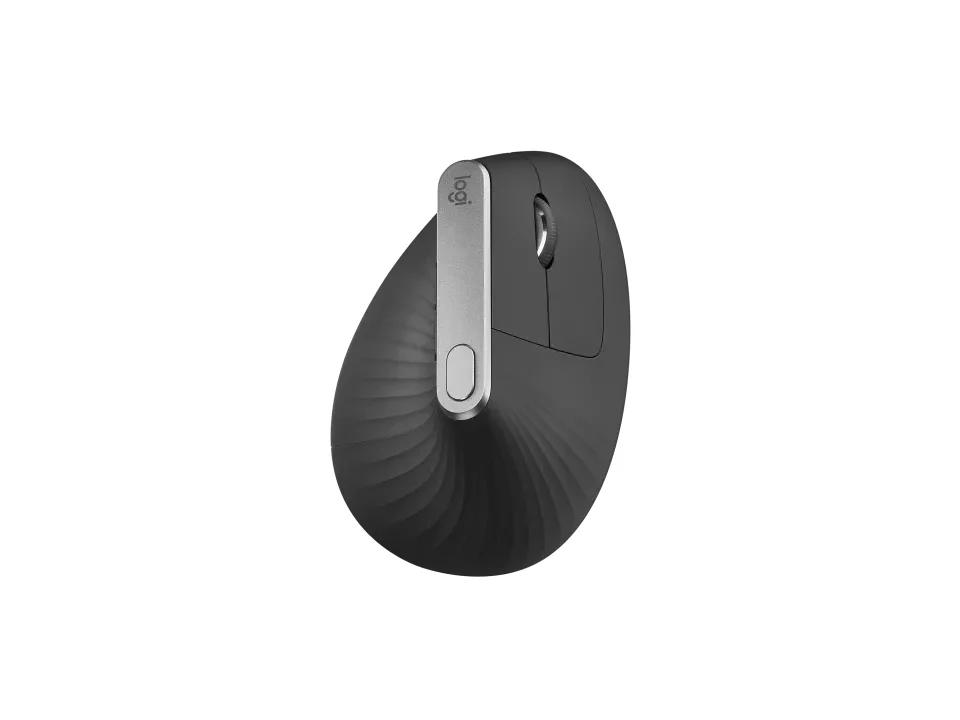
Is the MX Vertical right for you?
The MX Vertical is a right-handed, rechargeable mouse set at a 57° vertical angle, and it connects by Unifying USB receiver, Bluetooth Low Energy or its USB-C charging cable.
Best for
- Medium to large hands that want a vertical grip. Logitech says it's ideally sculpted for medium to large-sized hands.
- Anyone who moves between computers. Logitech says it pairs with up to 3 devices.
Skip if
- You have small hands. Logitech names medium to large-sized hands as its fit.
A vertical mouse still slides across the desk like any other, where a trackball stays put while you roll the ball. How the two compare is covered in our guide Vertical mouse vs. trackball: which ergonomic mouse is right for you?
Want to see it next to a keyboard and a headset? Try it on the QuickDesker board and build a whole desk setup around it.
What does it cost, and what should you check first?
- Seen at Best Buy for $74.99 (Graphite) on 24 Oct 2026
- Seen at Logitech.com for $99.99 (Graphite) on 24 Oct 2026
Prices change, so check the current one before you buy. Logitech's product page lists it in Graphite.
In the box, Logitech lists the mouse, a Unifying USB receiver, a USB-C charging cable (USB-A to USB-C) and user documentation. The receiver needs a free USB-A port, and a USB-A plug doesn't fit a USB-C port without an adapter. Logitech's product page lists a one-year limited hardware warranty.
How upright does the MX Vertical hold your hand?
Logitech sets the MX Vertical at a 57° vertical angle, which it says reduces the pressure on your wrist while your thumb sits on the thumb rest.
Its support specifications give the size as 120 mm high, 79 mm wide and 78.5 mm deep. Logitech gives two weights: 4.40 oz (125 g) on its support specifications and 135 g on its data sheet.
How to measure your hand for a mouse is covered in our guide Palm, claw or fingertip: which mouse grip do you use, and does it matter?
How does the MX Vertical connect, and how long does a charge last?
Logitech lists three ways to connect: a Unifying USB receiver, Bluetooth Low Energy and the USB-C charging cable. It says the mouse pairs with up to 3 devices, and puts the wireless operating distance at 33 ft (10 m). How a receiver link and Bluetooth compare is covered in our guide Wired, 2.4 GHz or Bluetooth: which mouse connection is actually fastest?
Logitech quotes battery life at 4 months from the rechargeable battery, which charges through a USB-C port. It also says 1 minute of charging yields roughly 3 hours of continuous use.
Full specifications
| Programmable controls | 4 Customizable buttons (By default: Back/Forward, DPI, Middle click) |
|---|---|
| Handedness | Right |
| Vertical angle | 57° |
| Sensor type | High precision optical |
| Minimum DPI | 400 |
| Maximum DPI | 4000 |
| Connections | Logitech Unifying wireless technology via USB receiver; Bluetooth® Low Energy Wireless technology; USB-C charging cable |
| Power | Rechargeable battery |
| Battery life, as quoted | 4 months (rechargeable) |
| Weight | 4.40 oz (125 g) (Logitech support specifications) · 135 g (Logitech data sheet) |
| Switch rating | 10 million quality clicks |
| Remapping software | Logi Options+ for: Windows 10, 11 or later; macOS 10.15 or later (at release) |
| Dimensions | Height 4.72 in (120 mm); Width 3.11 in (79 mm); Depth 3.09 in (78.5 mm) |
| Receiver | Unifying USB Receiver |
| Charging port | USB-C charging port |
| Devices paired at once | up to 3 devices |
| Warranty | 1-Year Limited Hardware Warranty |
| In the box | Mouse, Unifying USB receiver, USB-C charging cable (USB-A to USB-C), User documentation |
Logitech's MX Vertical support specifications and product page don't list a polling rate.
Specifications from Logitech's MX Vertical support specifications, product page and data sheet, read 8 Sep 2026.