SteelSeries Rival 5
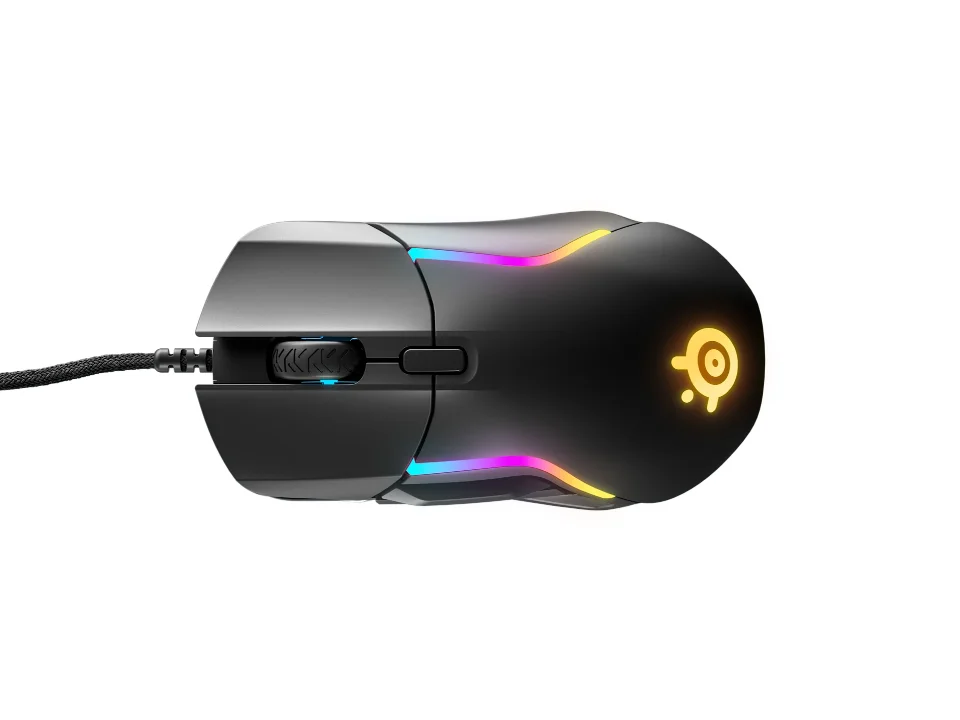
Is the Rival 5 right for you?
The Rival 5 is SteelSeries' ergonomic, right-handed gaming mouse, with an optical sensor and a weight SteelSeries lists as 85g.
Best for
- Players who want a few extra buttons. SteelSeries pitches it at Battle Royale, FPS, MOBA and MMO games, and lists 9 programmable buttons.
- Right-handed players who hold a mouse with a claw, palm or fingertip grip. SteelSeries lists all three under grip style.
Skip if
- You'd rather not have extra buttons on the side. SteelSeries lists 5 quick-action side buttons among the 9.
Want to see it next to a keyboard and a headset? Try it on the QuickDesker board and build a whole desk setup around it.
What does it cost, and what should you check first?
- Seen at Best Buy for $63.99 (Black) on 31 Oct 2026
- Seen at SteelSeries.com for $68.99 (Black) on 31 Oct 2026
Prices change, so check the current one before you buy. SteelSeries lists a 2m (6.67 ft) Super Mesh cable. For compatibility, it lists Windows, Mac, Xbox and Linux, and says a USB port is required.
What should you know about the Rival 5's buttons?
Of the 9 programmable buttons, SteelSeries puts 5 on the side as quick-action buttons, and says the 9 include a custom quick-action toggle switch that's "built for lightning fast reaction plays". A programmable button can send a key, a shortcut or a macro in place of its usual click. You set them up in SteelSeries Engine 3.18.4 or later, which SteelSeries lists for Windows 7 or newer and Mac OSX 10.12 or newer. There's more on how many buttons a game or a job needs in our guide: Do you need a mouse with 7+ programmable buttons?
What do the Rival 5's sensor figures mean?
SteelSeries lists a TrueMove Air optical sensor with a range of 100–18,000 CPI, set in 100 CPI increments. CPI, short for counts per inch, means the same as DPI: it sets how far the cursor travels for each inch the mouse moves.
SteelSeries lists the polling rate as 1000Hz, or 1 ms. Polling rate is how many times a second the mouse tells your computer where it is, so 1000Hz means once every millisecond. SteelSeries rates tracking at 400 IPS on SteelSeries QcK surfaces, and acceleration at 40G. Those figures are the fastest you can move the mouse, in inches per second, and the sharpest you can speed it up, in G, before the sensor loses track. How the DPI and polling figures compare is covered in our guide DPI vs polling rate: which mouse number actually matters?
Full specifications
| Buttons | 9 |
|---|---|
| Programmable controls | 9-button programmable layout with 5 quick action side buttons |
| Shape | Ergonomic |
| Handedness | Right-Handed |
| Sensor type | Optical |
| Sensor | SteelSeries TrueMove Air |
| Minimum DPI | 100 |
| Maximum DPI | 18,000 |
| Polling rate | 1000Hz / 1 ms |
| Weight | 85g |
| Switch rating | 80 million clicks |
| Lighting | 10-Zone RGB |
| Remapping software | SteelSeries Engine 3.18.4+, for Windows (7 or newer) and Mac OSX (10.12 or newer) |
| Dimensions | 128.80 mm / 5.07 inches (length) |
| Maximum tracking speed | 400, on SteelSeries QcK surfaces |
| Maximum acceleration | 40G |
| Cable length | 2m / 6.67 ft |
SteelSeries' Rival 5 product page and product information guide don't list silent clicks, tilt or horizontal scrolling, a free-spin scroll wheel or a lift-off distance.
Specifications from SteelSeries' Rival 5 product page and Rival 5 product information guide, read 9 Sep 2026.