Logitech Signature Comfort Plus M850 L
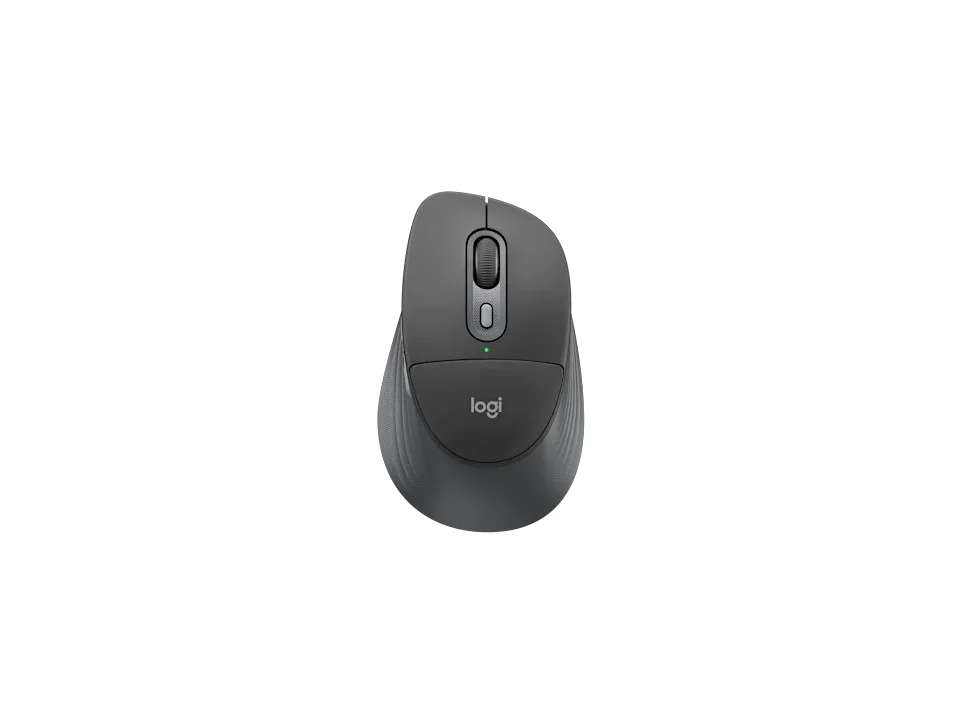
Is the M850 L right for you?
The M850 L is a right-handed Bluetooth mouse with a palm cushion, and it runs on a single AA battery.
Best for
- People who want a palm cushion built into the mouse. Logitech pairs it with a sculpted right-hand shape and rubber side grips.
- People who move between a few devices. Logitech says it pairs with up to 3 and switches between them with Easy-Switch.
Skip if
- You want a mouse you recharge. It takes one AA battery.
- You want a USB receiver in the box. Logitech's product page says the Logi Bolt receiver it works with isn't included.
Want to see it next to a keyboard and a headset? Try it on the QuickDesker board and build a whole desk setup around it.
What does it cost, and what should you check first?
- Seen at Best Buy for $49.99 (Black) on 24 Oct 2026
- Seen at Logitech.com for $49.99 (Graphite) on 24 Oct 2026
Prices change; check the one for the colour you want. Logitech sells it in Graphite, Off White and Black.
Logitech's requirements start with Bluetooth Low Energy, then name Windows 10, 11 or later, macOS 12 or later, Linux, ChromeOS, iPadOS 15 or later and Android 12 or later. On Linux, ChromeOS, iPadOS and Android, Logitech says the basic functions work without its software. If you'd rather use a receiver, Logitech says it works with a Logi Bolt USB receiver (not included) and not with other Logitech USB receivers. Logitech's product page lists the mouse, an AA battery and documentation in the box; its M850 L for Business specifications add a Logi Bolt USB-C receiver. The warranty is a one-year limited hardware warranty.
How long does the AA battery last, and how does it connect?
Logitech quotes 24 months from the single AA. That means nothing to charge, though a spare AA in the drawer covers the day it runs flat.
Logitech sells it as a Bluetooth mouse with no dongle needed. Logitech gives its Bluetooth report rate as 7.5 ms, which is the gap between one position update to your computer and the next. Logitech puts the wireless range at 33 ft (10 m).
What do the six buttons and the SmartWheel do?
Logitech says four of its six buttons can be programmed: the middle click, the side buttons and the DPI button. Logitech's customization apps for it are Logi Options+ and Logi Tune. Logitech lists a range of 400 to 4000 DPI, set in steps of 100. DPI sets how far the cursor travels for each inch the mouse moves.
Logitech calls the wheel a SmartWheel and says it gives line-by-line precision and super-fast scrolling. It also calls the clicks quiet, and its support specifications rate the buttons for 5M presses. There's more on what a quiet-click claim covers in our guide: Which Mice Have Silent Clicks, and What Do They Cover?
Full specifications
| Buttons | 6 (Left/Right-click, Scroll-wheel middle click, side buttons, DPI button) |
|---|---|
| Programmable controls | 4 (Scroll-wheel middle click, side buttons, DPI button) |
| Shape | palm cushion support, combined with a sculpted right-hand shape and rubber side grips |
| Handedness | Right |
| Sensor type | Logitech Advanced Optical |
| Minimum DPI | 400 |
| Maximum DPI | 4000 DPI |
| Polling rate | 7.5 ms (Bluetooth) |
| Connections | Bluetooth only / Bolt receiver ready |
| Power | 1 AA battery (Alkaline Battery) |
| Battery life, as quoted | 24 months |
| Weight | 3.81 oz (107.9 g) (Logitech product page) · 102.9 g (3.63 oz), with battery (Logitech M850 L for Business specifications) |
| Switch rating | 5M |
| Silent clicks claimed | quiet clicks |
| Remapping software | Logi Options+, Logi Tune |
| Dimensions | 44.2 mm; 74.3 mm; 121.8 mm (Logitech support specifications) · Height: 121.3 mm (4.78 in); Width: 74.3 mm (2.93 in); Depth: 44.2 mm (1.74 in) (Logitech M850 L for Business specifications) |
| Receiver | Compatible with Logi Bolt USB Receiver (not included), Not compatible with other Logitech USB receivers. |
| Devices paired at once | Up to 3 devices |
| Warranty | 1-Year Limited Hardware Warranty |
| In the box | Mouse with 1 x AA battery (included); User documentation (Logitech product page) · Mouse with 1 x AA battery (included); Logi Bolt USB-C receiver; User documentation (Logitech M850 L for Business specifications) |
Logitech's M850 L support specifications and product page don't list tilt scrolling or onboard profiles.
Specifications from Logitech's M850 L support specifications, product page and M850 L for Business specifications, read 8 Sep 2026.