Kensington Orbit Trackball with Scroll Ring
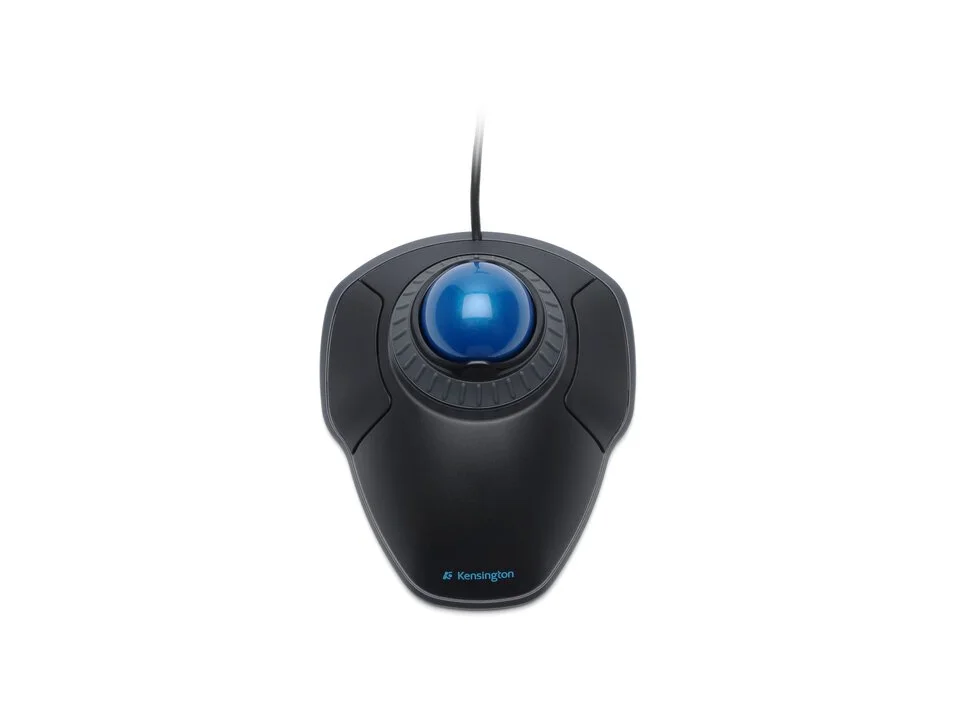
Is the Orbit right for you?
The Orbit is a wired trackball with an optical sensor.
Best for
- People who'd rather steer with their fingers. Kensington lists the ball control as finger-operated and the ball at 40mm.
- A desk that left- and right-handed people share. Kensington lists it as ambidextrous.
Skip if
- You want more than two buttons to work with. Kensington lists 2.
On a trackball you roll the ball and the trackball stays put; a vertical mouse holds your hand more upright and still moves across the desk. How the two compare is covered in our guide Vertical mouse vs. trackball: which ergonomic mouse is right for you?
Want to see it next to a keyboard and a headset? Try it on the QuickDesker board and build a whole desk setup around it.
What does it cost, and what should you check first?
- Seen at Kensington.com for $39.99 (Black) on 17 Oct 2026
- Seen at Best Buy for $57.58 (Black (K72337US)) on 7 Sep 2026
Prices change, so check the current one before you buy. Kensington lists the connection as wired USB and says it doesn't need batteries. It lists Chrome OS, macOS and Windows as its operating systems.
Kensington lists a limited 3-year warranty.
What can you do with the Orbit's scroll ring?
For scrolling, Kensington lists a Scroll Ring, which it describes as a dial you spin to move up and down web pages or documents.
Full specifications
| Buttons | 2 |
|---|---|
| Handedness | Ambidextrous |
| Sensor type | Optical |
| Connections | Wired |
| Remapping software | KensingtonWorks™ |
| Warranty | Limited 3-year warranty |
Kensington's Orbit Trackball with Scroll Ring product page and support page don't list a maximum DPI, a polling rate, a weight or silent clicks.
Specifications from Kensington's Orbit Trackball with Scroll Ring product page and support page (K72337US), read 7 Sep 2026.