ELECOM EX-G Wired Trackball (M-XT3URBK)
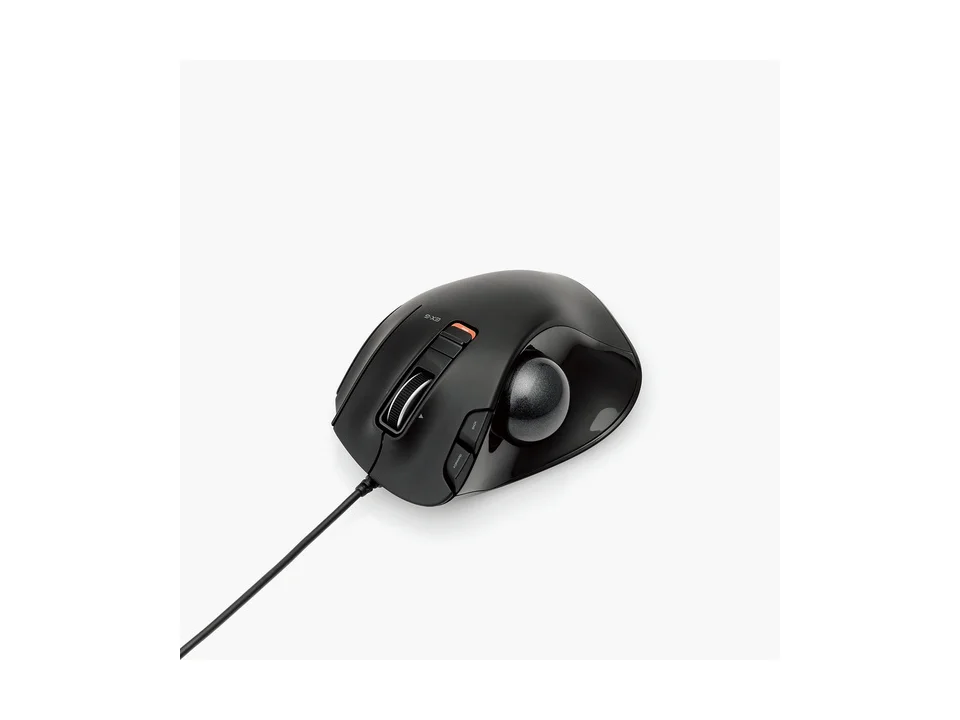
Is the EX-G Wired right for you?
The EX-G Wired is a thumb-operated trackball that connects by USB and runs on USB bus power.
Best for
- People who like to set their own button functions. ELECOM Japan says button assignments can be changed using ELECOM Mouse Assistant, a free download.
- Anyone who leans on forward and back buttons in a web browser. ELECOM Japan says it has "forward" and "back" buttons to make browsing web pages more efficient.
Skip if
- You'd rather push a mouse around than roll a ball. It's a trackball you steer with your thumb.
- You want a trackball without a cable. It connects by USB, and ELECOM Japan lists an approx. 1.5m cable.
On a thumb trackball your thumb rolls the ball to move the pointer; a vertical mouse holds your hand upright and still moves across the desk. How the two compare is covered in our guide Vertical mouse vs. trackball: which ergonomic mouse is right for you?
Want to see it next to a keyboard and a headset? Try it on the QuickDesker board and build a whole desk setup around it.
What does it cost, and what should you check first?
- Seen at ELECOM USA for $34.99 (Black) on 12 Oct 2026
Prices change, so check the current one before you buy. ELECOM Japan lists the connector as USB (A) male and the power as USB bus power, so the trackball takes its power from the computer's USB port. A USB-A plug doesn't fit a USB-C port without an adapter.
ELECOM's US page lists Windows and macOS compatibility.
ELECOM Japan lists a 6-month warranty and a user's manual in the box, and calls it a simple-package model that's easy to unpack.
How many buttons does the EX-G Wired have, and which can you customize?
ELECOM Japan lists 6 buttons, counting the wheel button. It says there's one customizable function button at the ring-finger position, while ELECOM's US page describes 6 customizable buttons. It also lists a tilt wheel that can scroll left and right. For the left and right buttons, ELECOM Japan says it uses switches made by OMRON.
How big is the EX-G Wired?
ELECOM Japan lists it at width 94.7mm, depth 124.4mm and height 47.9mm, and approx. 154g including the cable. It lists the ball at approx. 34mm in diameter, and says it uses large artificial rubies, 2.5mm in diameter, as support balls. ELECOM Japan says the bigger support balls are less likely to get buried in dirt such as hand grime.
Full specifications
| Buttons | 6 (including the wheel button) |
|---|---|
| Programmable controls | One customizable function button at the ring-finger position (ELECOM Japan product page) · 6 customizable buttons (ELECOM USA product page) |
| Shape | Trackball (thumb-operated type) |
| Sensor type | Optical sensor system |
| Minimum DPI | 750 counts |
| Maximum DPI | 1500 counts |
| Connections | USB |
| Power | USB bus power |
| Weight | Approx. 154g (including cable) |
| Tilt scrolling | Tilt wheel that can scroll left and right |
| Remapping software | ELECOM Mouse Assistant, free to download |
| Dimensions | Width 94.7mm × Depth 124.4mm × Height 47.9mm |
| Cable length | Approx. 1.5m |
| Warranty | 6 months |
| In the box | User's manual ×1 |
ELECOM Japan's M-XT3URBK product page doesn't list a polling rate, a switch rating, silent clicks or a free-spin scroll wheel.
Specifications from ELECOM's Japanese product page, translated by QuickDesker, and ELECOM's US product page. Pages: ELECOM Japan product page (M-XT3URBK) and ELECOM USA product page, read 7 Sep 2026.